
Summing Mixer Setup – Documentation – Additional Options – Components
Analog Studio Mixer Docs, Schematic, Wiring Diagram & Monitor Controller Layout
Explore example blueprints and design layouts for custom analog studio mixers and monitor controllers. This section includes detailed schematics, wiring diagrams, and configuration references to help you understand routing options, summing architecture, and component integration in real-world setups.
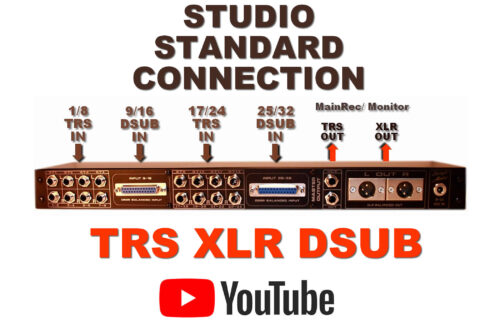
Connection – Stereo Balanced Studio Standard Connectors
There is NO Signal Quality difference between TRS, DSUB, and XLR.
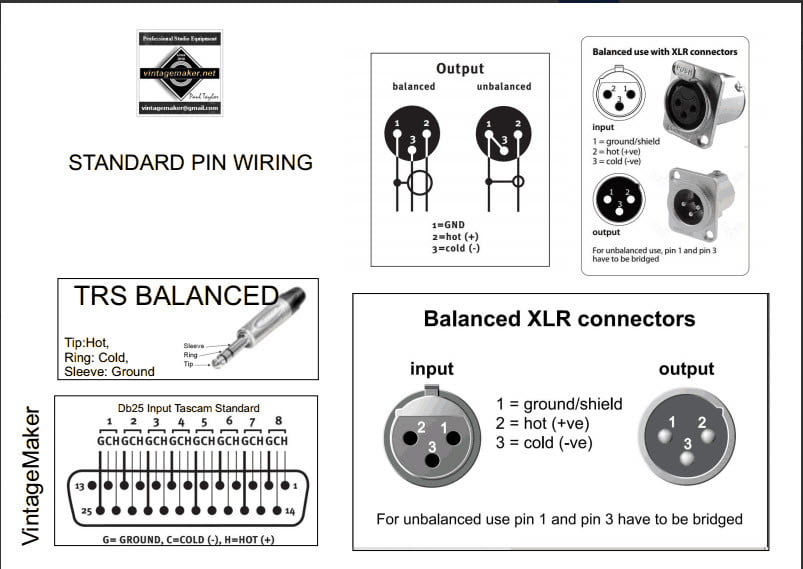
All three types conduct 3 signals in balanced mode:
- POSITIVE (+)
- NEGATIVE (-)
- GROUND
Connecrion type:
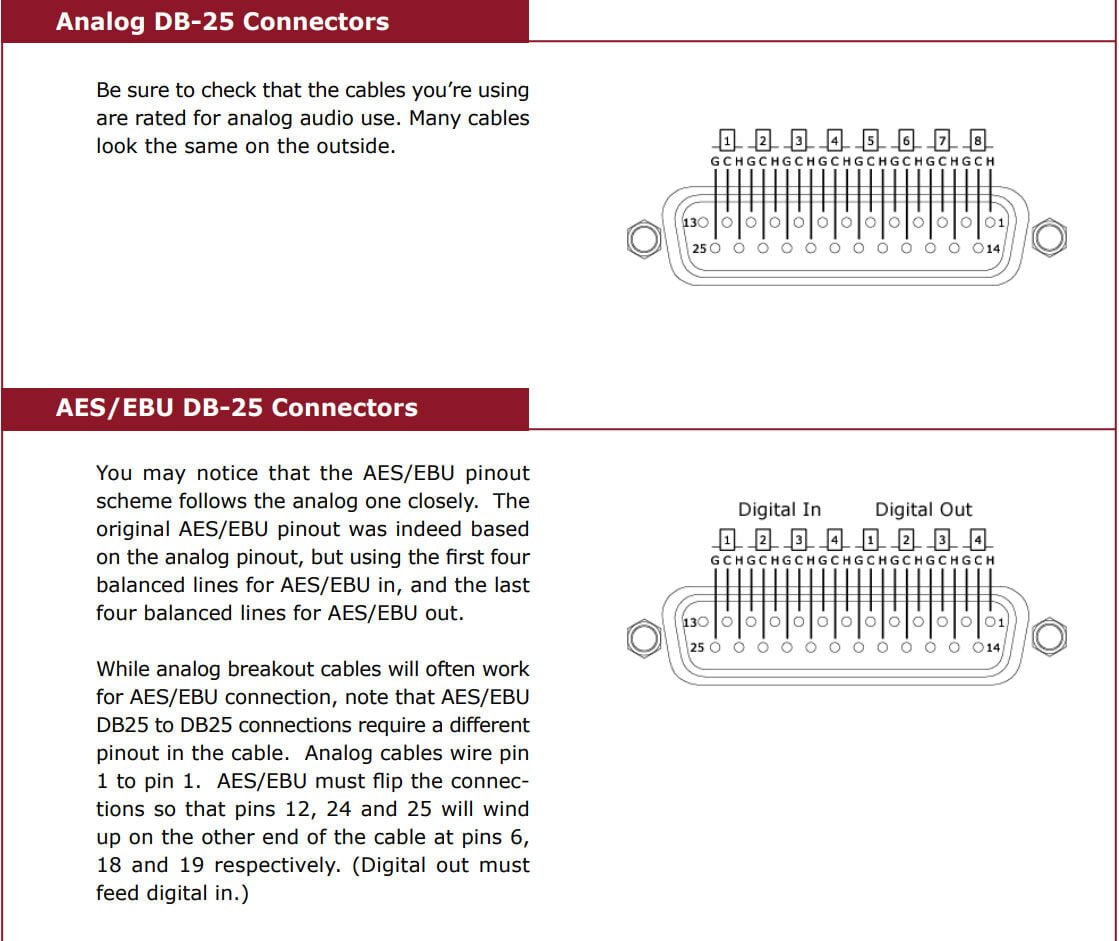
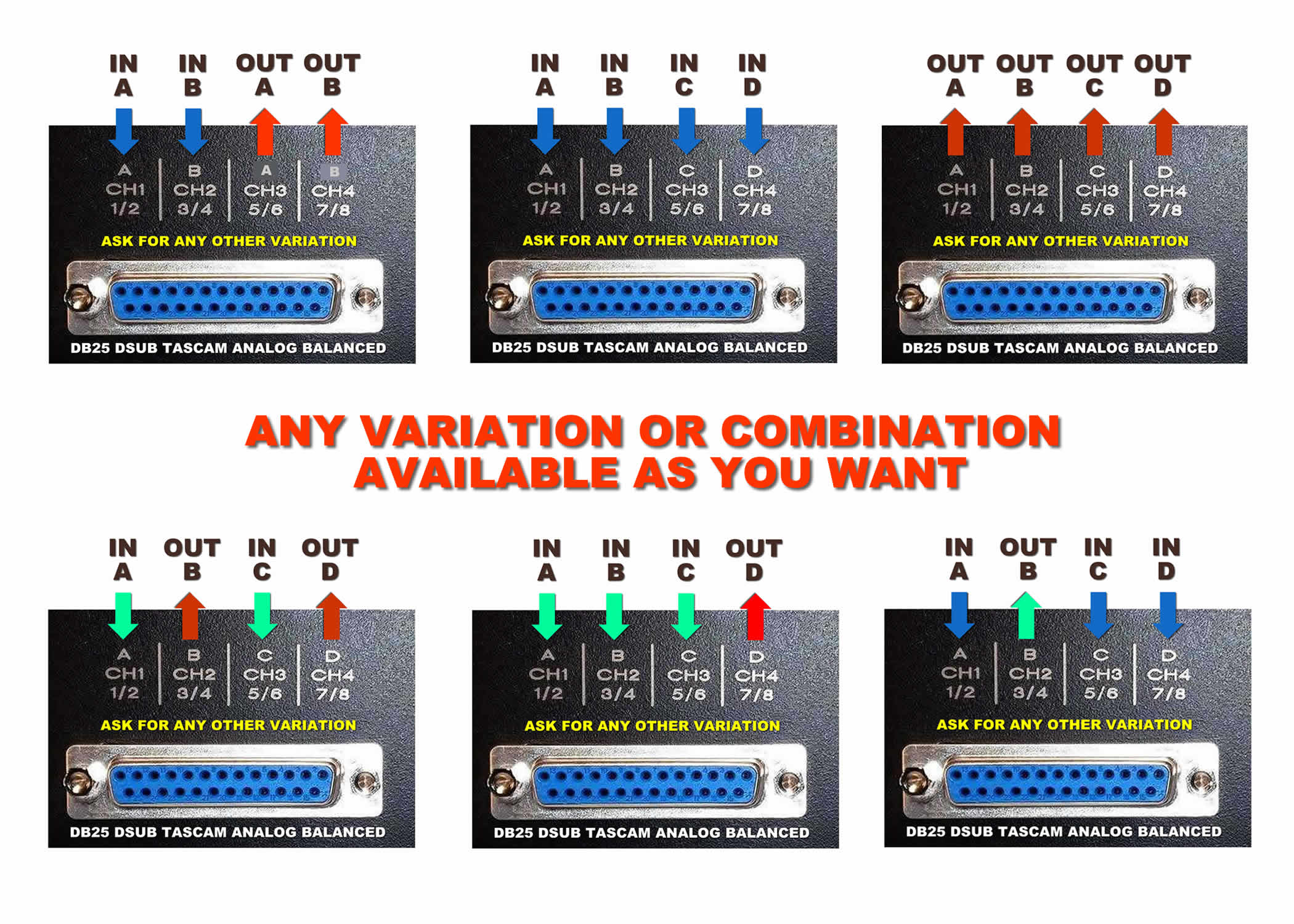
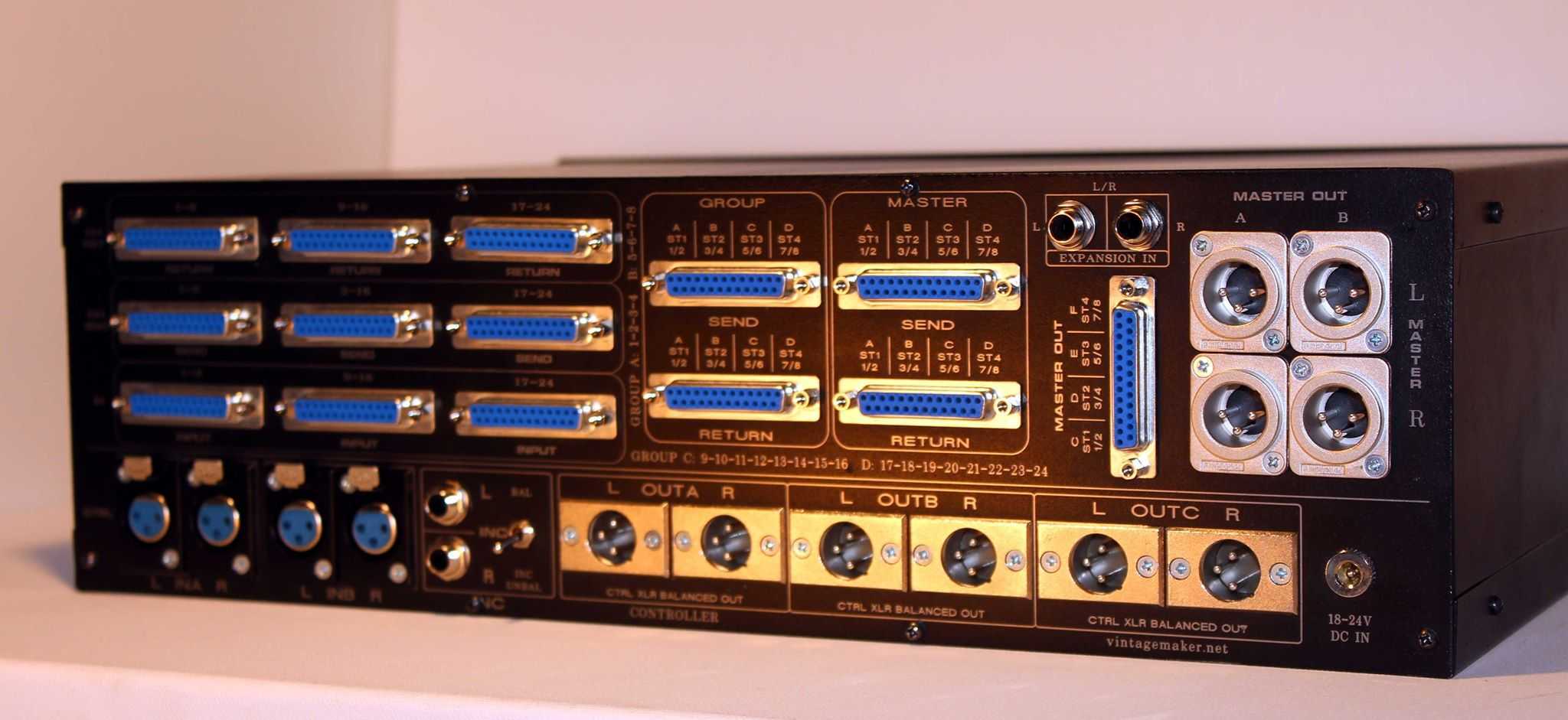
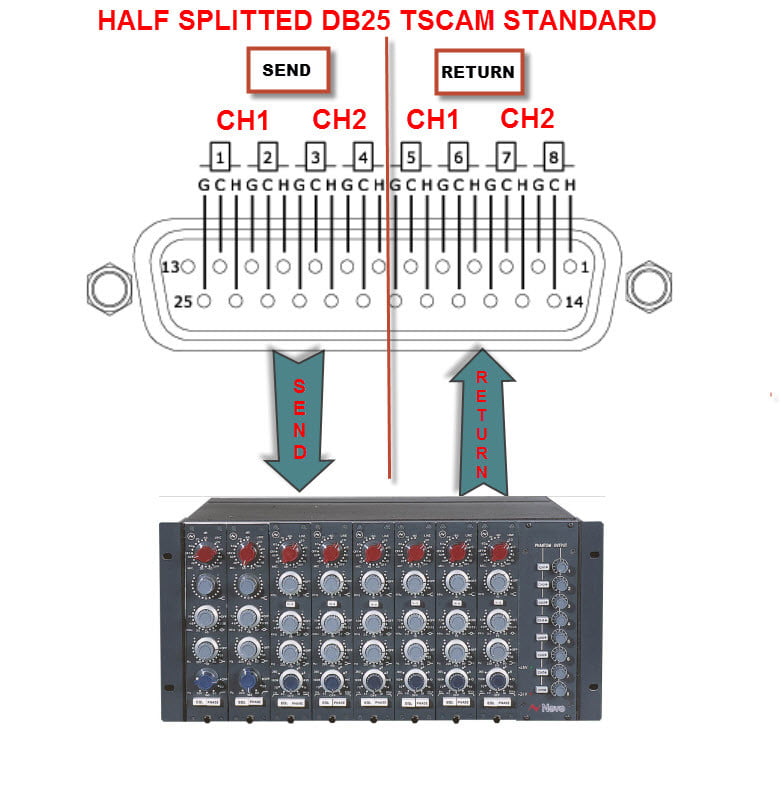
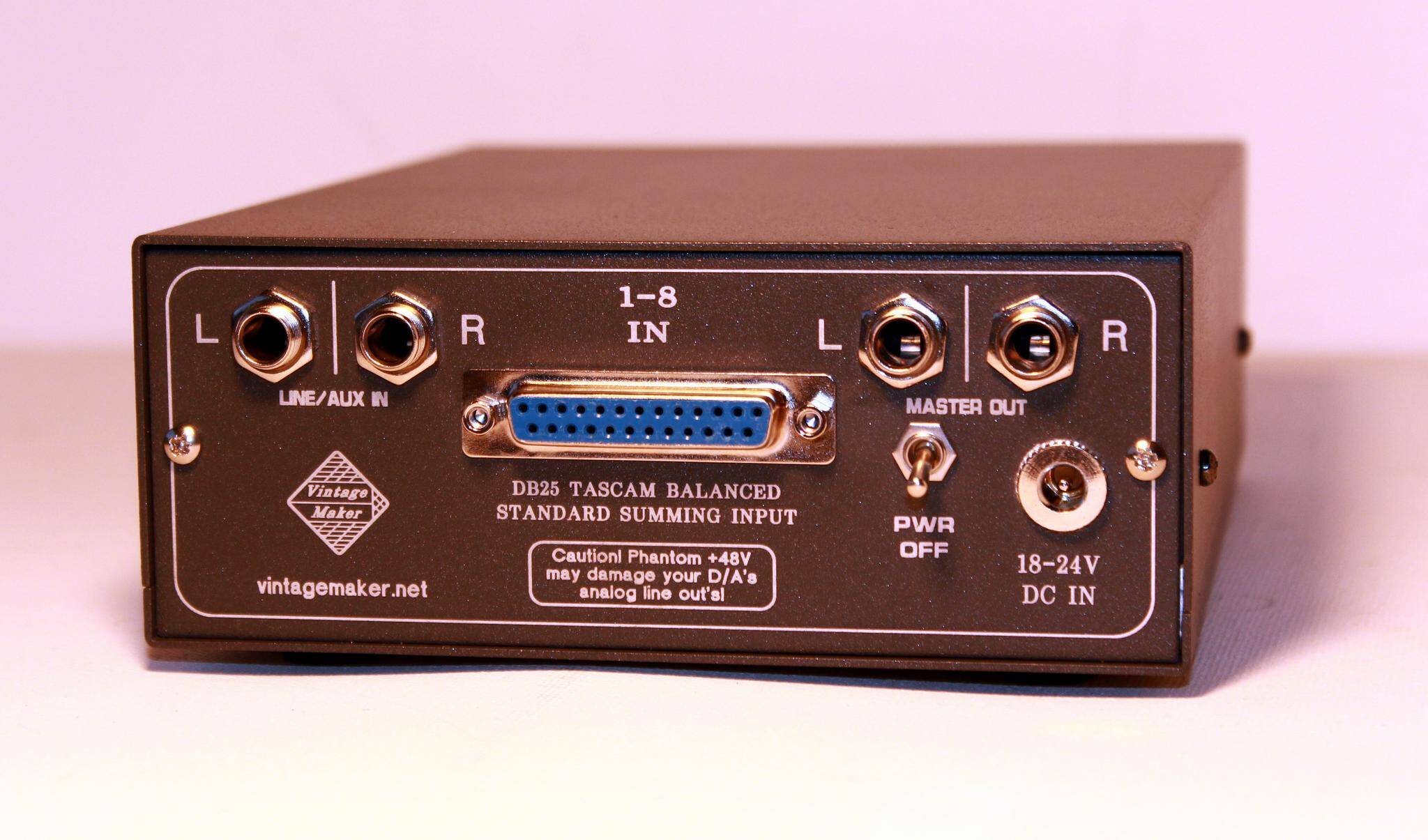
- D-Sub DB25 Tascam Standard Analog Balanced
- TRS 1/4″ balanced: Tip=hot (+), Ring=cold (-), Sleeve=GND
- XLR balanced: 1=GND, 2=hot (+), 3=cold (-)
DSUB – DB25 Tascam Analog Standard
Make sure you’re using Analog DB-25 – NOT (AES/EBU digital)! AES/EBU pinout scheme follows the analog one closely.
The original AES/EBU pinout was indeed based on the analog pinout, but it uses the first four balanced lines for AES/EBU in and the last four balanced lines for AES/EBU out. Always use a compatible cable with the standard Analog Tascam.


Setup Configuration with Example and Visuals
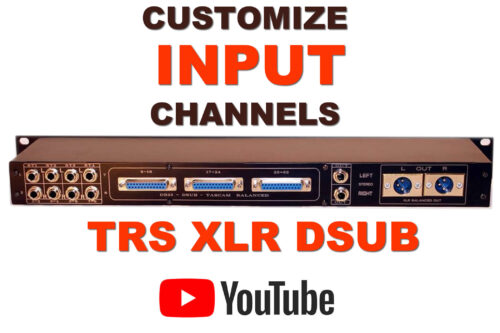
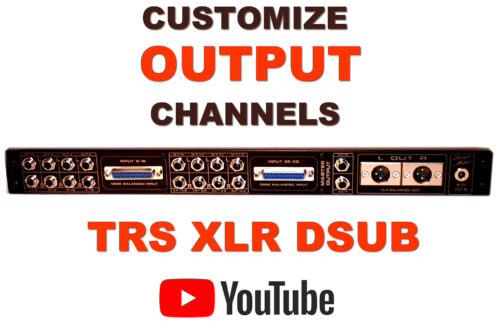
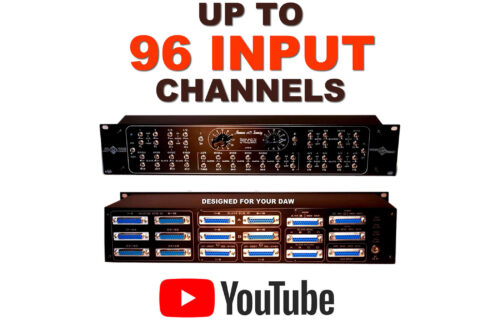
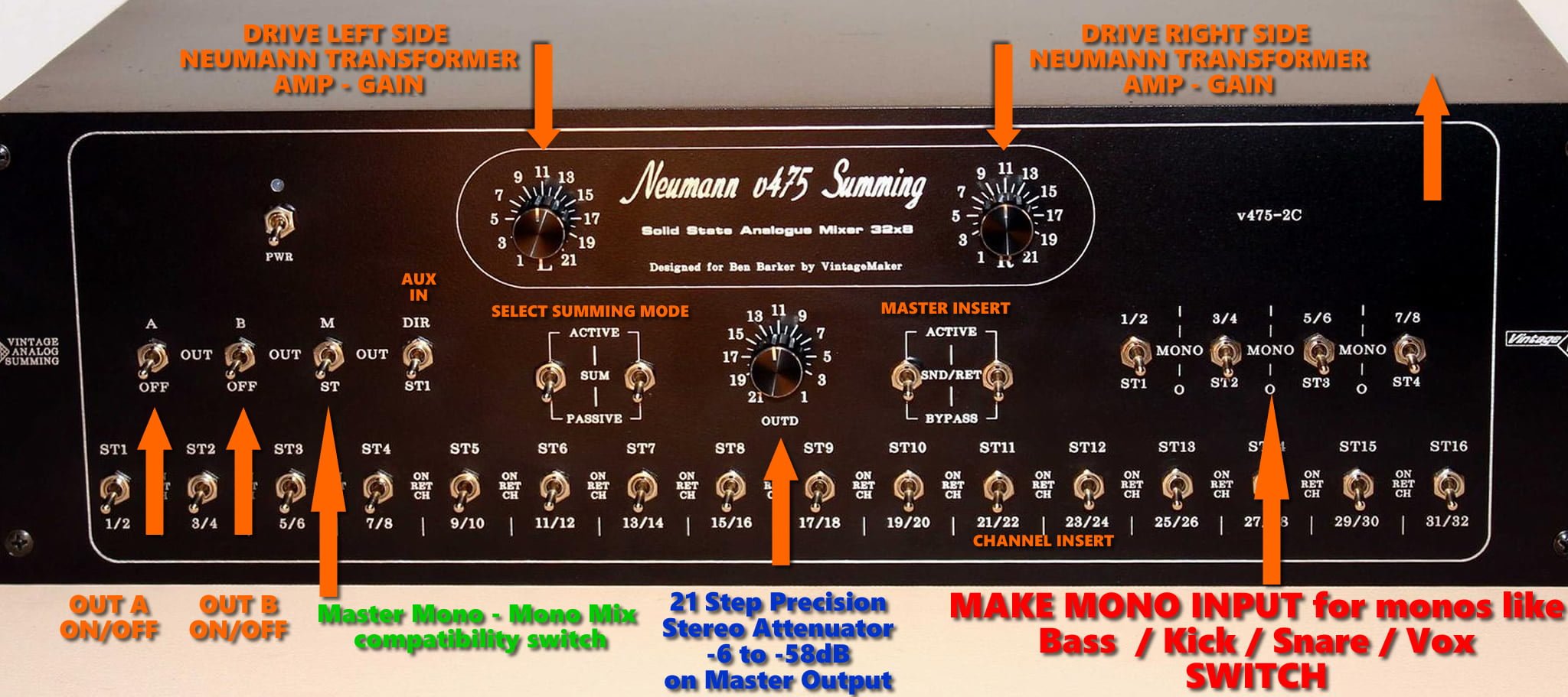
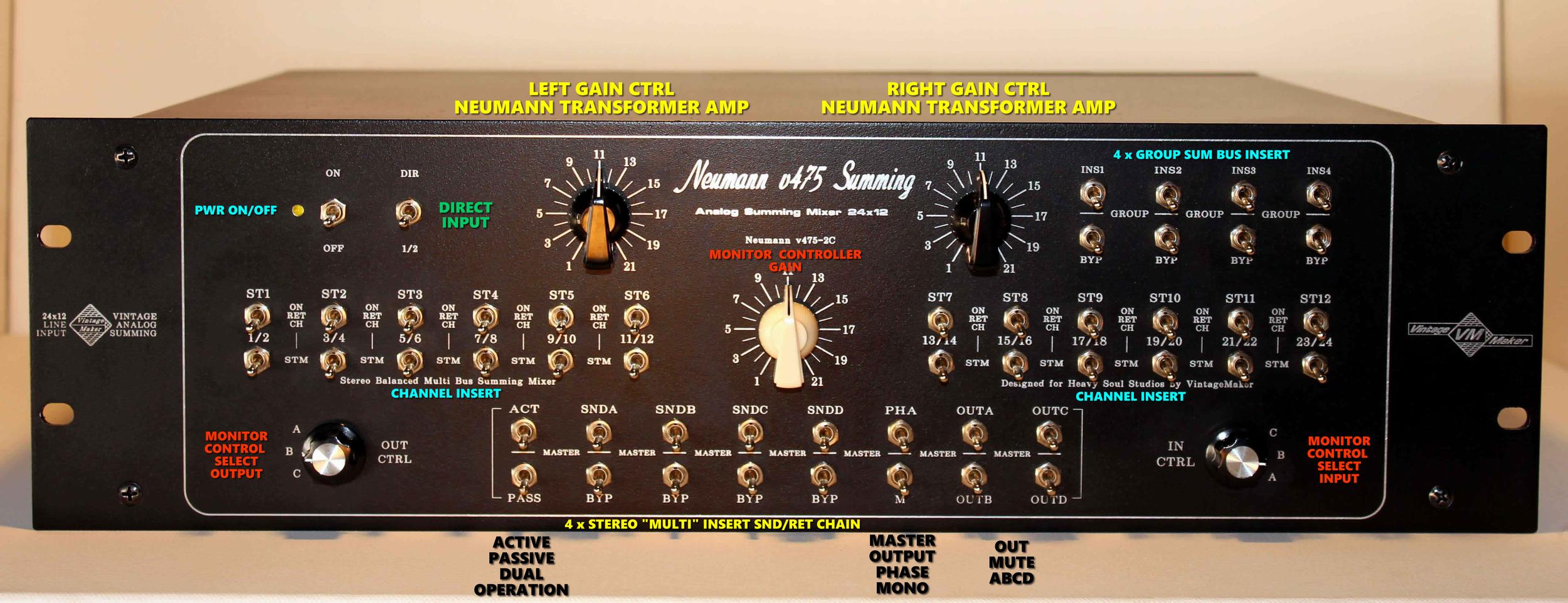
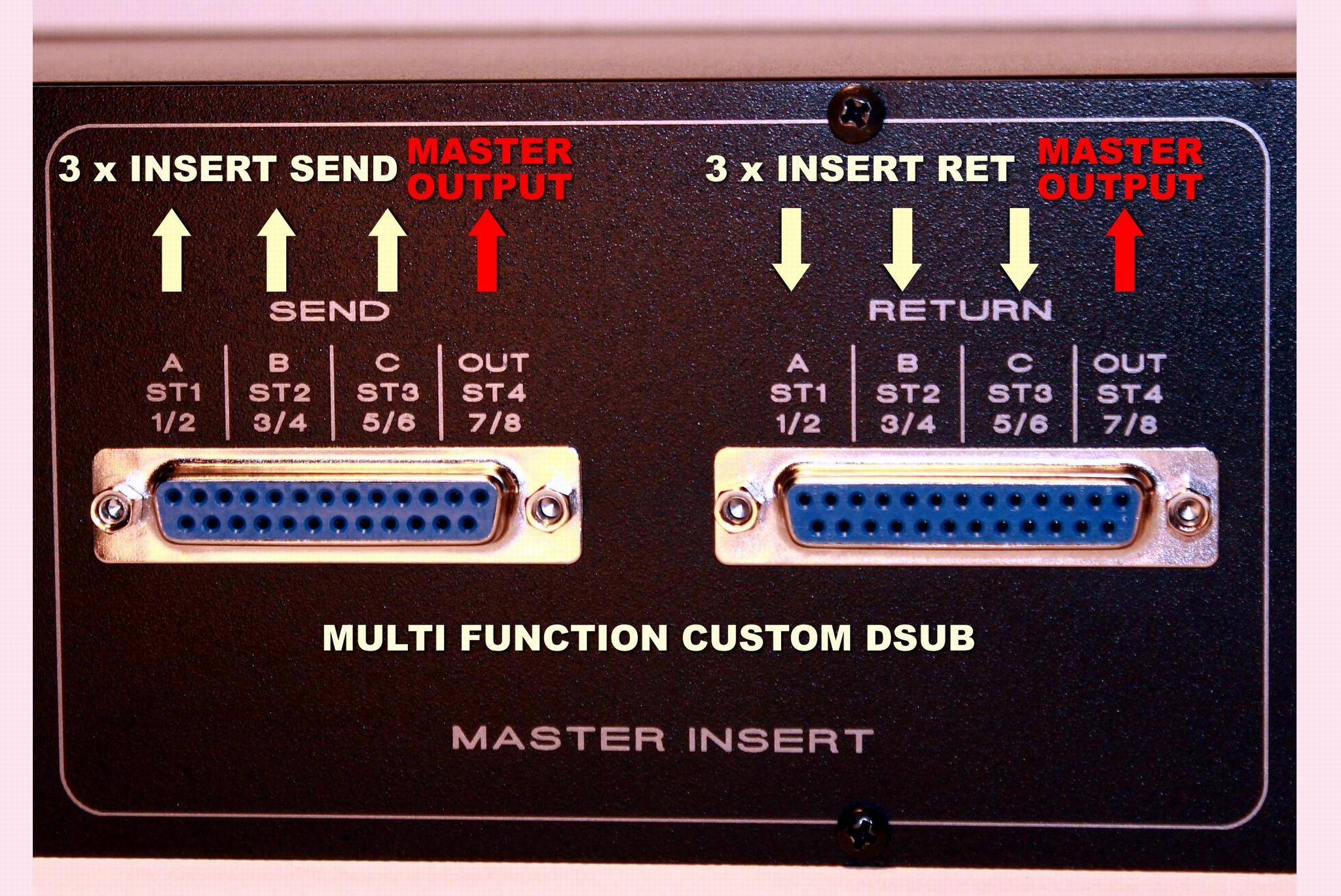
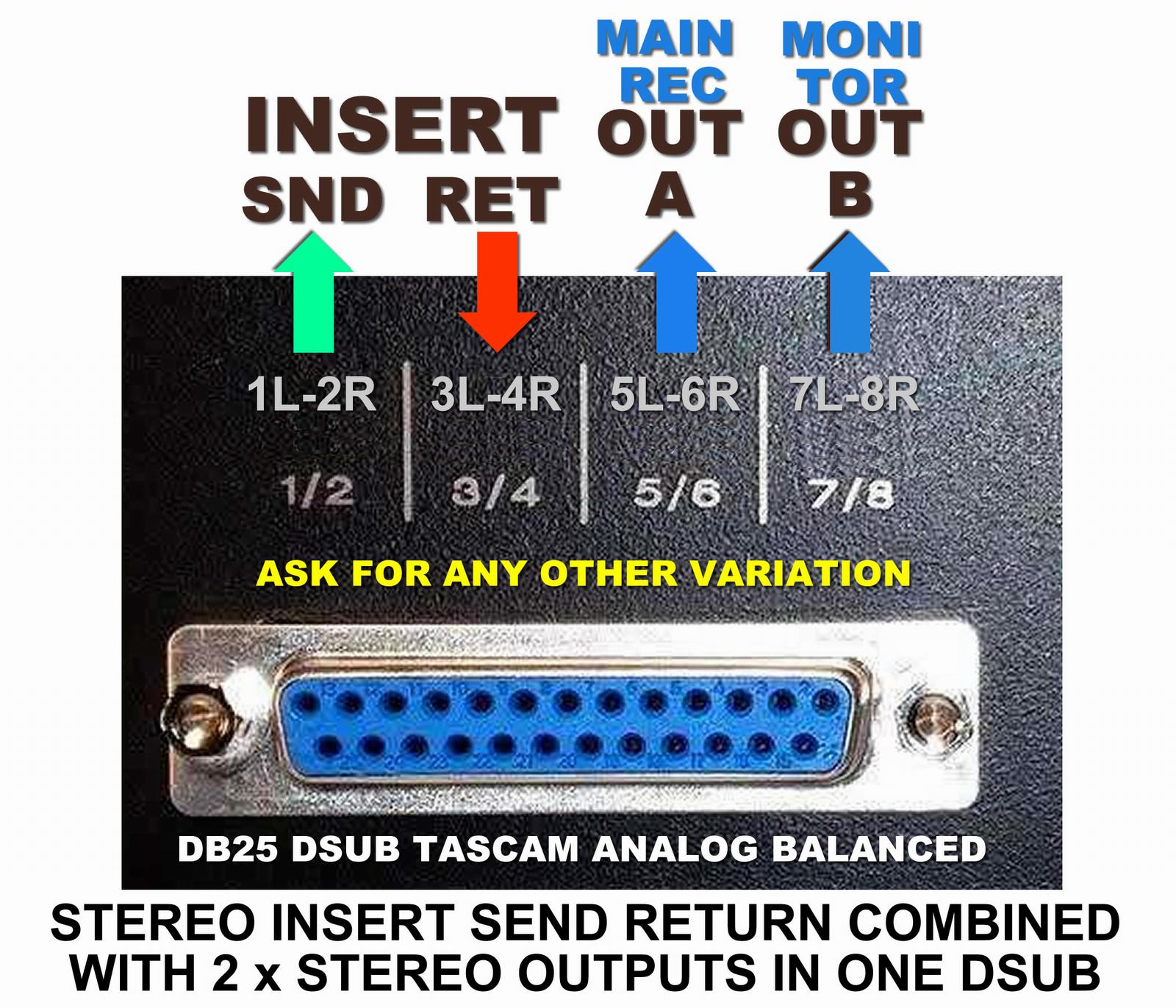
The following images show diverse possibilities of custom builds. You can actively participate in the planning, essentially designing it yourself, or ask for my help to create the best unique custom studio gear for you.
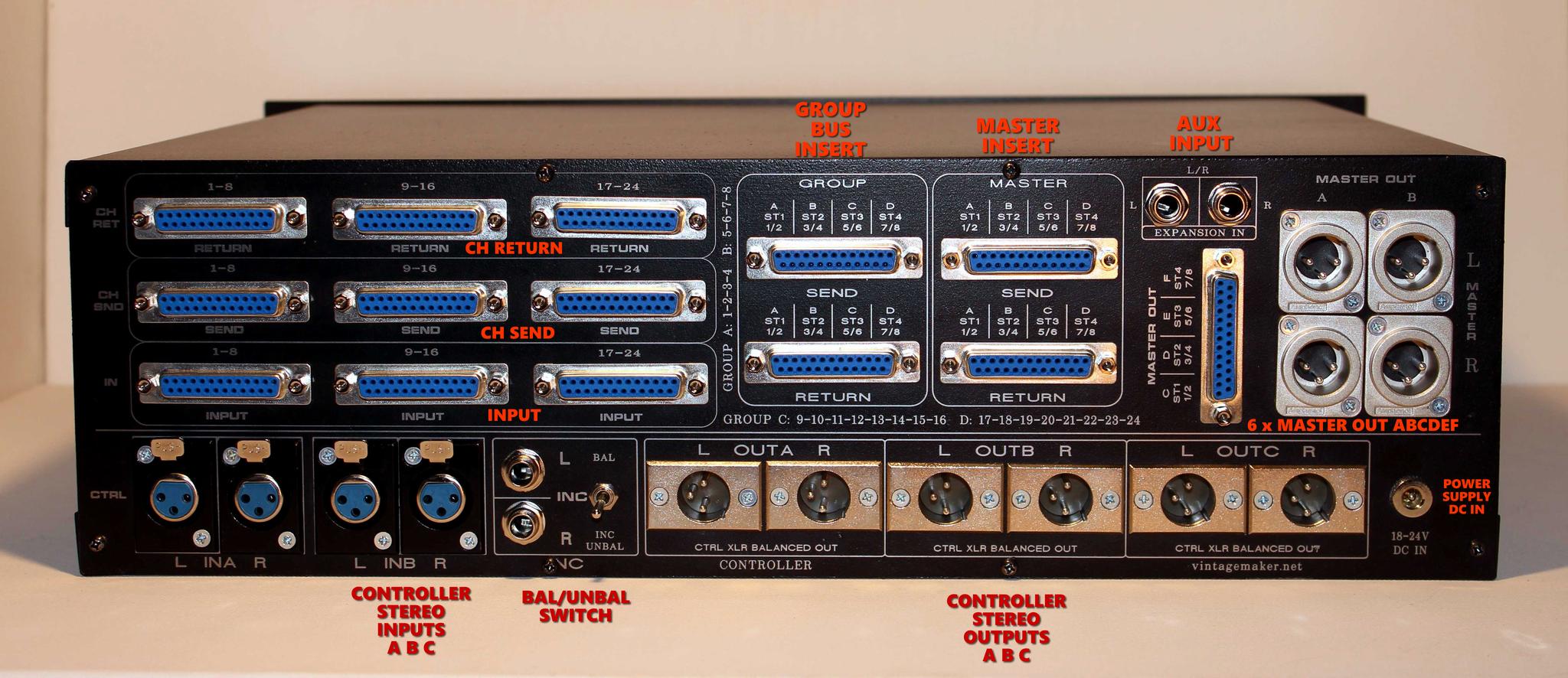
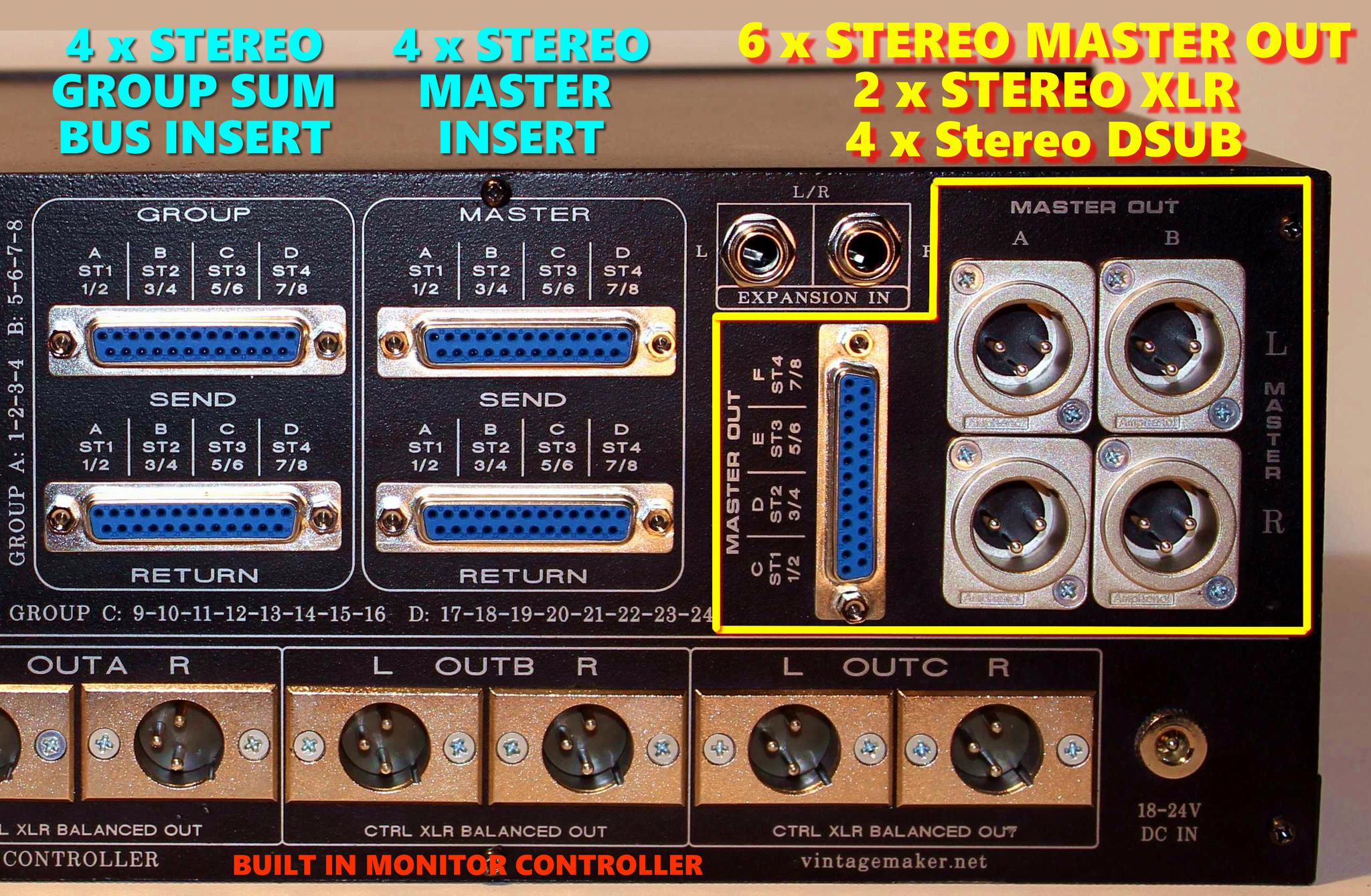
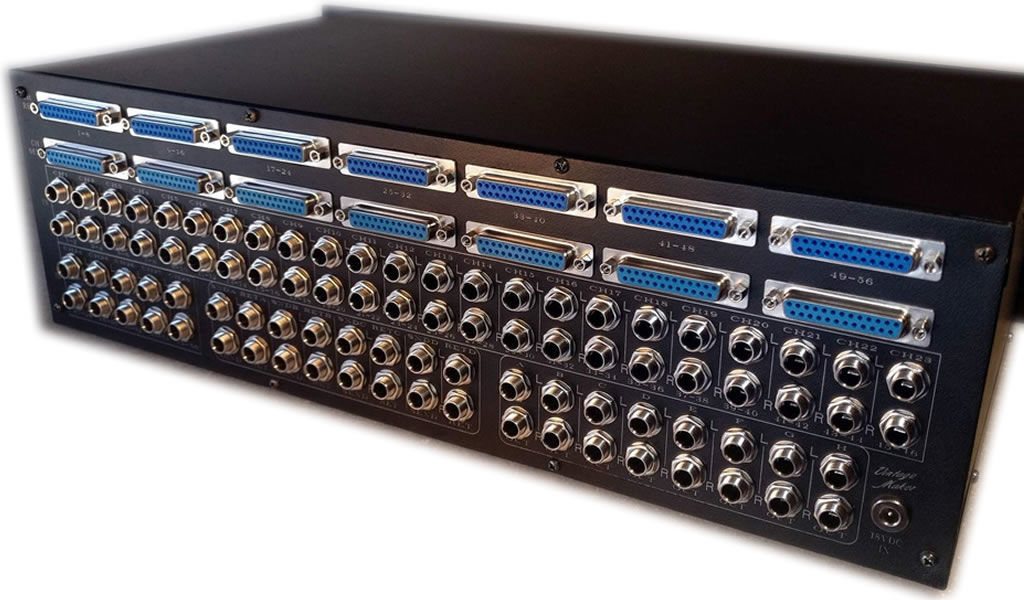
Input Channel Count and type
- 1U Rack:
- DSUB: up to 40-48 ch input
- TRS: up to 32 ch input
- XLR: 8 ch input
- 2U Rack:
- DSUB: up to 96 ch input
- TRS: up to 64 ch input
- XLR: up to 16 ch input
- 3U Rack:
- DSUB: up to 128 ch input
- TRS: up to 96 ch input
- XLR: up to 32 ch input


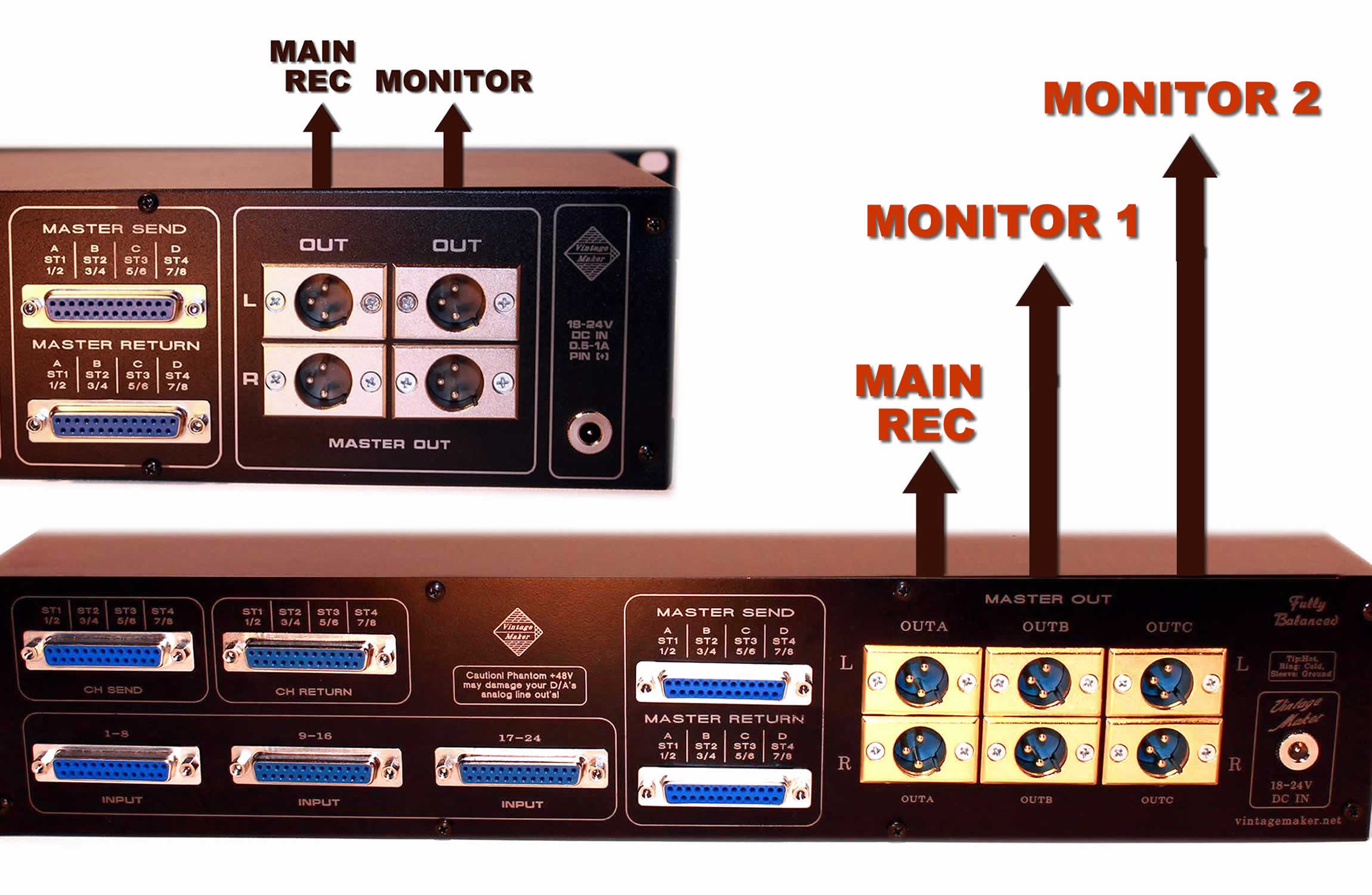
Output channel Count and Type
- 1U Rack:
- DSUB: Up to 16 channels out (8 stereo) or ask for custom pinout
- TRS: Up to 8 channels out (4 stereo)
- XLR: Up to 6 channels out (3 stereo)
- In the case of a 16-channel input through DSUB input.
The recommended output count is 4 ch / 2 x Stereo: Main Rec | Monitor. This allows real-time monitoring of the master output.



Master Active Passive – Dual Solid State Switch
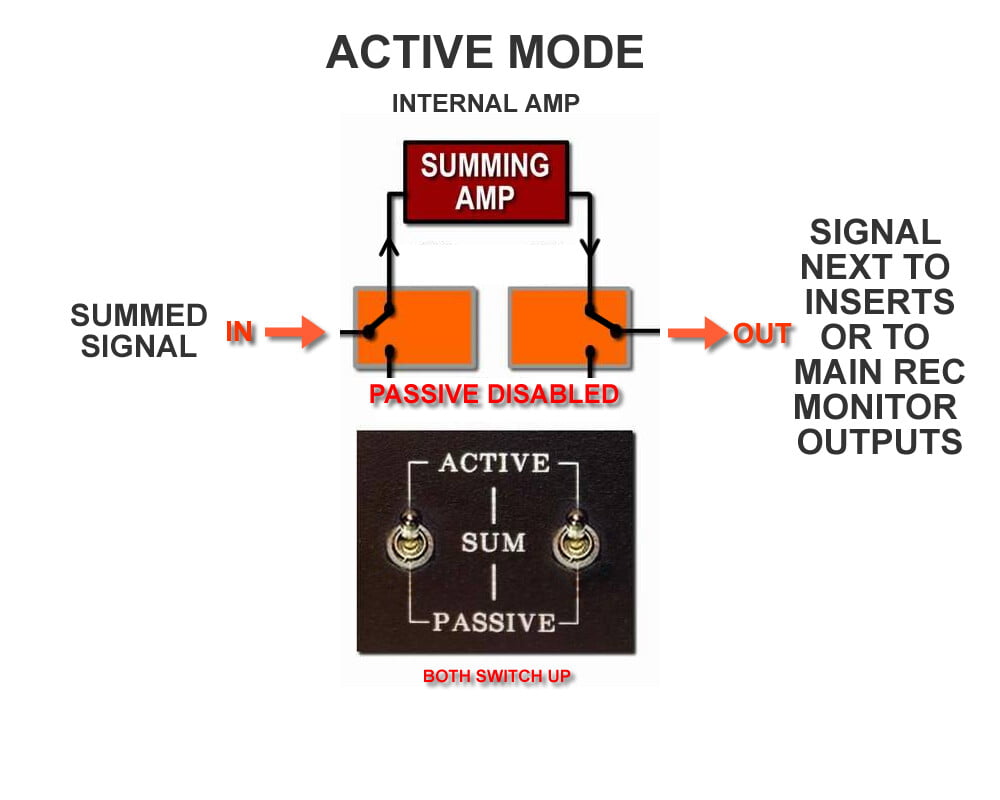
The Master Active Passive module allows you to seamlessly choose between the internal transformer (Active) or your external preamp/DAW mic preamp (Passive). Use either mode alone or combine both to shape your sound, creating a variety of rich analog tones.
Modes and Combinations
Passive = No internal amp; use your external amp
Active Mode 1 = Internal amp active; passive path bypassed
Active Mode 2 = Internal amp active; passive path bypassed + add your external amp for blended color
Q: What are the benefits?
A1: In Passive mode, you can use an external amp for a completely different color (e.g., a DAW/preamp for a transparent signal, or a tube preamp for extra color).
A2: The internal amp on its own adds characteristic Neumann-style transformer saturation.
A3: You can combine the internal and external amps for a blended color.
Q: Can I use my own preamp together with the internal amp?
A: Yes. In Active mode, you can run the signal through the transformers while also sending it to your external preamp for additional flavor/color. Just make sure to set the gain properly (internal + external gain).
Passive Mode (Non-powered)
- Uses your external preamps or DAW.
- Provides clean, transparent summing or rich, colored tone using your preferred external preamp.
- Ideal for sessions where you want minimal coloration and high fidelity.
Active Mode (Powered)
- Engages the internal transformer amplifier (Neumann, Filtek, Lawo).
- Adds harmonic density, punch, and character.
- Perfect for adding warmth, saturation, and a more “analog” feel.
Dual / Combined Mode
- Uses both the internal transformer amplifier and your external preamps/DAW.
- Creates a third unique tonal color, combining clarity with harmonic richness.
Benefits of Switching Modes
- Instant mode switching via the front panel during sessions.
- Flexibility to choose clean summing (Passive), transformer warmth (Active), or combined tonal complexity.
- Each amplifier stage introduces its own unique sound color and character, giving more creative options for mixing.
Summary of Combinations
| Mode | Setup | Sound Character |
|---|---|---|
| Passive | External preamps (your own) | Clean, transparent or colored sound |
| Active 1 | Internal transformer amp (Neumann, Filtek, Lawo) | Warmth, punch, analog character |
| Active 2 (Combined) | Internal transformer amp + external preamp/DAW | Unique tonal color, complex harmonics |
This design provides maximum sonic flexibility while remaining intuitive and easy to use, making it ideal for professional analog summing setups, hybrid DAW workflows, and creative sound shaping.

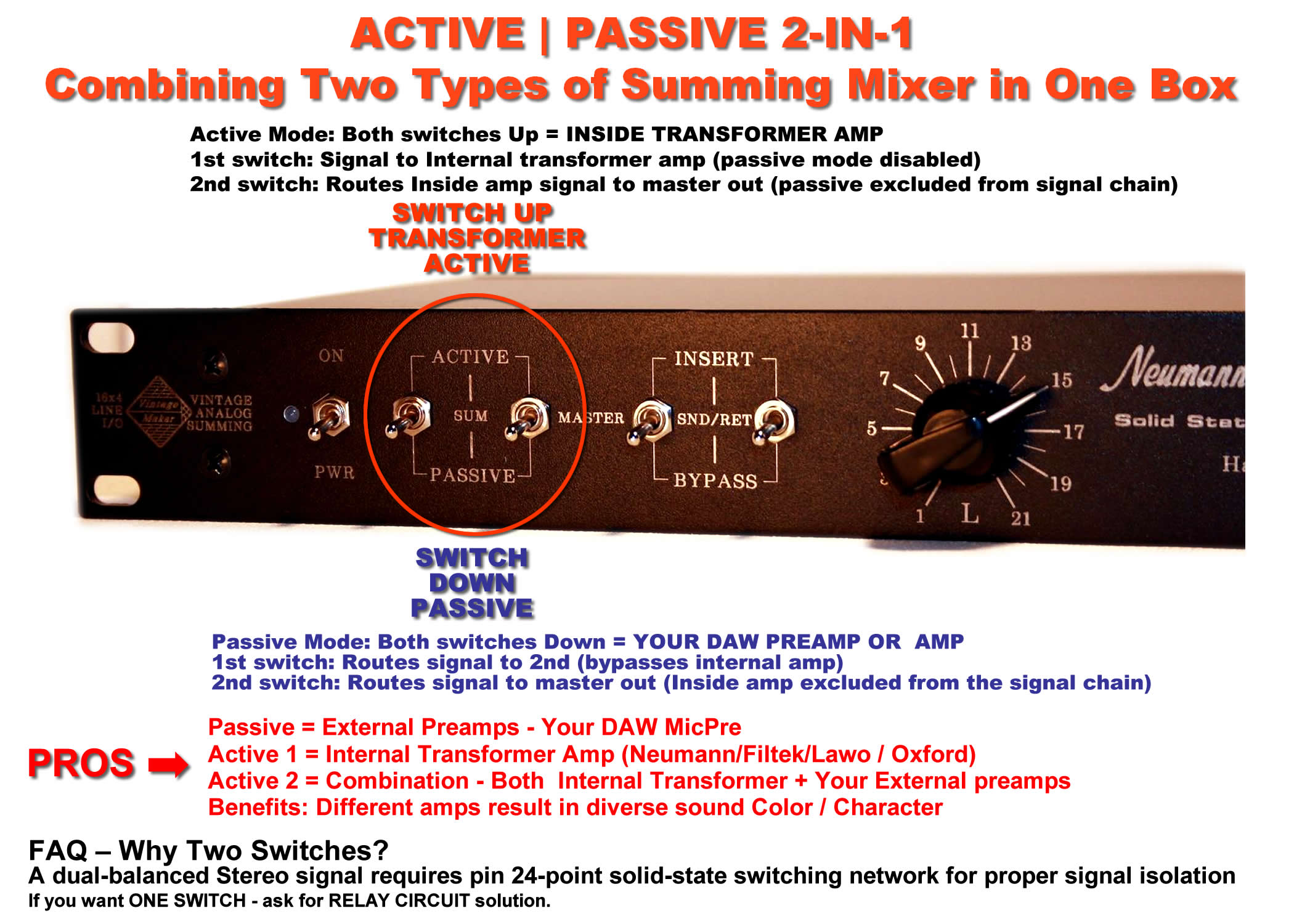

FAQ – Why Two Switches Instead of One?
The reason for using two switches instead of one is:
- Durability & Quality – A high-quality solid-state switch that can handle 24 signals at once is difficult to find and not cost-effective.
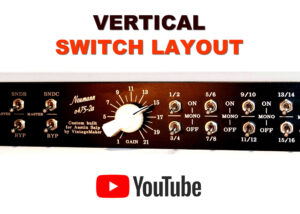
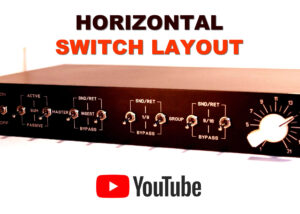
- Signal Handling – To manage 24 signals, we use two 12-pin stereo switches (as shown in the videos, where you can easily switch both simultaneously).
- Clean & Isolated Signal Flow – The dual-switch design ensures that the dual-balanced stereo signal remains clean and isolated from input to output.
- Alternative Option – If you prefer a single-switch solution, check out the “Power ON Activated – Relay” option (see below).
Master Active Passive – One Switch Relay
Power Modes & Relay Control
- Active Mode: POWER ON
- Passive Mode: POWER OFF
- Relay Control: Power-On Voltage-Controlled Relay Circuit
This setup ensures seamless switching between active and passive modes while maintaining signal integrity.


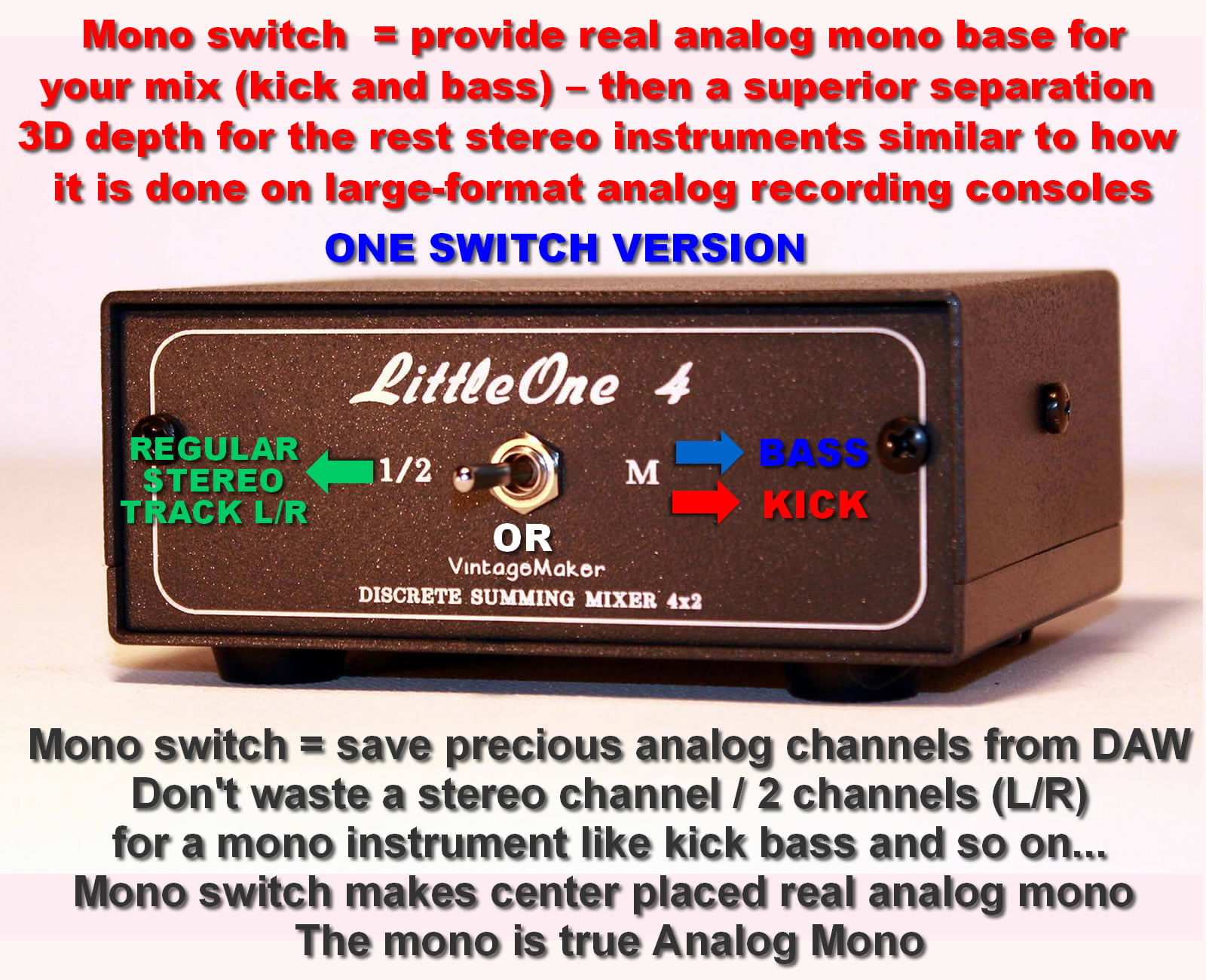
Mono Input Conversion Switch versions
The Mono Channel Conversion Switch allows you to control how stereo or mono signals are handled in your mix:
- STM (ONE) Switch: Stereo to Mono Switch Combines a stereo (L/R) input into two identical Mono Center Placed signals.
- Per Channel Mono Switch: Lets you choose whether an individual left or right input should be centered (mono) or stay hard-panned.
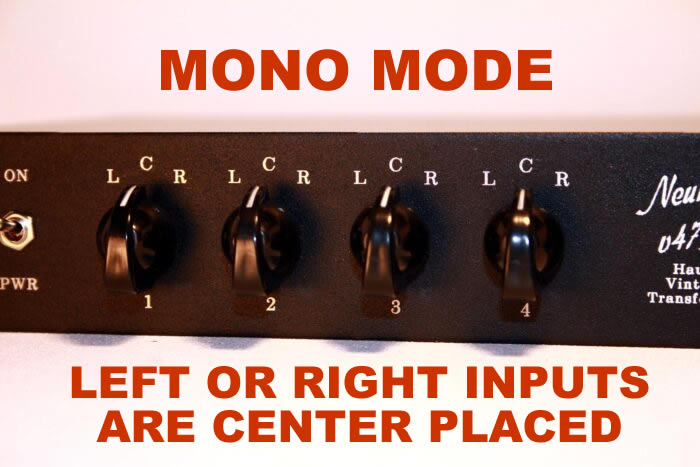
- LCR Switch: A 3-way (Left Center Right) switch to pan audio left, center, or right.
With the Mono Channel Conversion Switch, you can:
- Keep a stereo signal (as is) hard-panned (L/R Stereo Input) Panning from the DAW (Stereo Synth / any other Stereos
- Convert it to mono and center the sound. If 2 mono instruments (e.g., kick/bass) are sent to the summing inputs, you can leave them on the L or R side, or switch to center to have the sound centered and heard equally in both speakers.so it’s centered and evenly heard in both speakers.

It gives you flexibility in how you position sounds in your mix.
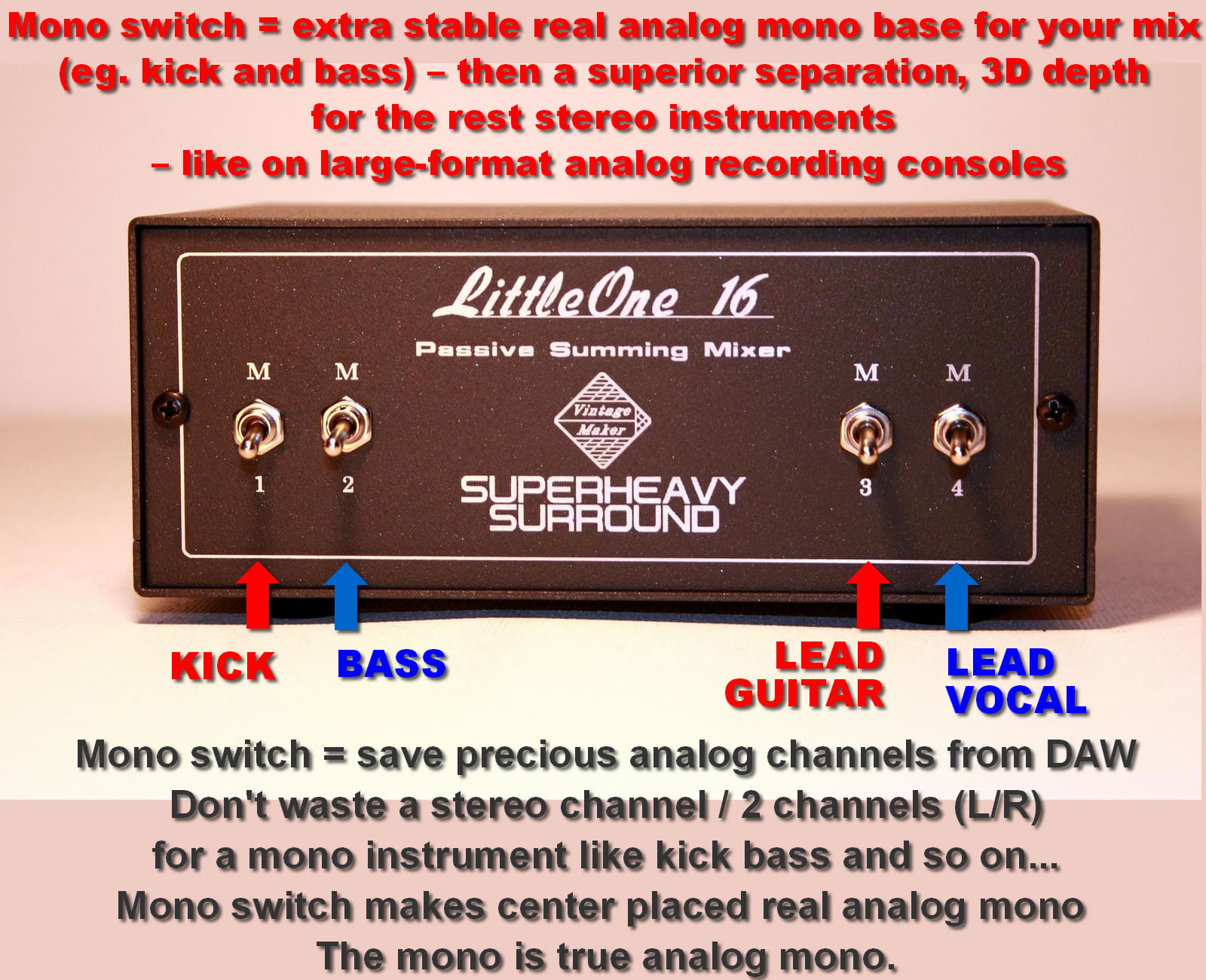
- Why Mono Switch?
- Simply because it gives you the Big Analog Console like Mono Sounding!
- Ultra-Precise Center Placed Mono: Provides extra stable, real analog mono base on Kick, Bass, Main Vox, and Snare.
- Separation for Stereos: Offers superior separation and 3D depth for the rest of your Stereo Instruments.
- Save channels: You don’t have to waste precious analog channels in your DAW by using two channels (L/R) for a mono instrument.
Important: The Mono Input Conversion switch is for Mono, Single-channel instruments like Mono kick / bass – NOT FOR STEREO L/R – TWO Channel Instruments.
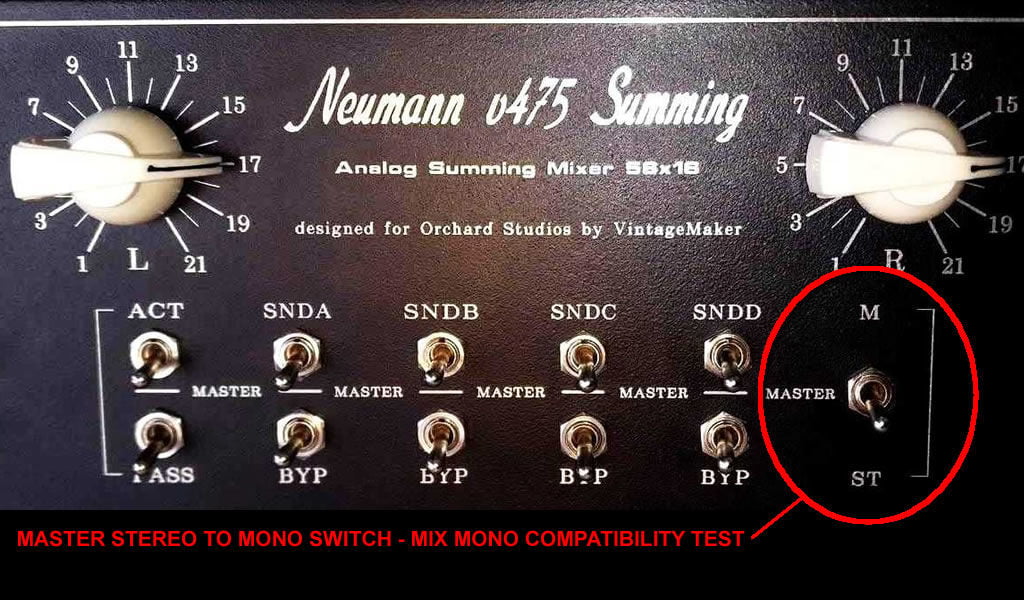
*there’s another switch called the Master Stereo To Mono switch, which is for Mix – Mono Compatibility Test
Hard panning Left (L) or Right (R) means that an audio signal is sent entirely to one side of the stereo field—either the left or right speaker—without any signal in the opposite channel.
With the Mono Channel Conversion Switch, you can:
- Keep a signal hard-panned (fully left or right) for a wide stereo image.
- Convert it to mono so it’s centered and evenly heard in both speakers.
This is useful for precise stereo placement, avoiding phase issues, and ensuring clarity in your mix
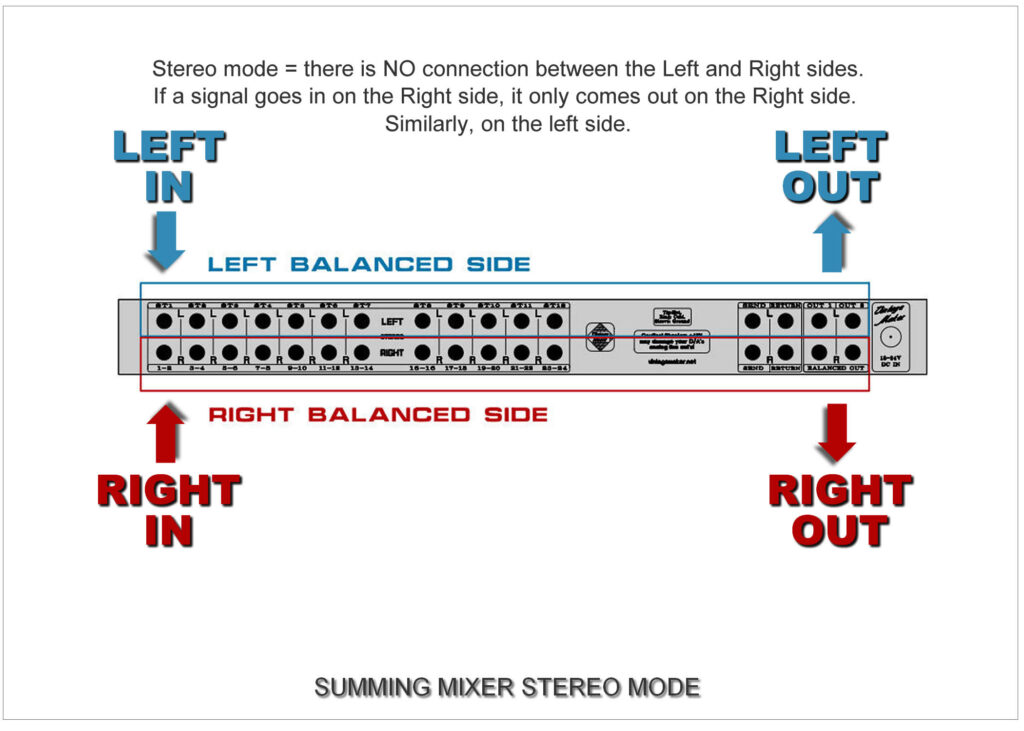
Principles: The summing mixer has TWO separate, independent sides:
- LEFT SIDE: Left input goes to theLeft output.
- RIGHT SIDE: Right input goes to the Right output.
- Additional inputs follow a similar pattern for a comprehensive stereo mix.
- STEREO – Stereo Instruments – regularly – Panning From DAW
Mono instruments: in the DAW sequencer (Steinberg cubase, pro tools, flstudio, reaper, logic pro, Ableton etc.) should place the kick hard left, the bass hard on the right, and so on.
Stereo instruments: Connect the summing mixer according to the analog outputs of the DAW; If you don’t use mono channels in your mix, simply turn down all the mono switches, and you’ll have a fully stereo analog summing mixer with panning control available from the DAW.


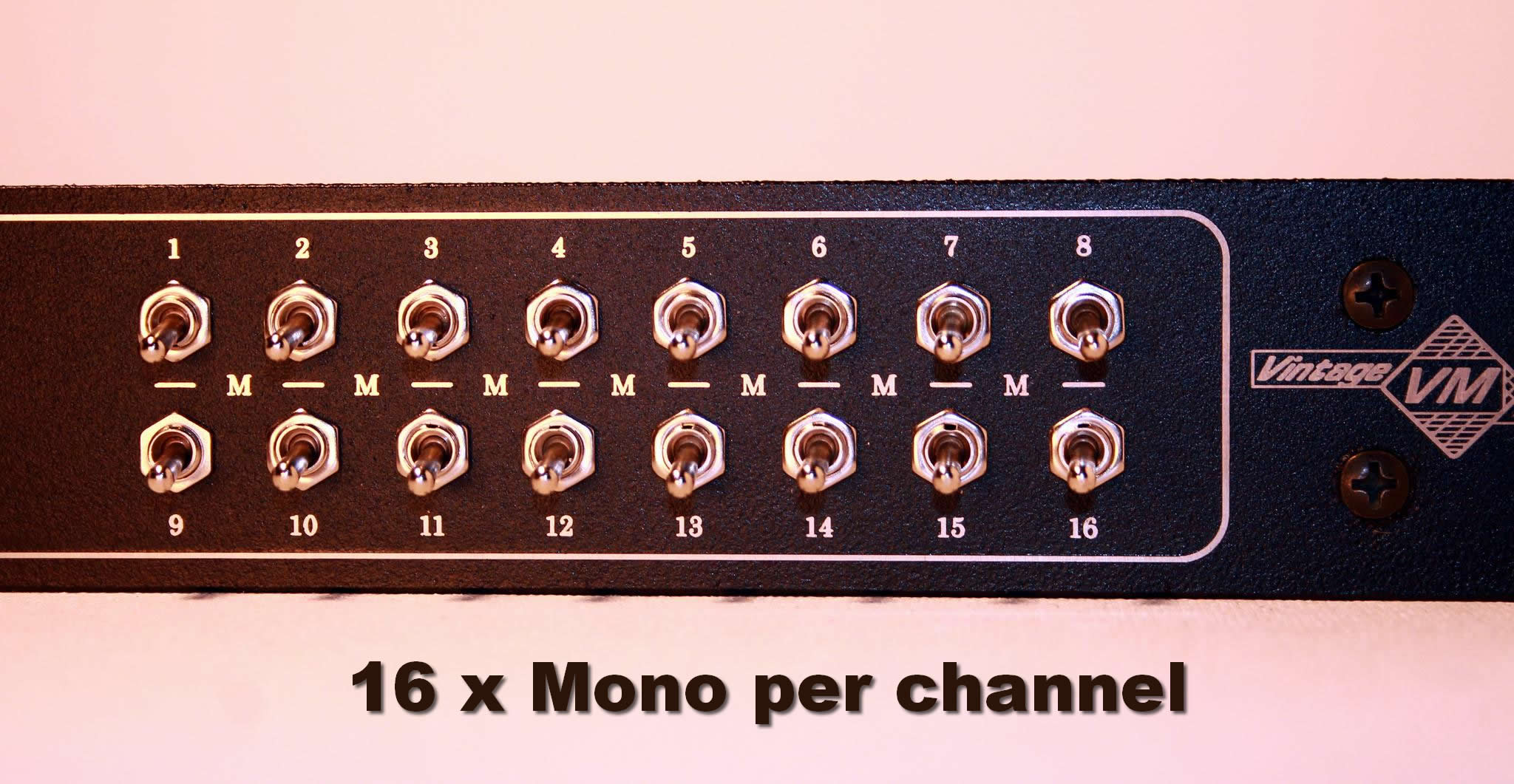
1x MONO – Per Channel Switches
- Each Input Channel has its own Hard pan Left / Hard Pan Right Input – To Center – Mono Switch
- Convert “SEPARATELY” choosing L or R input (Hard Panned Left / OR / Hard Panned Right) input signals to become Center placed – or leave hard panned L / or / R (see benefits and example below in blue).
- By the Per Channel Mono Switch you can choose to convert ‘SEPARATELY’ by selecting either the hard-panned Left or hard-panned Right input signals to the center position, or you can leave them as hard-panned L or R (stereo).



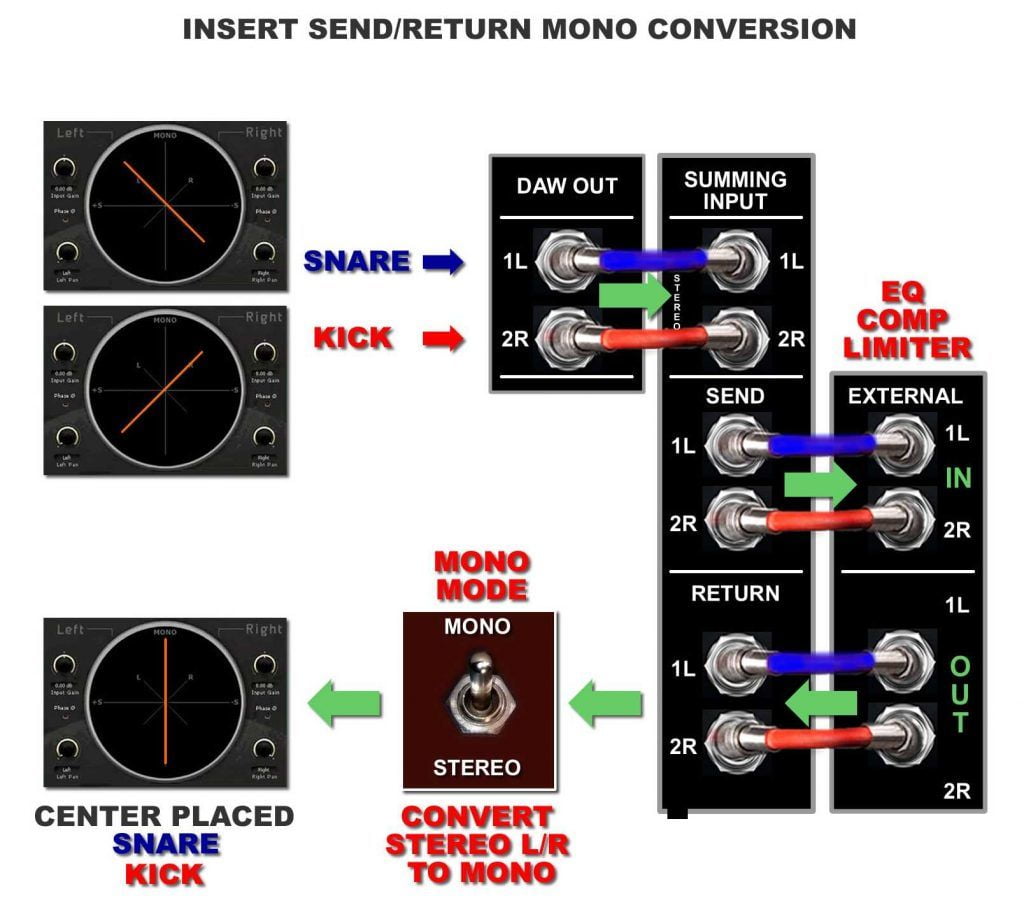
1x STEREO (2 In) TO 2 MONO – STM Switch
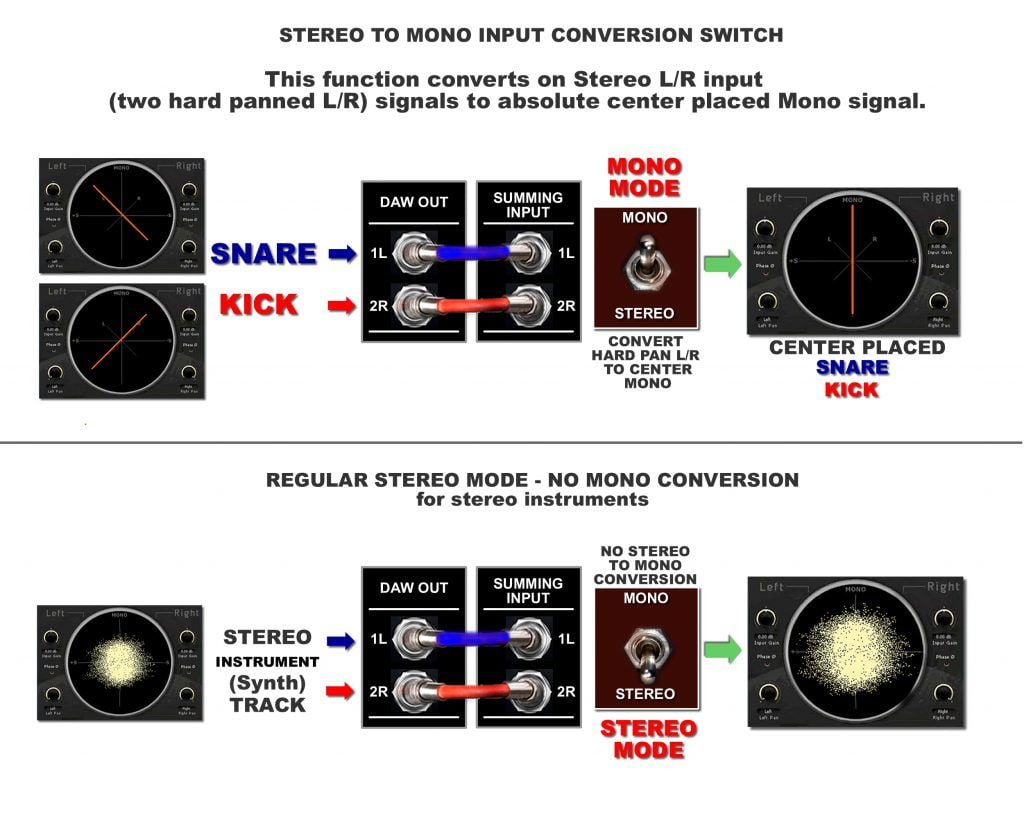
STM Switch turns L/R inputs ‘COMBINED’ (two hard-panned L/R inputs) into an absolutely centered mono signal (1 x stereo to 2 mono). For example, ‘SNARE’ on channel 1 (left), ‘KICK’ on channel 2 (right).


LCR Hard Pan Left – Right – Center Mono Rotary Switch

PAN option with 3-position rotary switch between hard panning Left, Center, or Hard panning right, giving you complete control over the spatial placement of individual audio sources.


Master Out Mono Mix Switch
Mono Mix Compatibility Test switch
Sometimes just because a mix sounds good in stereo doesn’t mean it will sound good when the left and right channels are combined into a mono signal. In some cases, you may hear what is known as comb-filtering, which will color the sound of your mix and cause peaks and dips in its frequency response. In some cases, instruments may lose their integrity or even seem to completely disappear from the mix
- Placed before Inserts or Master Outputs
- Checking your mix for Mono compatibility as you go is a good preventative measure


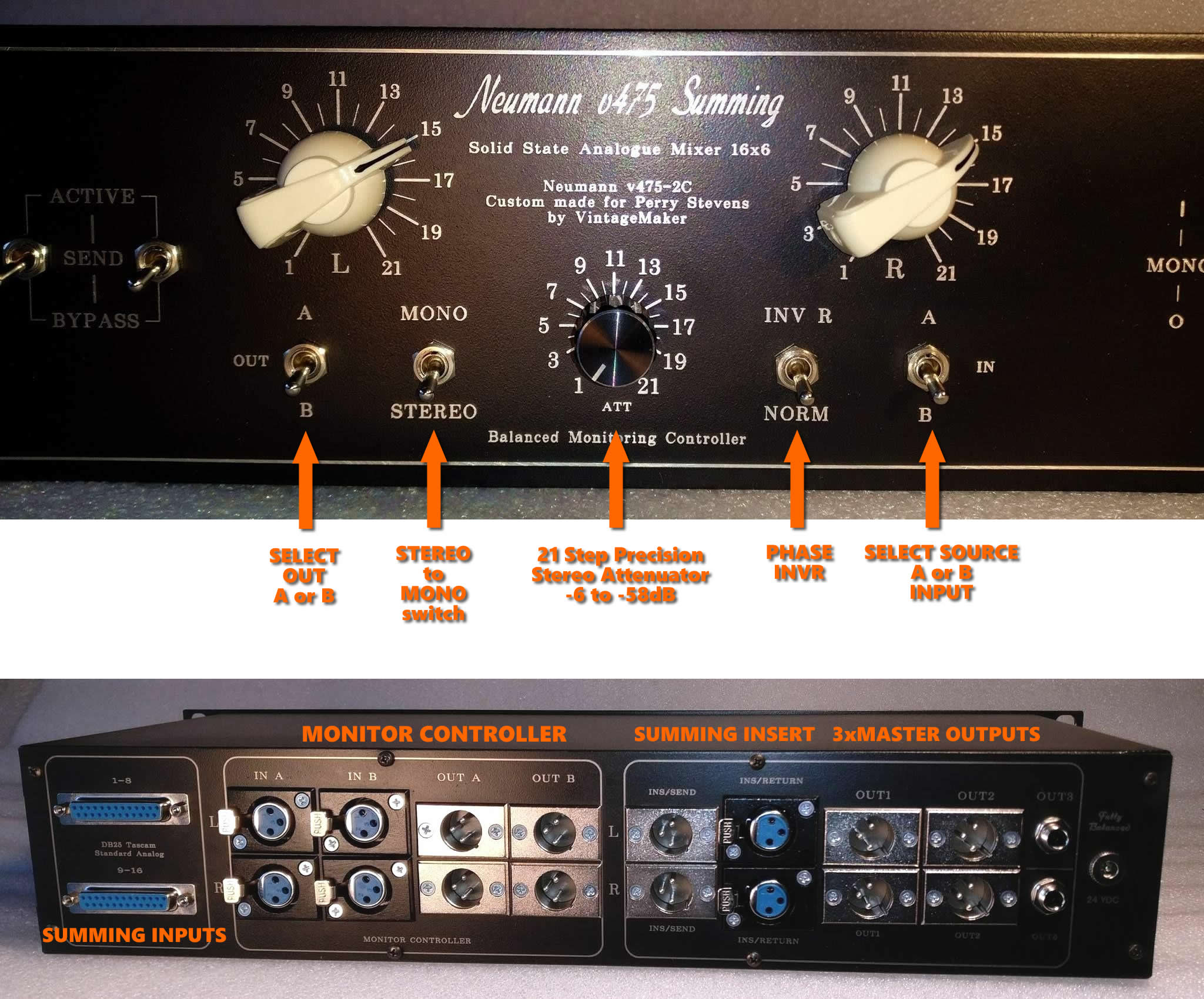
Phase Invert – InvR – switch
Phase InvR – Invert Right side of the stereo signal
First, what is phase inversion?
Inverting a wave’s phase means swapping the location of its peaks and troughs. This creates cancellation when peaks of one wave coincide with the troughs of the other wave. Phase inversion is a subtle, yet versatile music production tool capable of many distinguished feats.
Phase Invert R + Master Mono mode
Reversing the phase of the right channel and mono-ing it with the left and sending the result to both speakers is particularly useful for assessing the width content of your mix and distortion characteristic by effectively replacing the ‘centre image’ with the out-of-phase information.

Passive Mode Insert
Passive Mode has its own dedicated insert beside of the Active (internal amp). (see Master Active/Passive section)
This function allows you to insert any external preamp into the signal chain in Passive Mode before the Master Insert (for example, an external Tube amp or other color amp). With the Active/Passive switches, you can instantly switch between the internal amp (Neumann, Filtek/Lawo) and your external preamps.
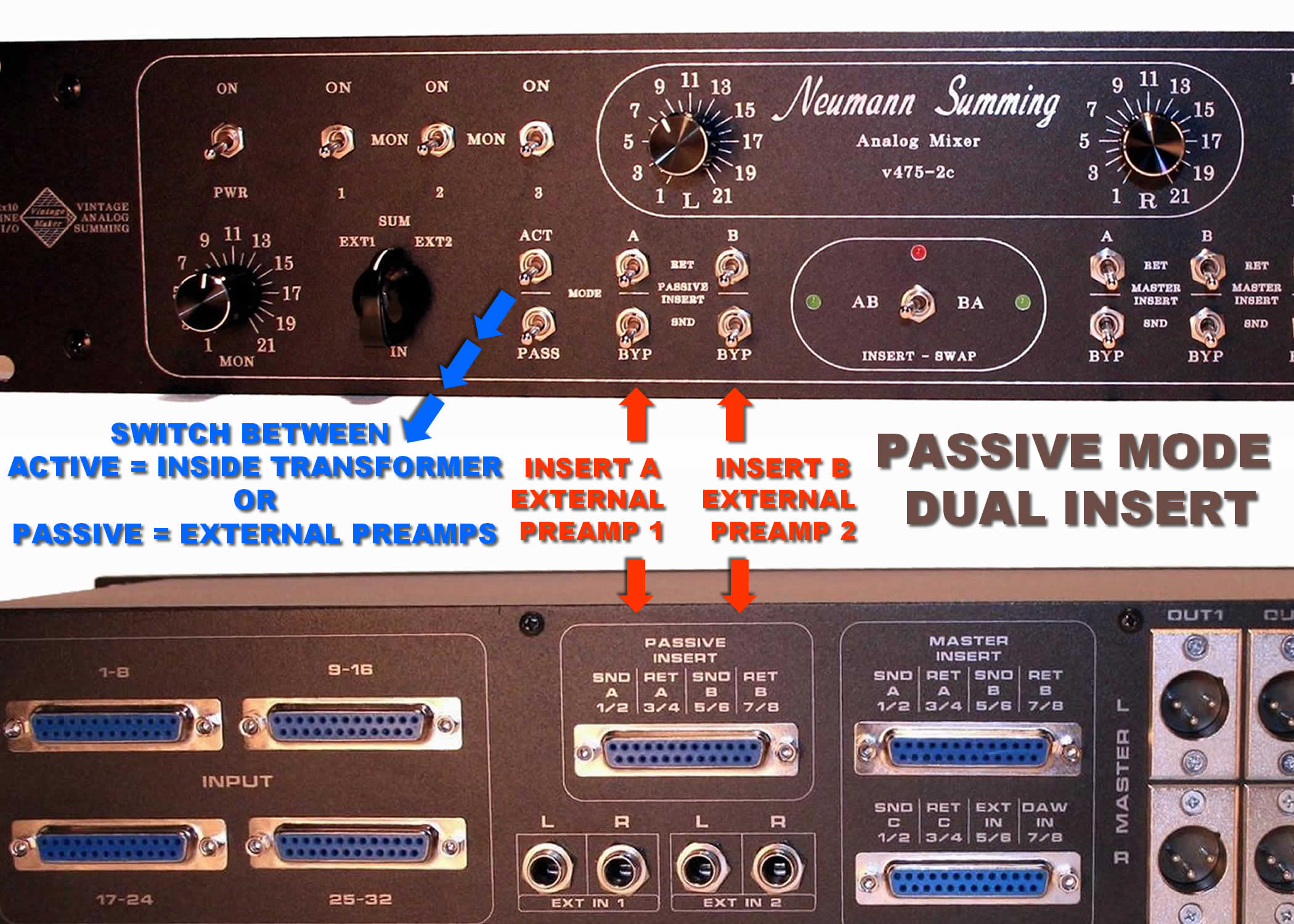
This gives you a lot of freedom to bring various external transformer or tube amp sounds into the recording chain, allowing you to combine the effects of different processors in the sound of your mixes.
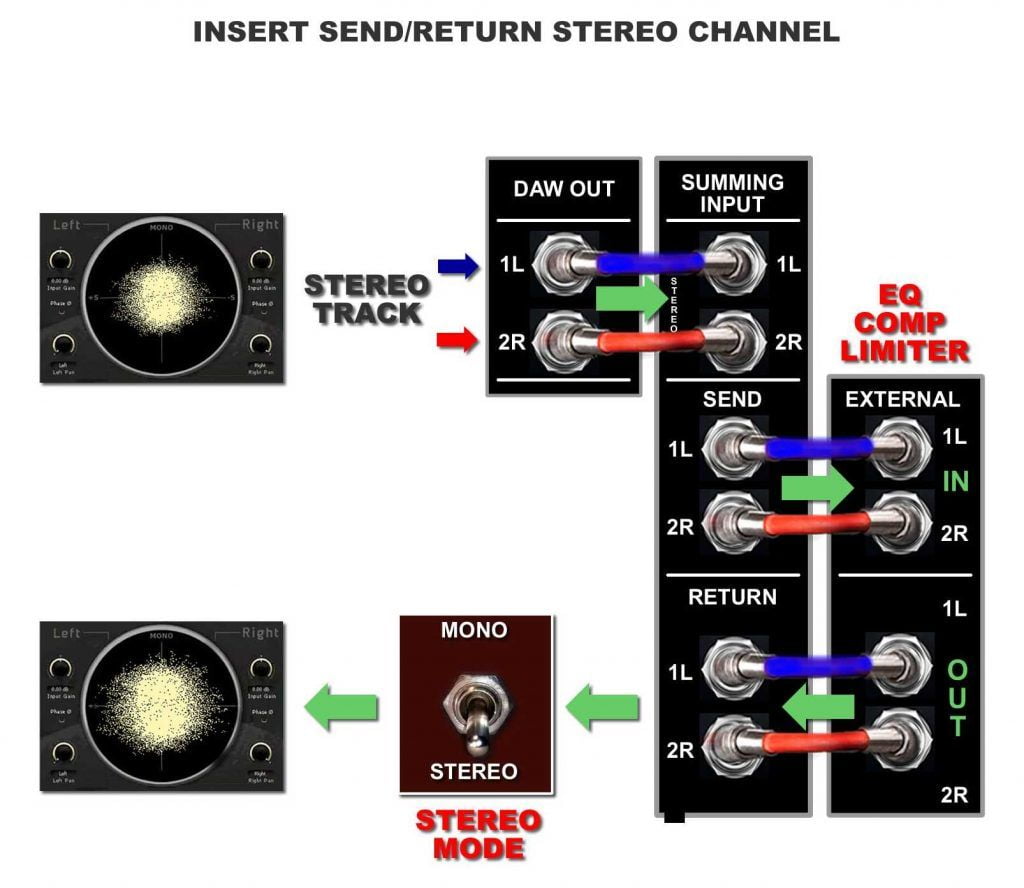
Master Insert Send Return Switch
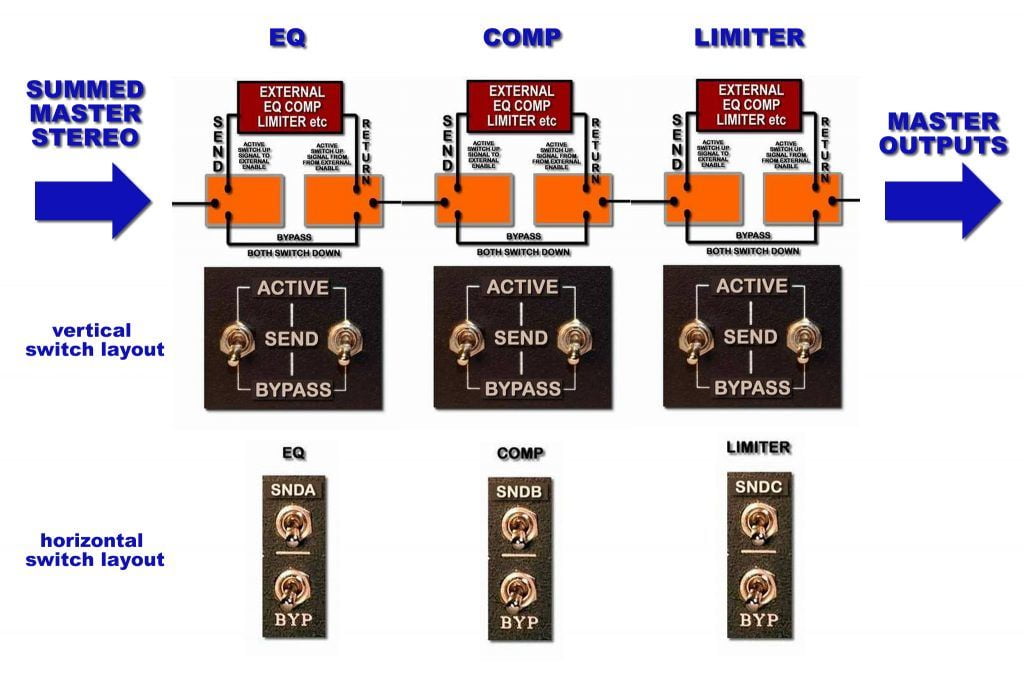
Allows you to INSERT SEND or BYPASS the master stereo L/R signal to external processors like EQ, Comp, Limiter, and then RETURN it to the master out (print/record).
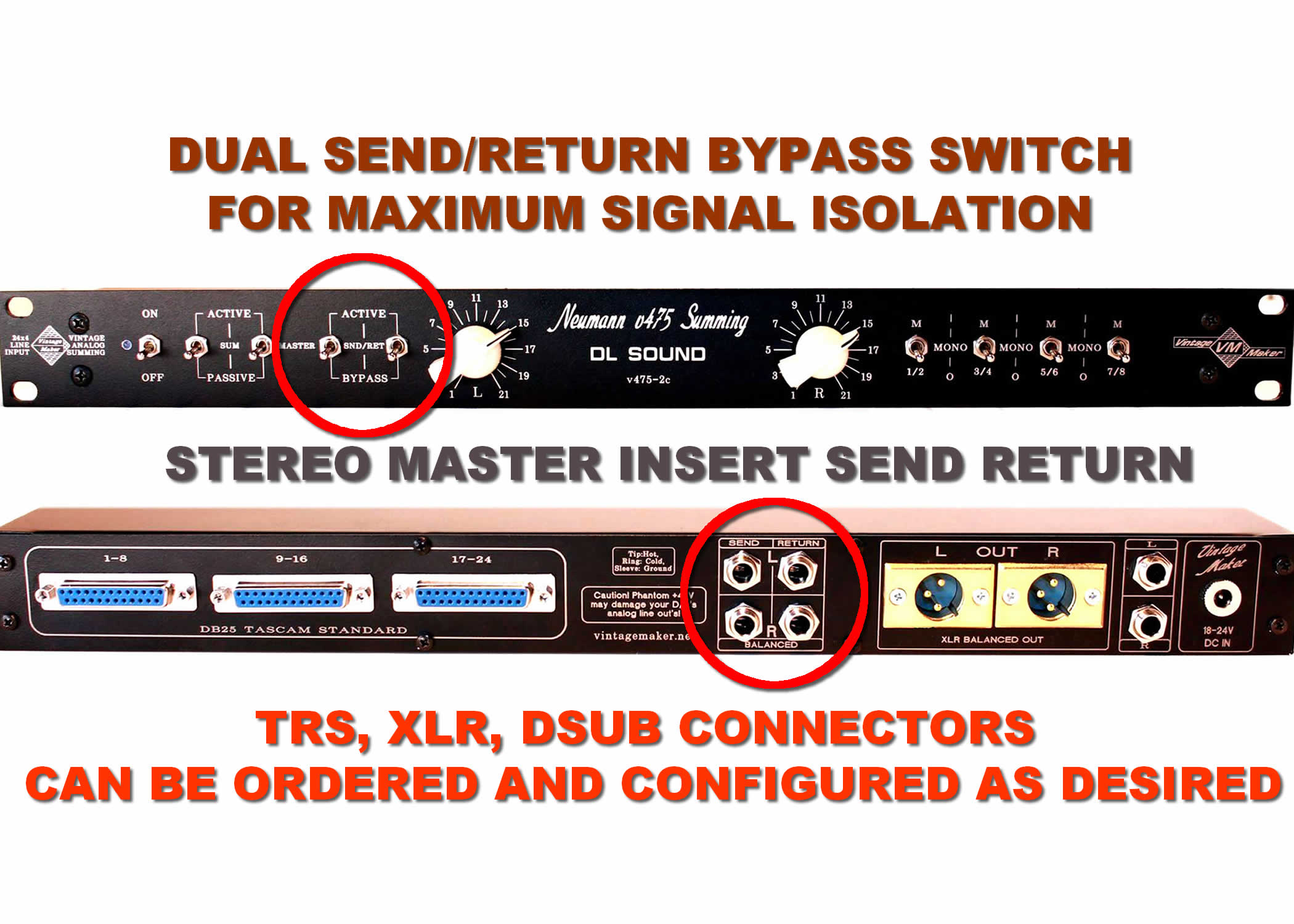

- Master Insert Send/Return – Key Features:
- Routes full stereo L/R master signal to external processors (EQ, comp, limiter)
- 100% of the signal is sent to the external chain when SEND is active
- Switch 1: engages SEND to outboard gear
- Switch 2: engages RETURN from outboard back to master output
- Allows instant A/B comparison between processed and dry signal
- Insert point is placed before the master output (pre-master)
- Requires 2 switches to ensure full signal path control (24 signal lines)
- Dual-switch design provides maximum signal clarity and isolation — a single switch cannot guarantee proper separation and headroom


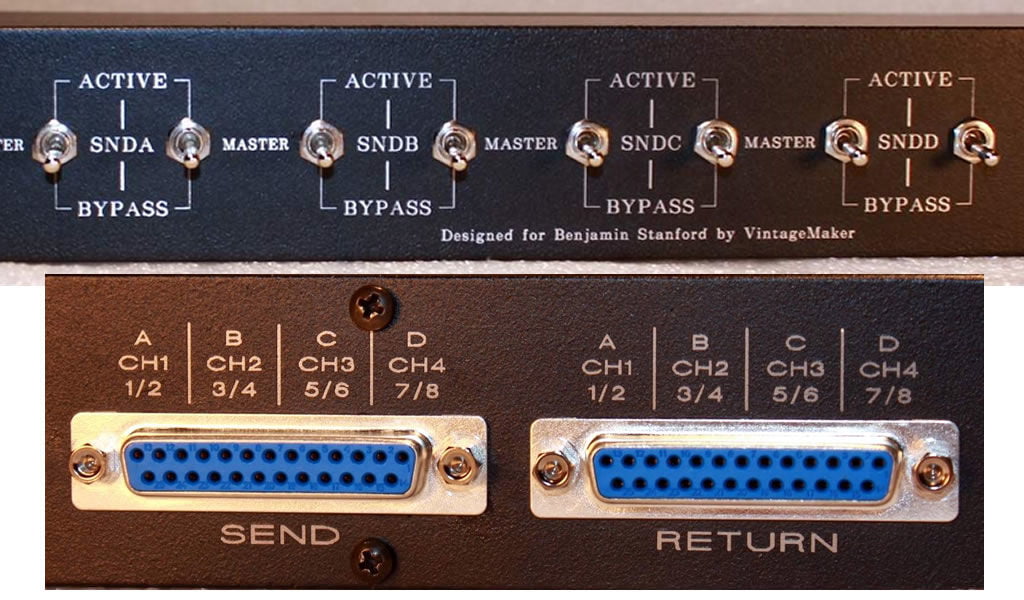
FAQ – Why Two Switches Instead of One?
- 24 signal lines (12 stereo pairs) need two switches
- One switch handles SEND, the other handles RETURN
- Keeps the stereo signal clean, balanced, and isolated
- One switch can’t safely control all lines at once
- Both switches can be flipped together easily (see videos)
- For single-switch control, ask Power-On Relay option
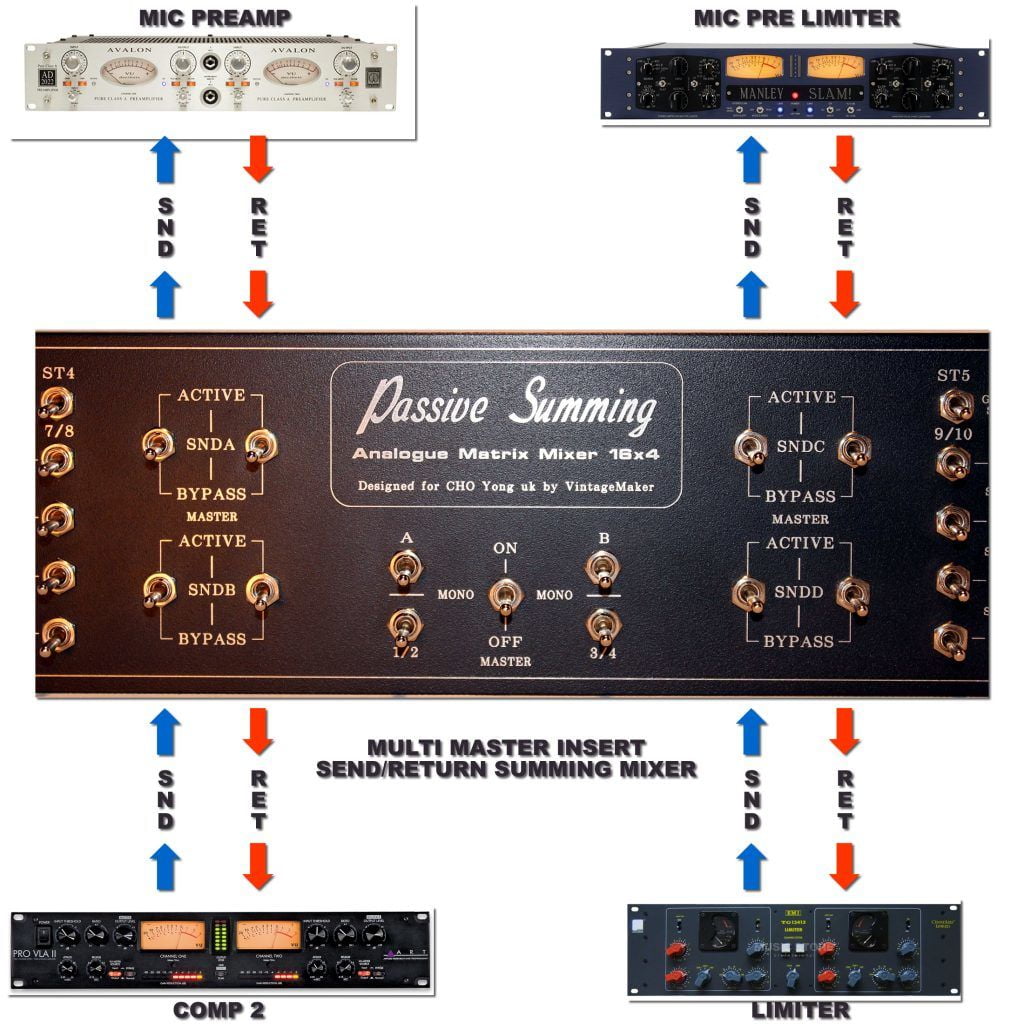
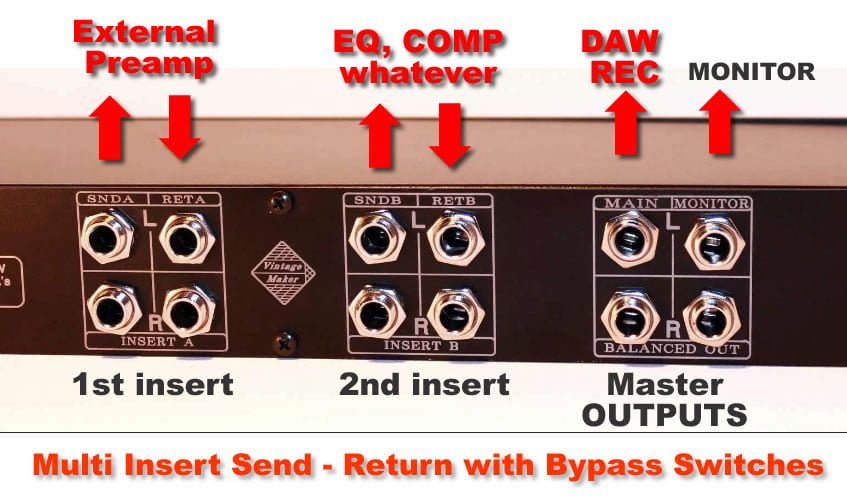
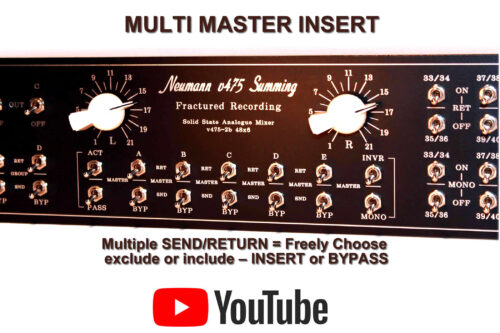
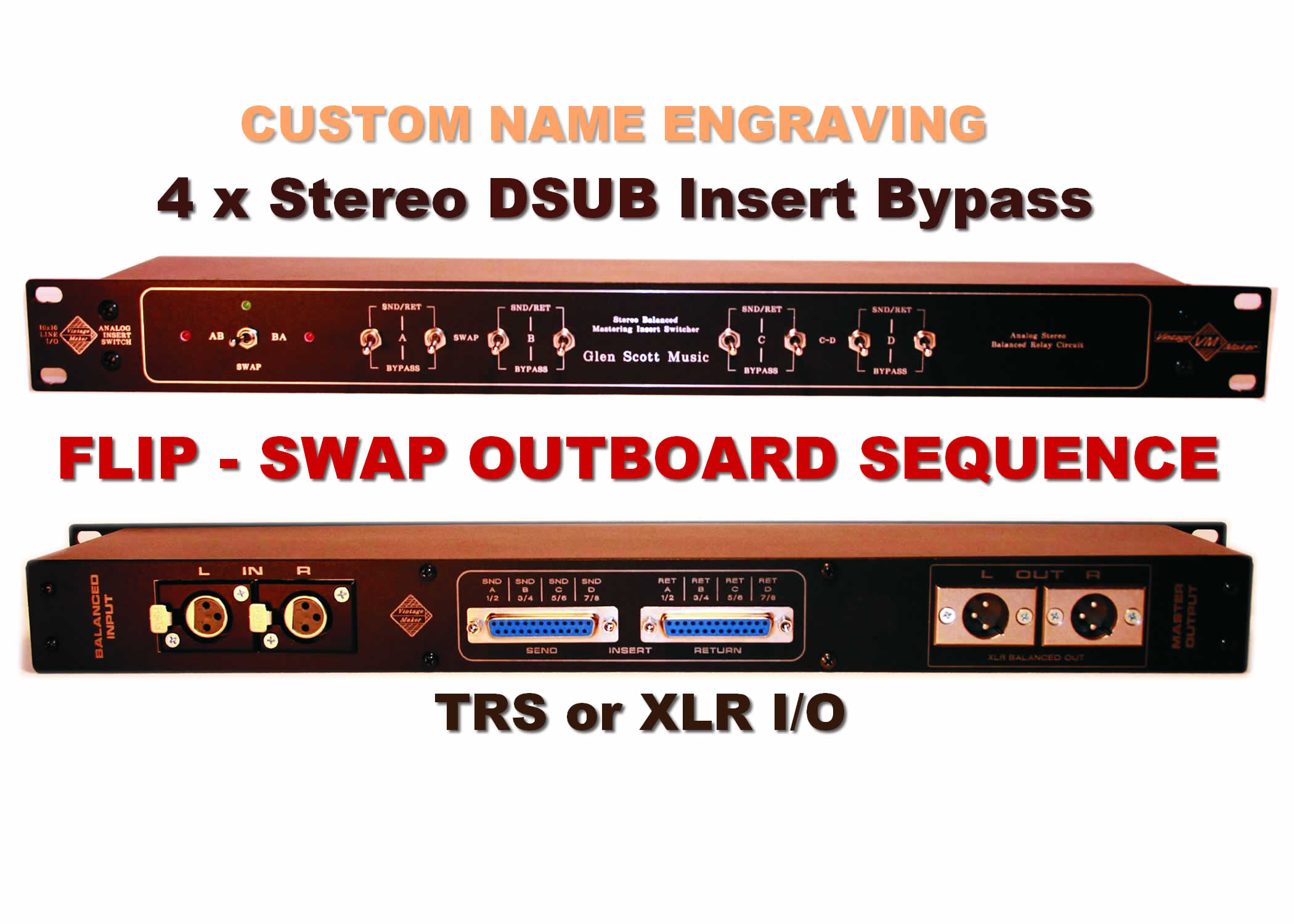
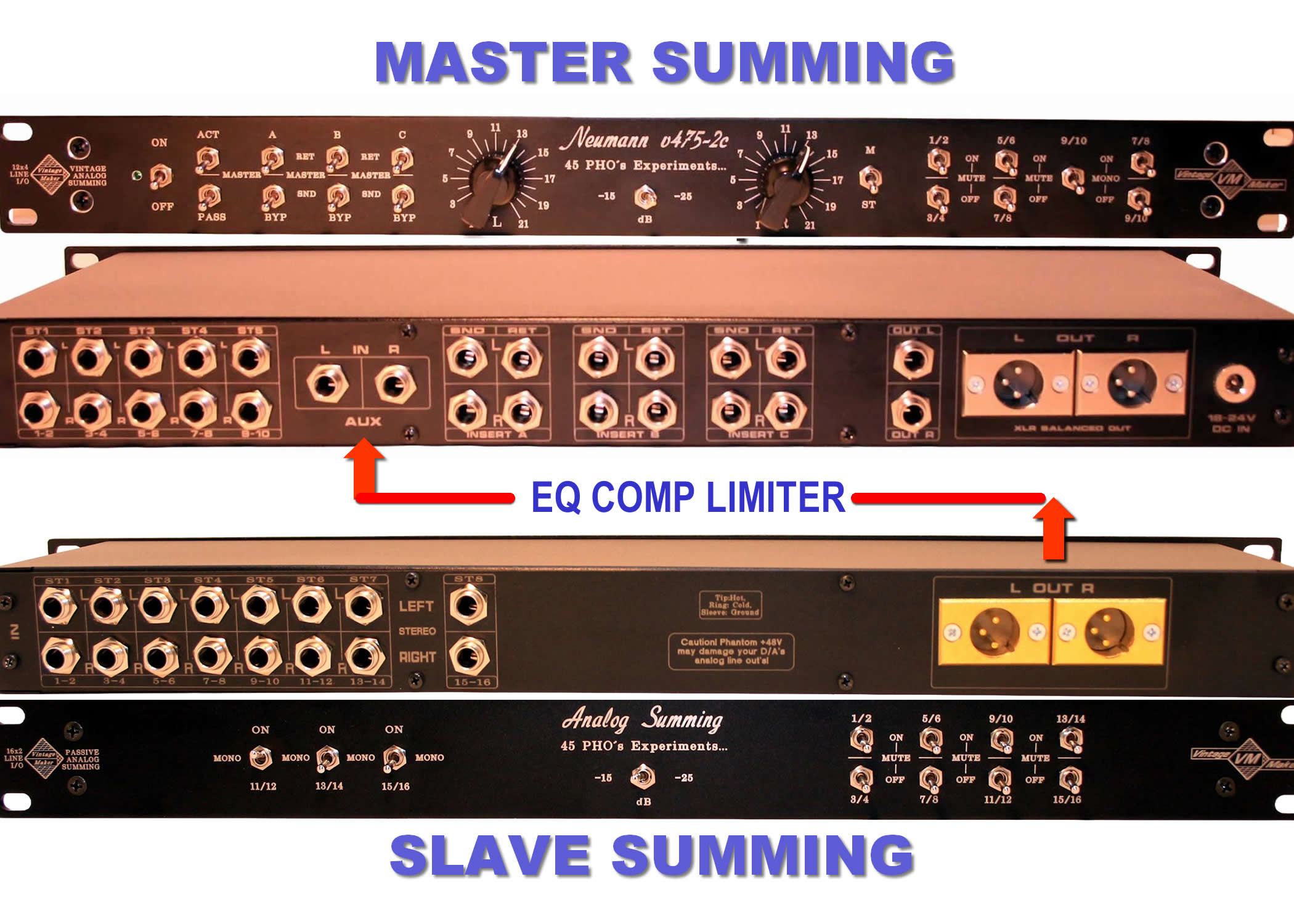
Multi Master Insert Send Return chain
Multiple SEND/RETURN = Freely Choose – exclude or include – INSERT or BYPASS (either one or more) external gear in the chain.

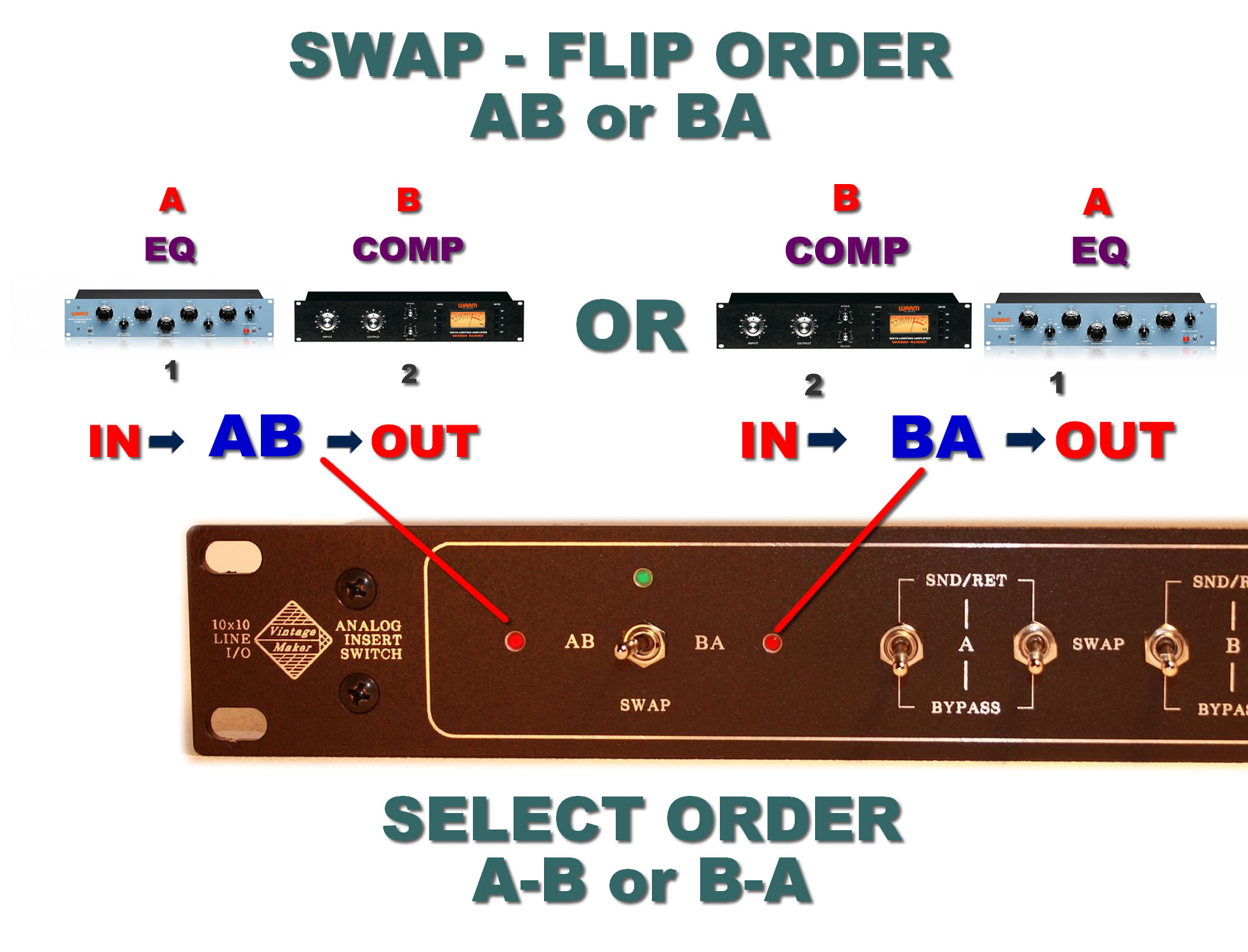
Insert Swap Sequence Order Switch
FLIP OR SWAP – ACTIVATE OR BYPASS – YOUR ANALOG PATCHES INSTANTLY
The order of the outboards can be swapped in any other variation (let me know)
- AB / or BA
- BC / or CB
- CD / or DC


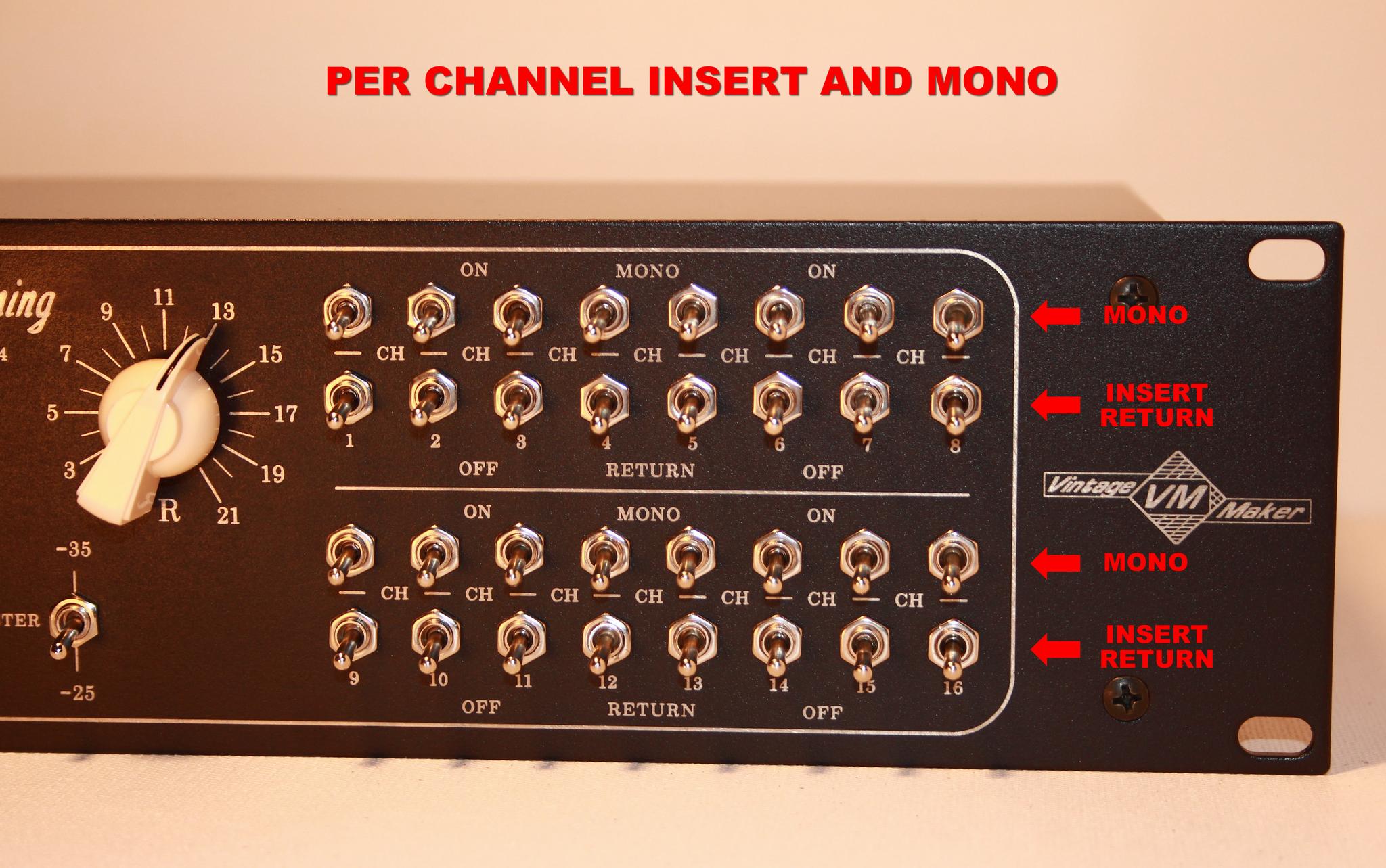
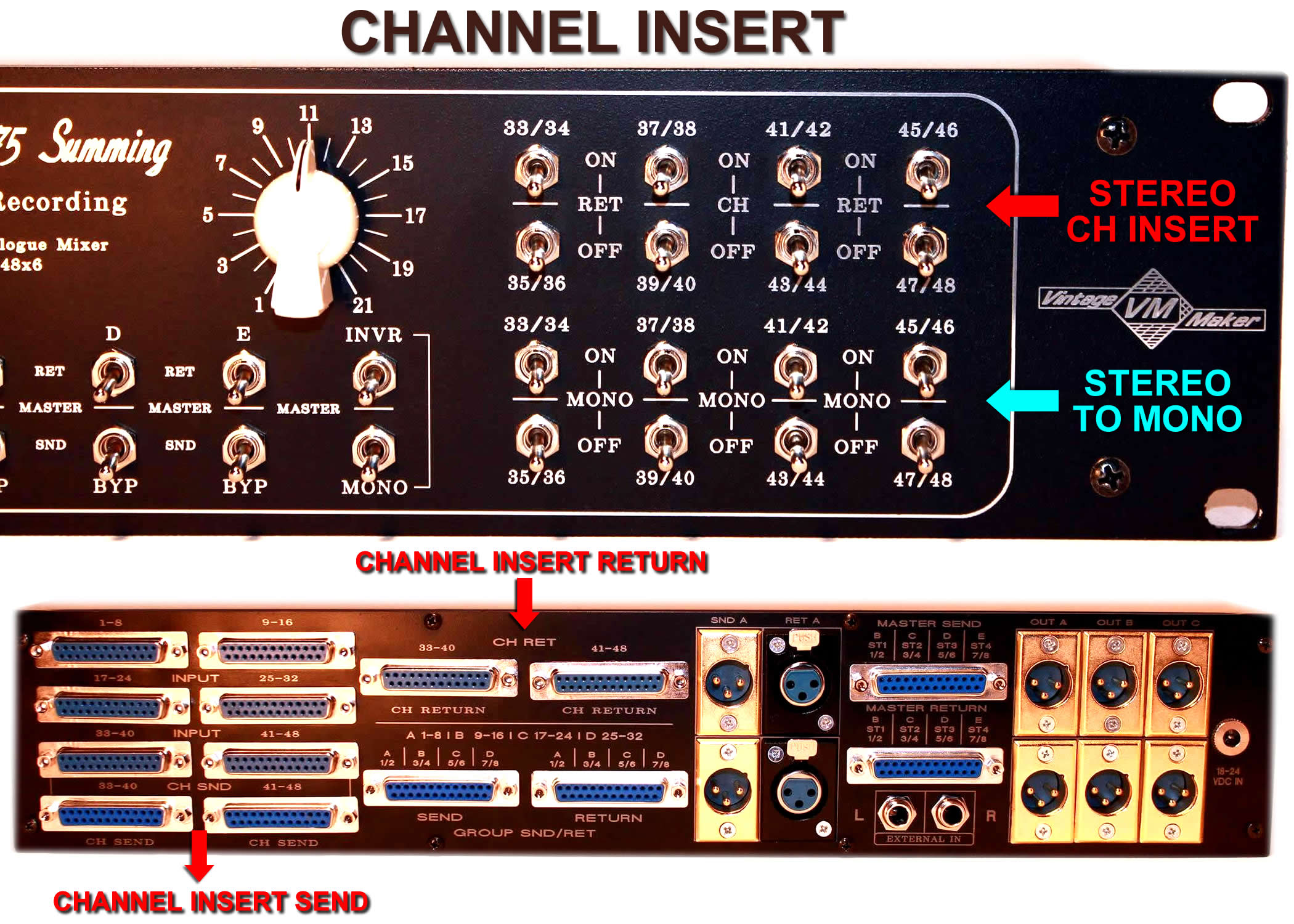
Channel Insert Send Return
The input is linked to the send output, which goes to your external processor. The return signal is controlled by the Insert Bypass switch:
- If the switch is OFF (down position = disabled), the signal goes straight to the summing bus — no external processing.
- If the switch is ON (up position = enabled), the processed signal from your external gear returns and is sent to the summing bus.
- The input signal is always present on the corresponding send out (stereo channel)
- The Return bypass switch enables or disables the return function:
- Bypass switch OFF (switch down): Input → Sum Bus → Master out (regular summing operation)
- Bypass switch ON (switch up): Input → Send → External Process → Return → Sum Bus → Master out
- The Mono switch converts the processed signal to mono after it returns.
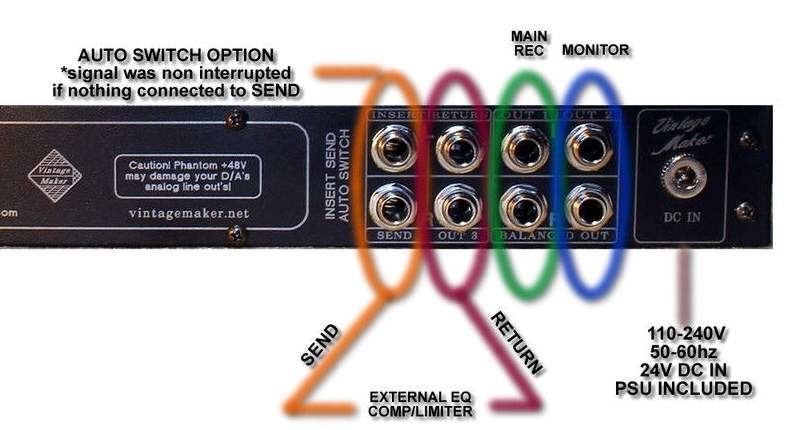
Auto TRS – Master Insert – Send – Return
Automatically switches audio channels to SEND out when the jack plug is inserted.
Operation:
- TRS JACK PLUGGED IN = SEND ACTIVE
- TRS JACK UNPLUGGED = NO SEND = Signal next to Master outputs
Master Insert Send AUTO TRS: no front-side switch; the TRS SEND connector female-jack has an inside routing switch – (check the listing image). When an external unit is connected, SEND becomes active; if empty, the signal goes to the RETURN and Master outputs. The RETURN serves as an additional output when the Send is empty.

AUTO INSERT TRS CONNECTOR OPERATION
- AUTO INSERT SEND TRS ACTIVE :If an external device is connected to SEND, the built-in switch in the TRS female connector sends the signal to the external device.
- AUTO INSERT SEND TRS INACTIVE: If nothing is connected to SEND, the built-in switch in the TRS connector sends the signal next to the Return and Main/Monitor
Key Points:
- The signal remains uninterrupted if nothing is connected to SEND.
- When the plug is inserted, the internal switch activates insertion detection
Operation Continuation:
- The signal remains uninterrupted if nothing is connected to SEND.
- As soon as you connect any audio signal to the SEND OUTPUTS, the main signal (before master outputs) gets interrupted. It is then processed through an external device and is brought back to the summing mixer via the RETURN INPUTS, whether it is an INSERT or a SEND FX.
- The amount of SEND FX signal (like the amount of reverb) then depends on the DRY/WET signal of the SEND FX device.
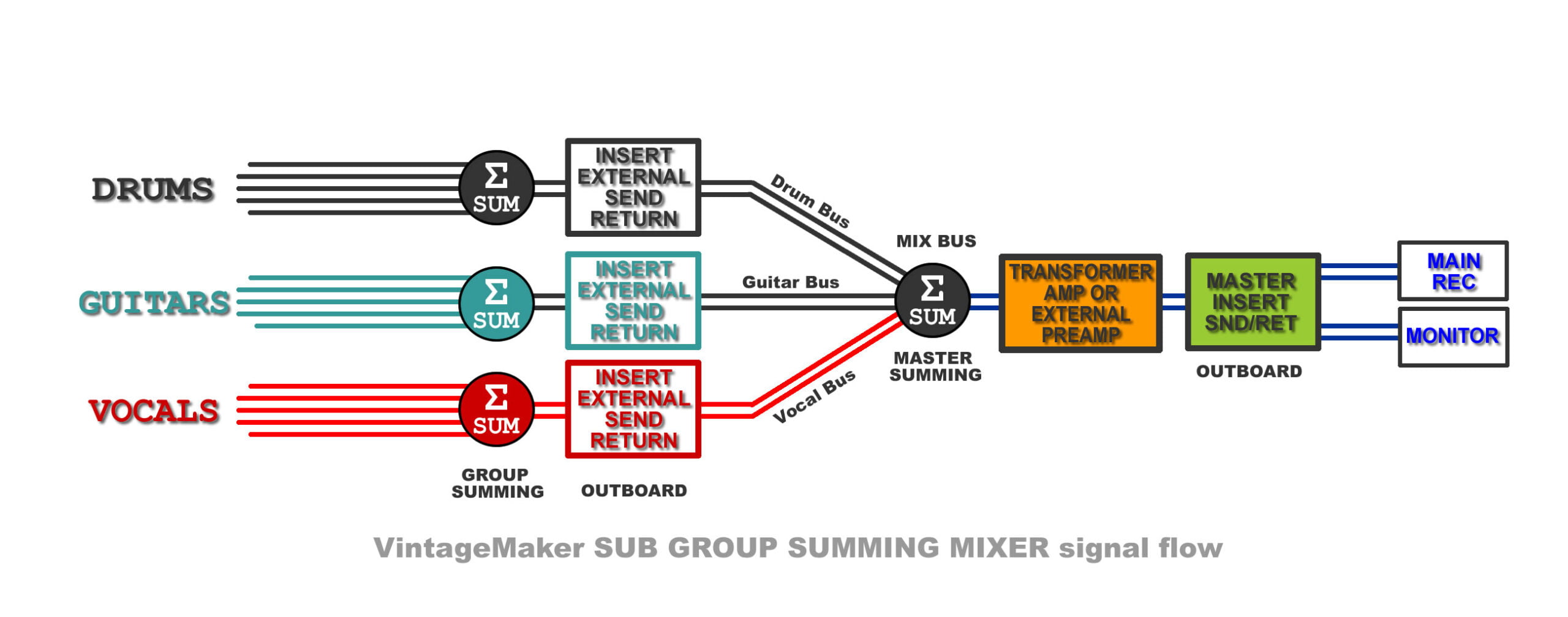
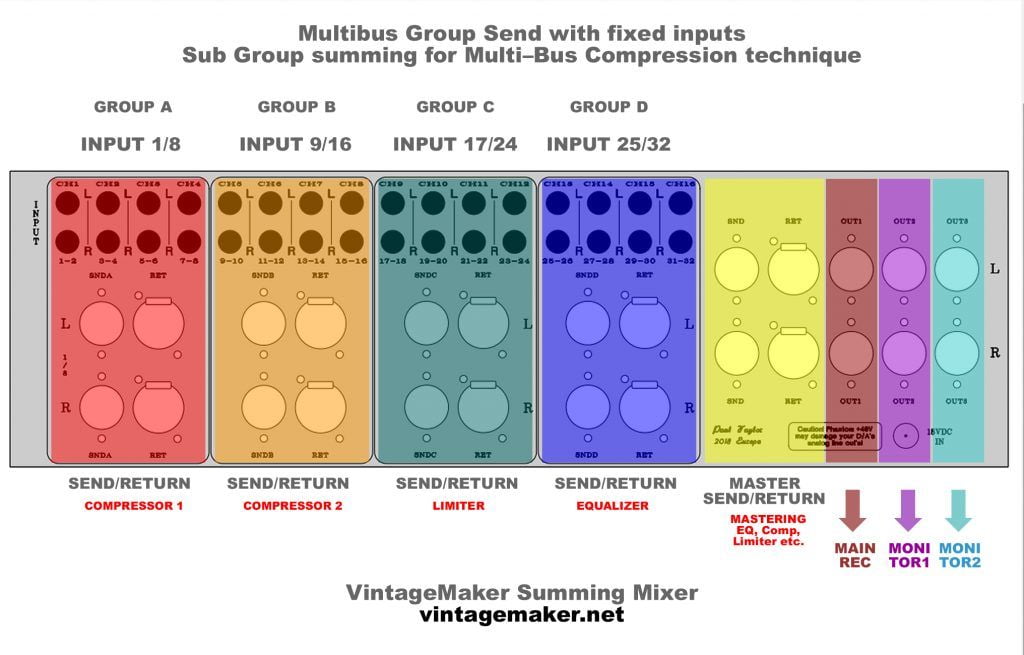
Auto TRS Multi Bus Insert Send Return – combined with bypass master insert

MultiBus SubGroup MixBus
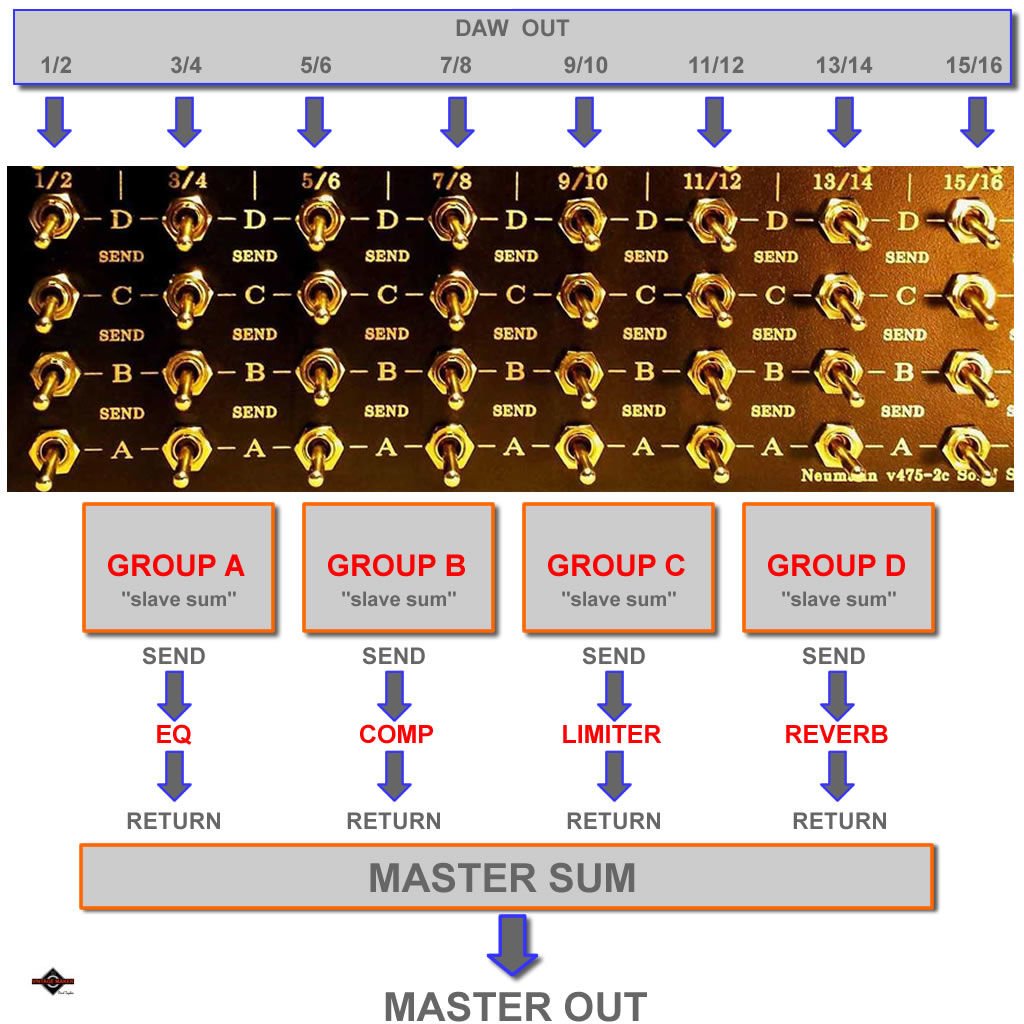
Sub Group summing for Multi–Bus Compression technique. Fixed sub-mixers (Group SUM ABCD) with dedicated inputs; each sub-mixer (slave sum) group comes with individual send/return for external processing, then returns to the Master SUM for final analog summing.



Expansion – Expander AUX Input
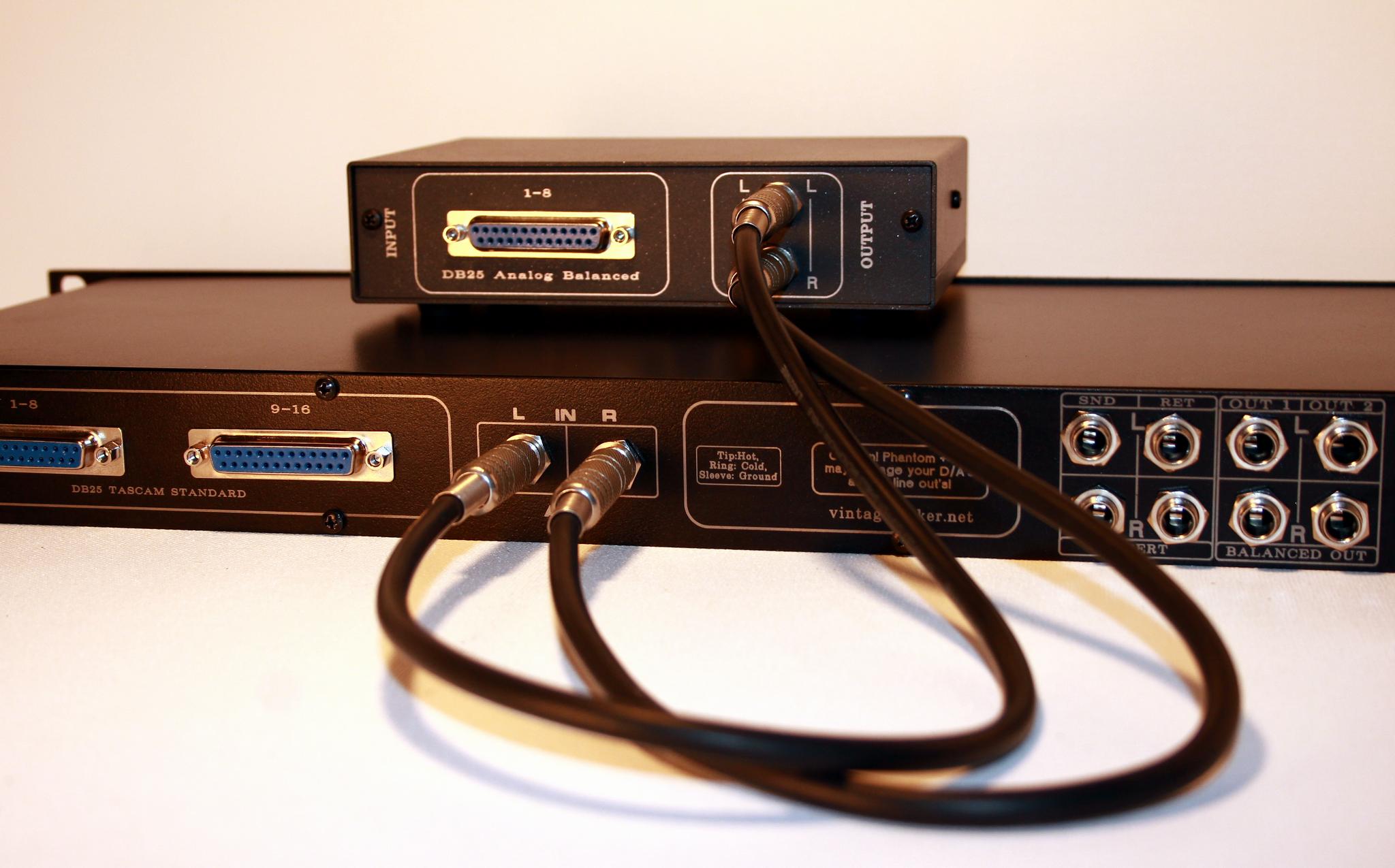
Allows linking of another (secondary slave) Passive or Active summing unit or any standard line input source.
1. Scenario:
Passes a line-level input signal without any reduction directly into the summing circuit. This way, the AUX input becomes part of the summing circuit network.
This is typically used when connecting another (slave) passive or active summing unit to expand your summing setup.
2. Scenario:
Acts as a single-signal colorization path when routed through the internal transformer amp (if present), enabling analog harmonic enhancement and sound coloration (if internal transformer present)
In this case, all other regular summing inputs should be muted or disconnected, so that only the AUX input remains active and valid.



DIR (direct) Input to Output switch – Partial Bypass – 1 Switch Version
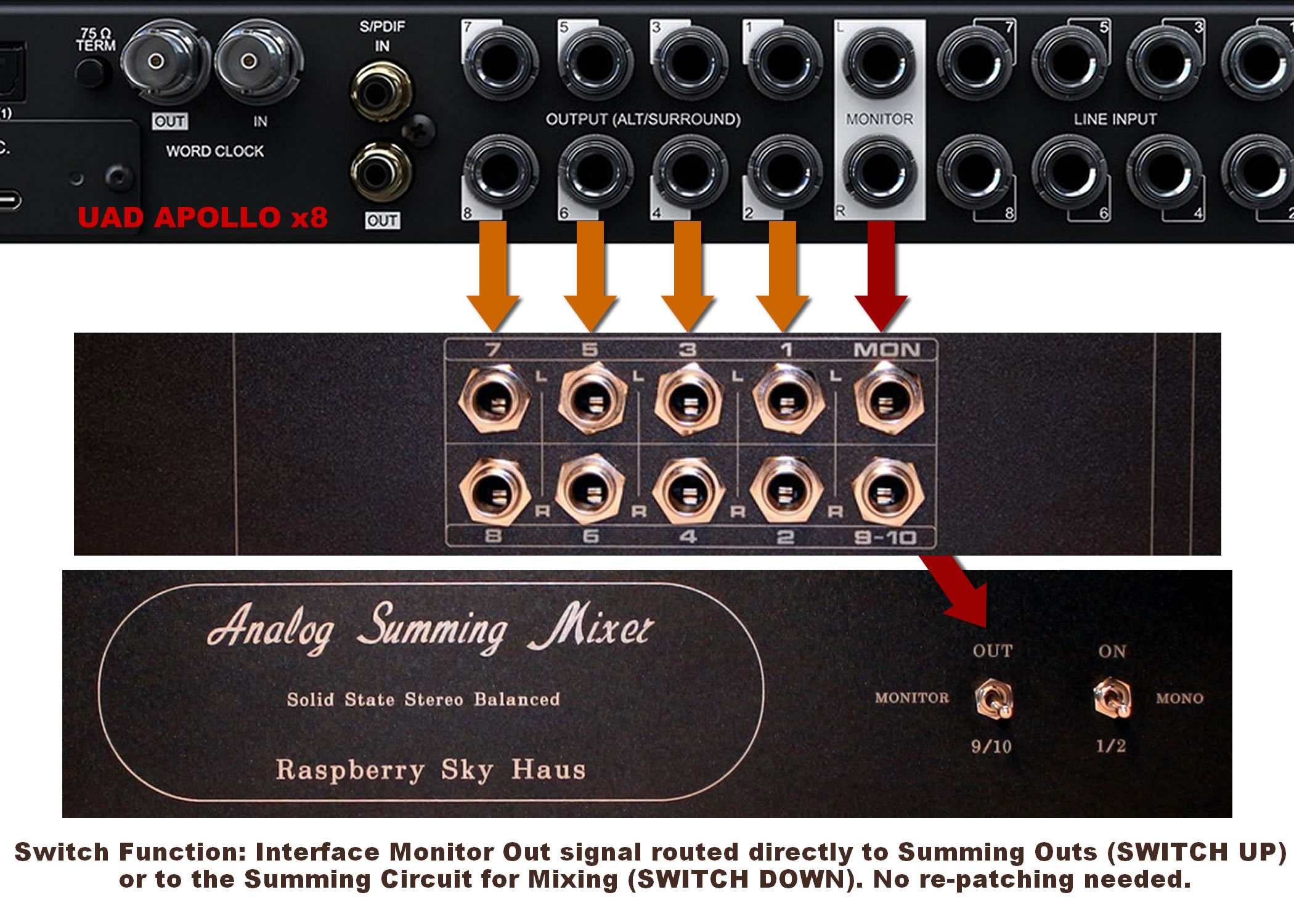
Switch Function: Interface Monitor out Signal routed directly to Summing Outs (SWITCH UP) or to the Summing Circuit for Mixing (SWITCH DOWN). Other inputs remain active — mute unused DAW channels. No re-patching needed.
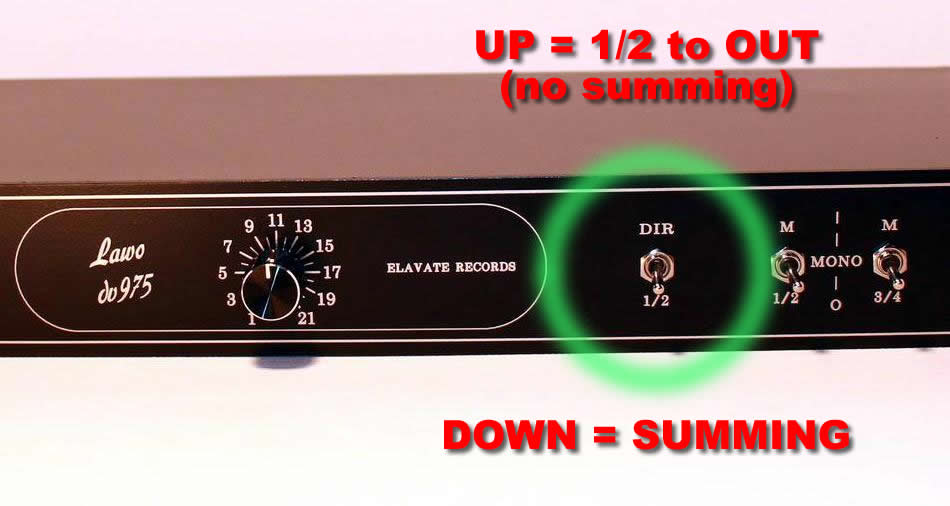
- UP (Direct Out) – Routes the signal directly to the monitor path for listening, tracking, or general playback.
- DOWN (Mix) – Routes the signal through the mixer path for analog summing and mixing.
Your interface remains permanently connected — no cable re-patching required.
Rule: UP = Direct monitoring · DOWN = Analog mixing
The DIR switch can be applied to any stereo input pair — freely select the channel pair you want.

Notes / Safety
Configure your DAW monitor outputs according to your instrument or main mix routing.
All other mixer channels remain active; mute them in your DAW if needed.
Power off the internal amplifier before connecting or disconnecting speakers to avoid damage.
Set the summing mixer to passive mode if it is currently active.
When using active mode for the first time, operate with low-level DAW signals.

DIR (direct) Input + Bypass Summing Switch – Full Bypass – 2 Switch Version
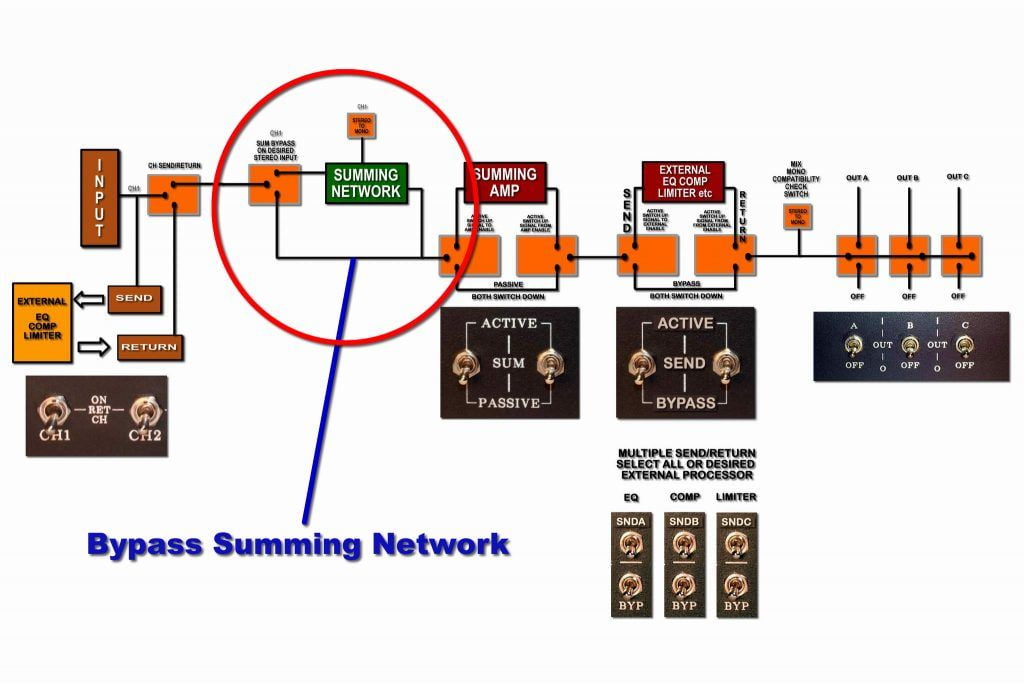
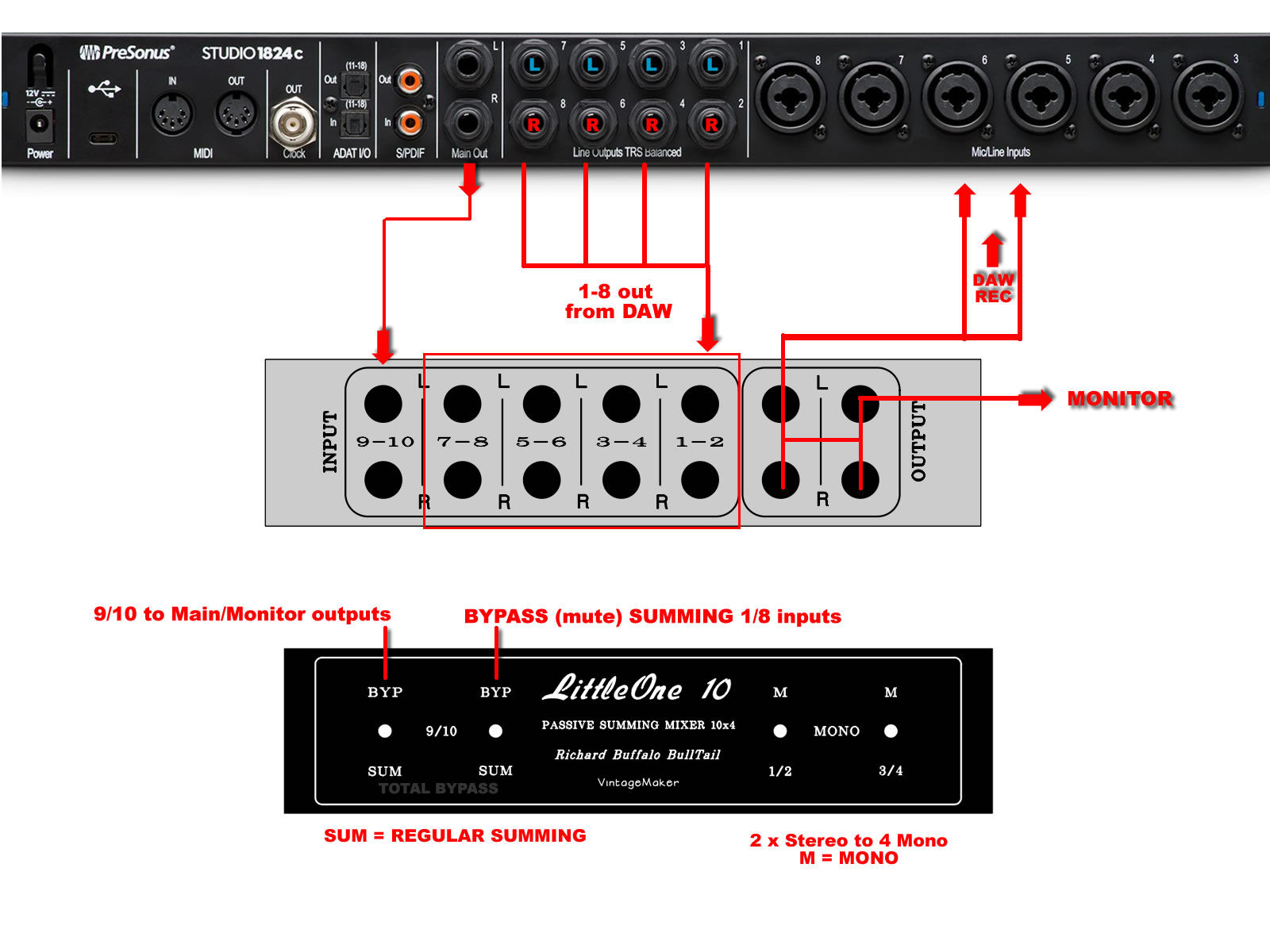
Routes the interface input either directly to the monitor path (UP) or through the mixer summing path (DOWN). All other summing inputs are muted; only the DIR-switched input remains active. No cable re-patching required.
Switch Positions (Full Bypass – 2 Switches):
- Down (Both DIR + BYP switches inactive) – Normal summing operation; the selected input is routed through the mixer along with all other active summing inputs.
- Up (Both DIR + BYP switches active) – Only the selected DAW Main Outputs are routed straight to the Master Outputs; all other summing inputs are muted. Signal passes at full level, with no attenuation.
The DIR switch can be applied to any stereo input pair — freely select the channel pair you want.

Operation Notes:
- Select any stereo input pair (e.g., 1/2, 3/4…) with Switch 1.
- Switch 2 mutes/bypasses all other summing inputs.
- Power off the internal amplifier to avoid speaker damage.
- Set the summing mixer to passive mode if active.
- For first-time active mode use, operate with low-level DAW signals.

Note: Choose the 1- or 2-switch version to match your workflow.
Direct Output (Input copy)

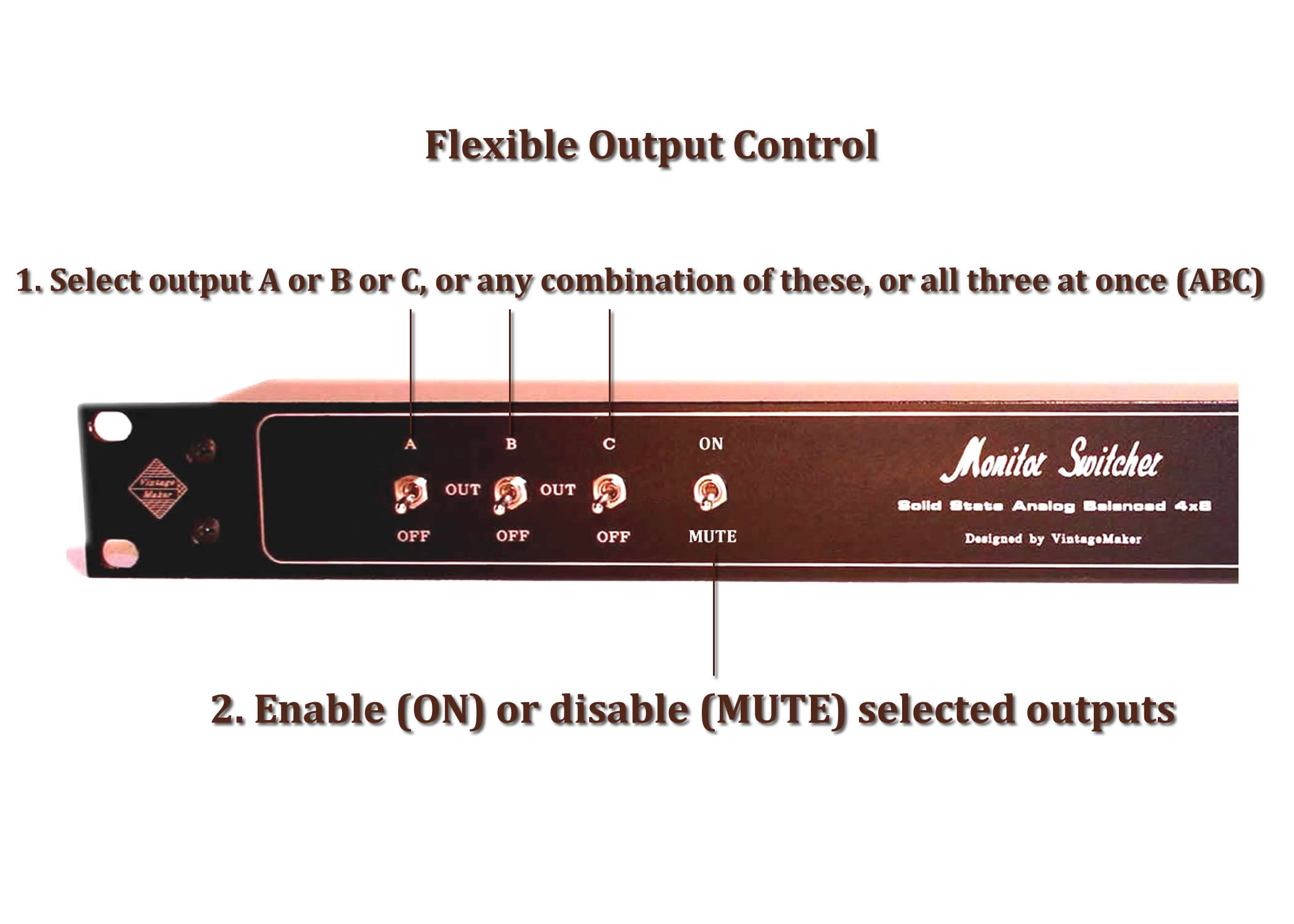
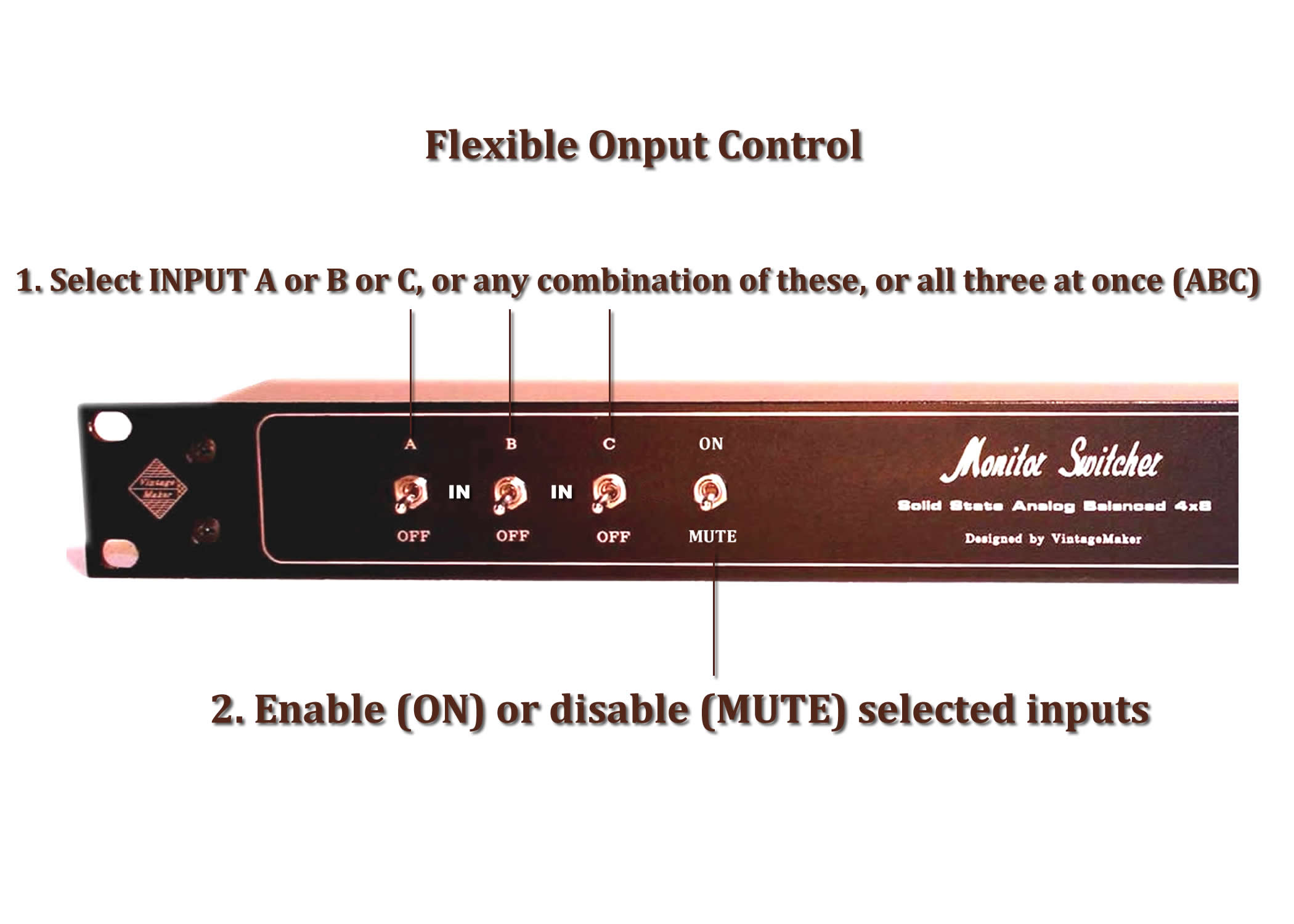
Input Mute Switch (ON/OFF)
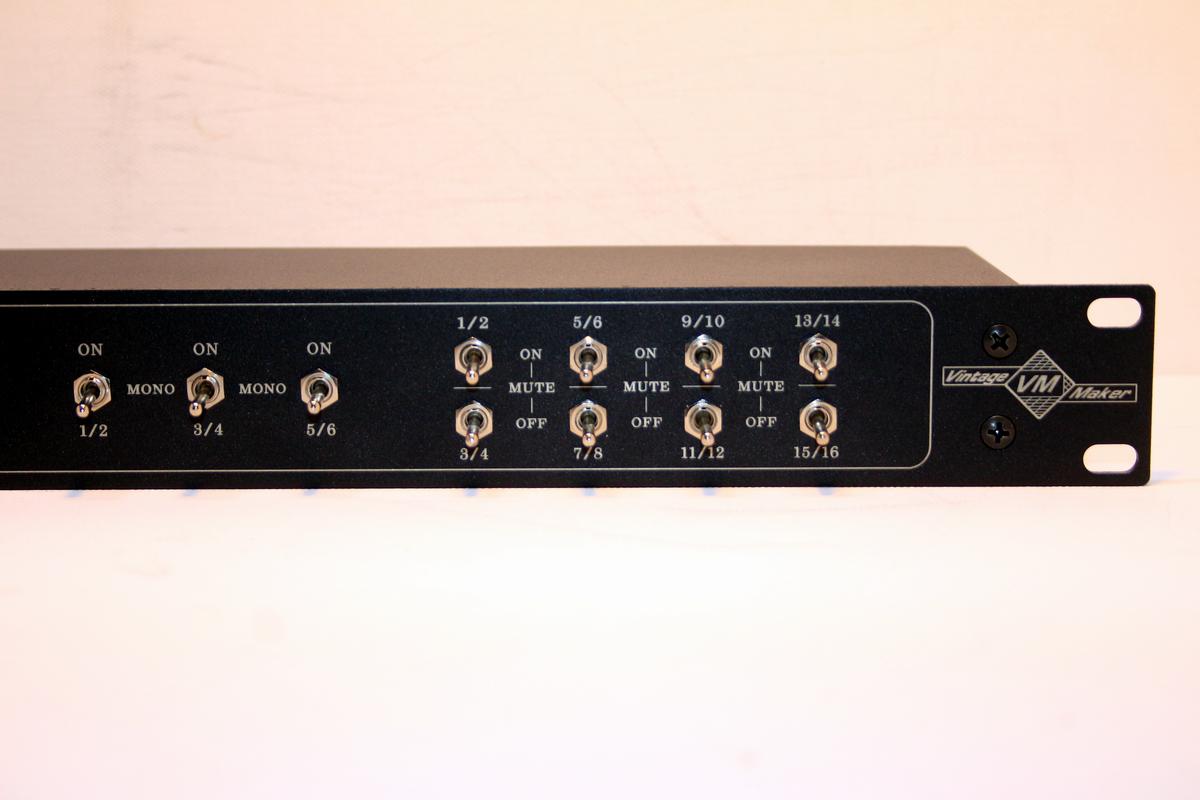
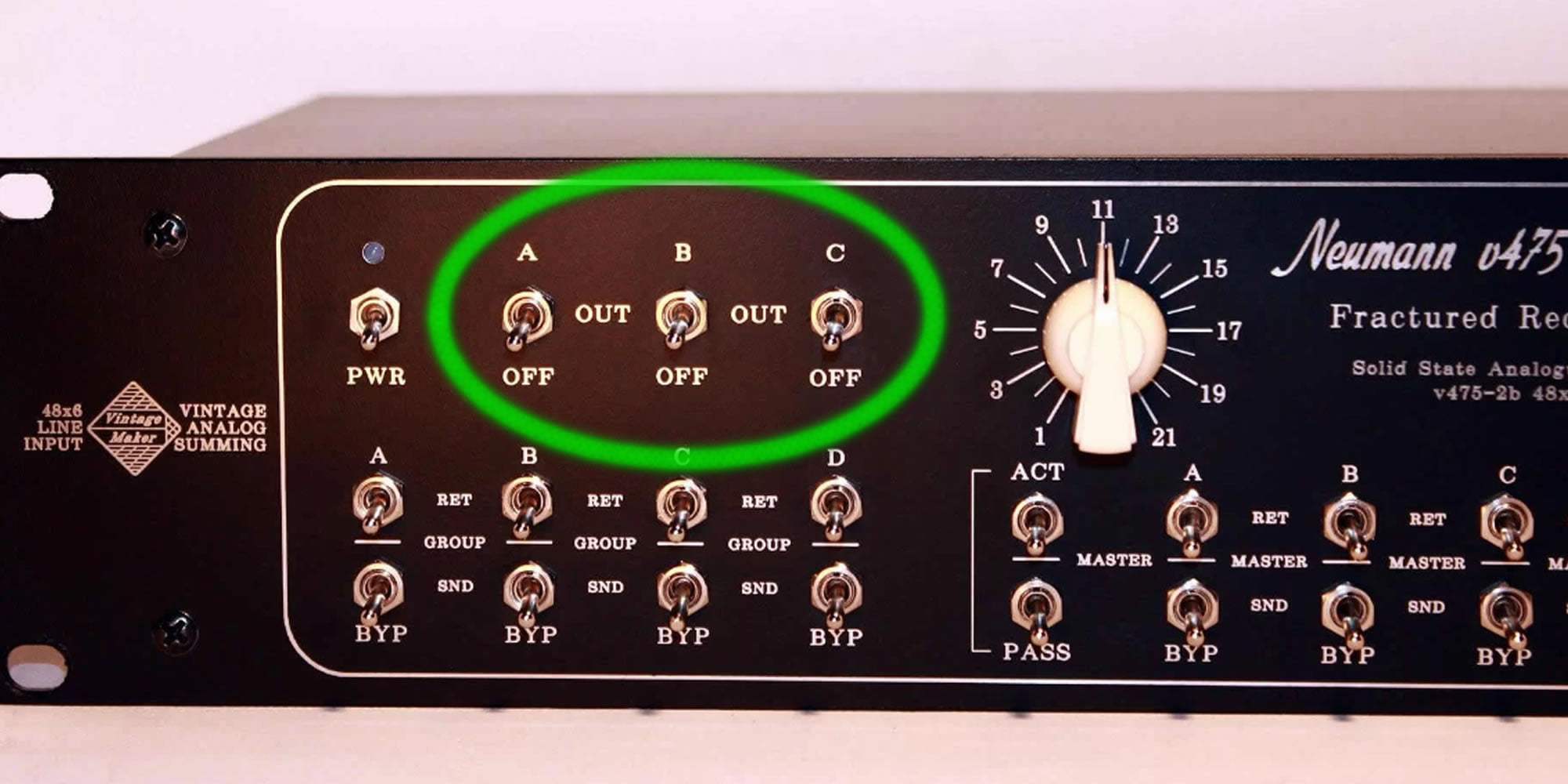
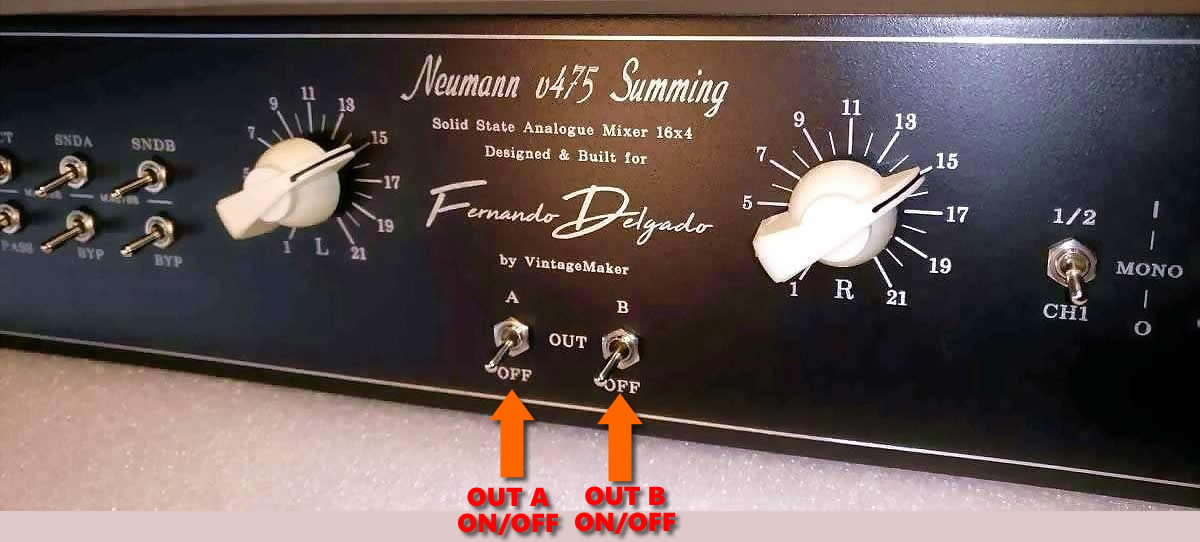
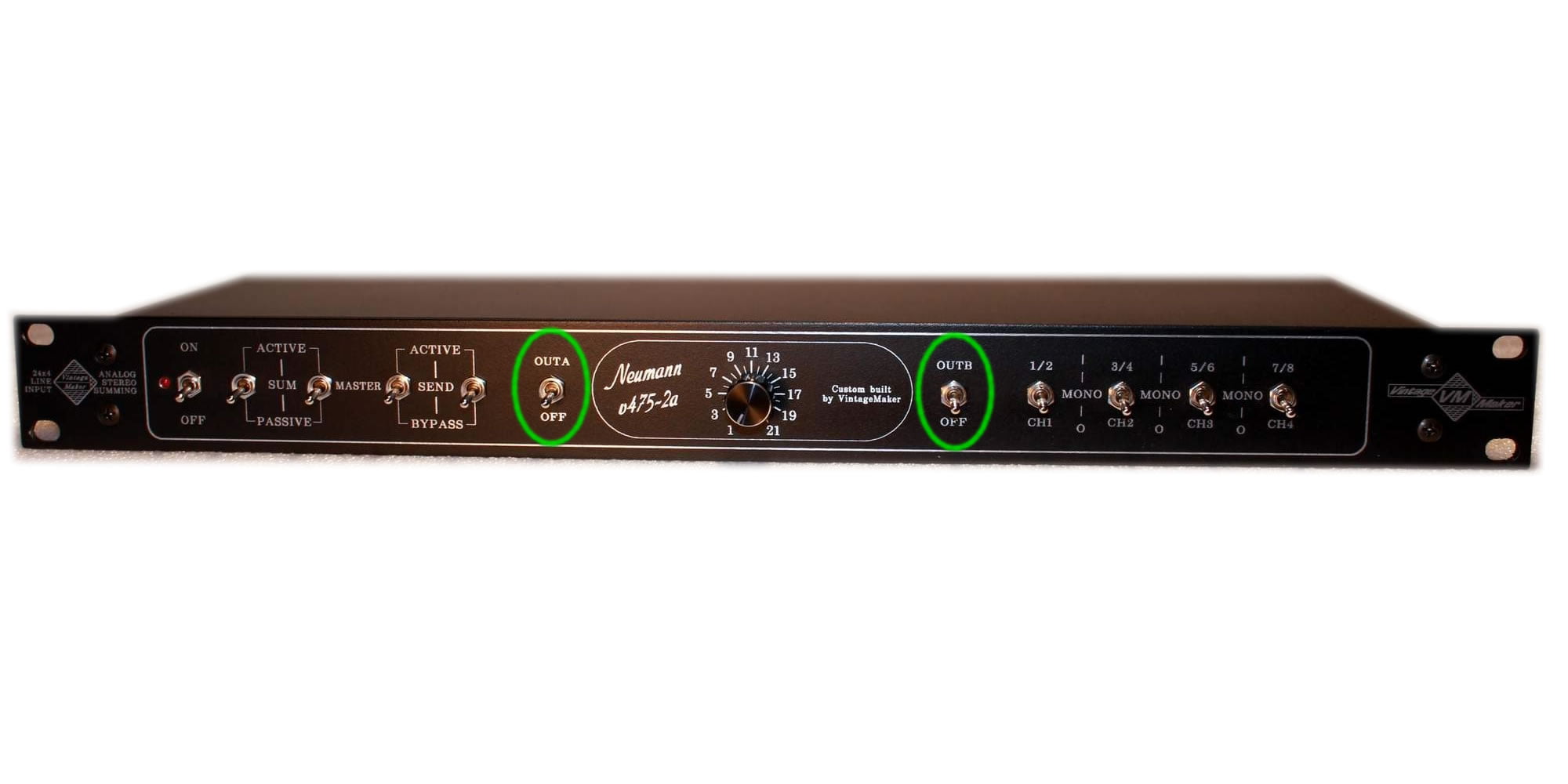
Master Output Mute (ON/OFF)
Use this option to mute or unmute the master outputs:
- Master Out A – ON: output active, OFF: muted
- Master Out B – ON: output active, OFF: muted
- Master Out C – ON: output active, OFF: muted

SELECT I/O Routing – switch



Variable Headroom Gain Switch
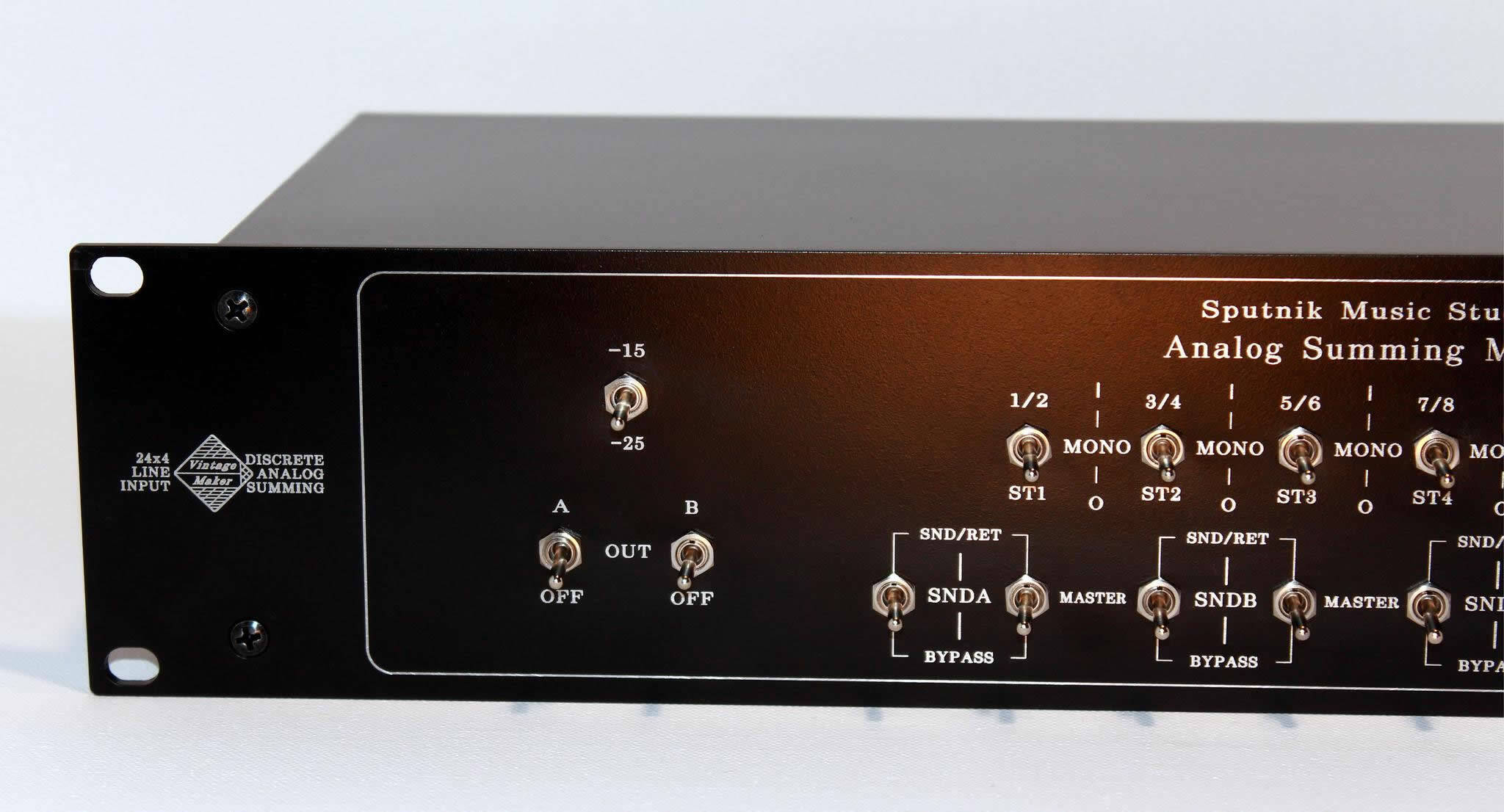
A flexible 2-position gain switch that adapts to different signal levels and workflow needs.
Function:
- Adjusts gain for mic preamps, DAW interfaces, synths, or other sources.
- When placed after a passive summing mixer, it controls overall output gain.
- Lets you balance input count vs. amplification: fewer signals + more gain, or more signals + less gain.
Benefits:
- Optimize headroom for your mix.
- Drive the summing stage harder for saturation and harmonic warmth.
- Match gain stages across different equipment and workflows.
Available 2-Position Switch Values:
- -6 dB / -16 dB
- -10 dB / -20 dB
- -15 dB / -25 dB
- -20 dB / -30 dB
- -25 dB / -35 dB



TRANSFORMER TYPES: NEUMANN – FILTEK – LAWO
Please note: All Vintage Transformer Amps are Transparent and Clean.
BUILT-IN TRANSFORMERS IN SUMMING MIXERS COME MODIFIED FOR FULL TRANSPARENT OPERATION, SERVICED, RECAPPED, TESTED, AND CALIBRATED!

Transformer Module Comparison
| Model | Harmonic content | Character | Price from | Best for |
|---|---|---|---|---|
| Oxford NE2OX | Enhanced | Flexible, variable color | NA | All styles |
| Lawo DV975 | Rich | Smooth analog tone API-like clarity | €890 | All styles |
| Filtek-Neumann DV1175 | Rich | Clean, punchy, Wide 3D image SSL-style | €890 | All styles |
| Neumann 2A | Rich | Vintage organic tone, musical | €890 | Rock / Jazz primary, All styles |
| Neumann 2C | Huge | Clean, punchy, fast transients | €990 | All styles |
| Neumann 2B | Extra Huge | Maximum transformer density, thick low-end | €1100 | All styles |
Transformer Amp Options
Every VintageMaker active rack summing mixer is built around a genuine vintage transformer amplifier module. The transformer is the source of harmonic character, stereo imaging, and analog depth — choose the one that matches your sonic goals.

Audio demo comparison test ITB vs OTB digital vs analoque see more….
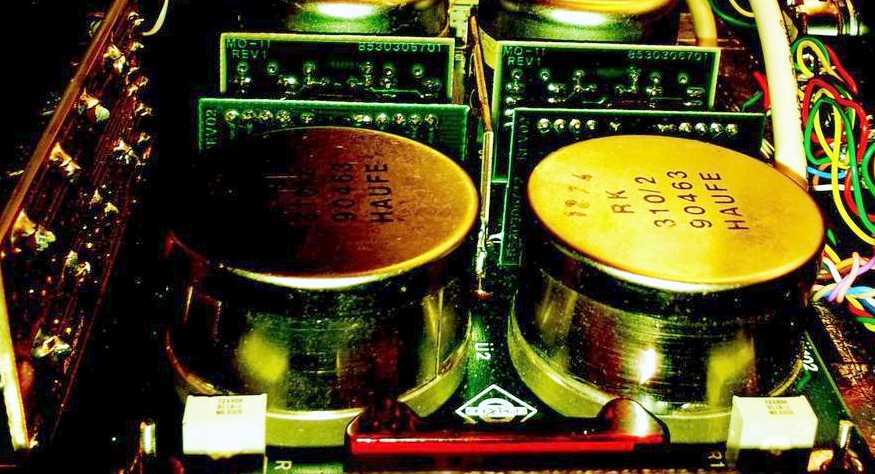
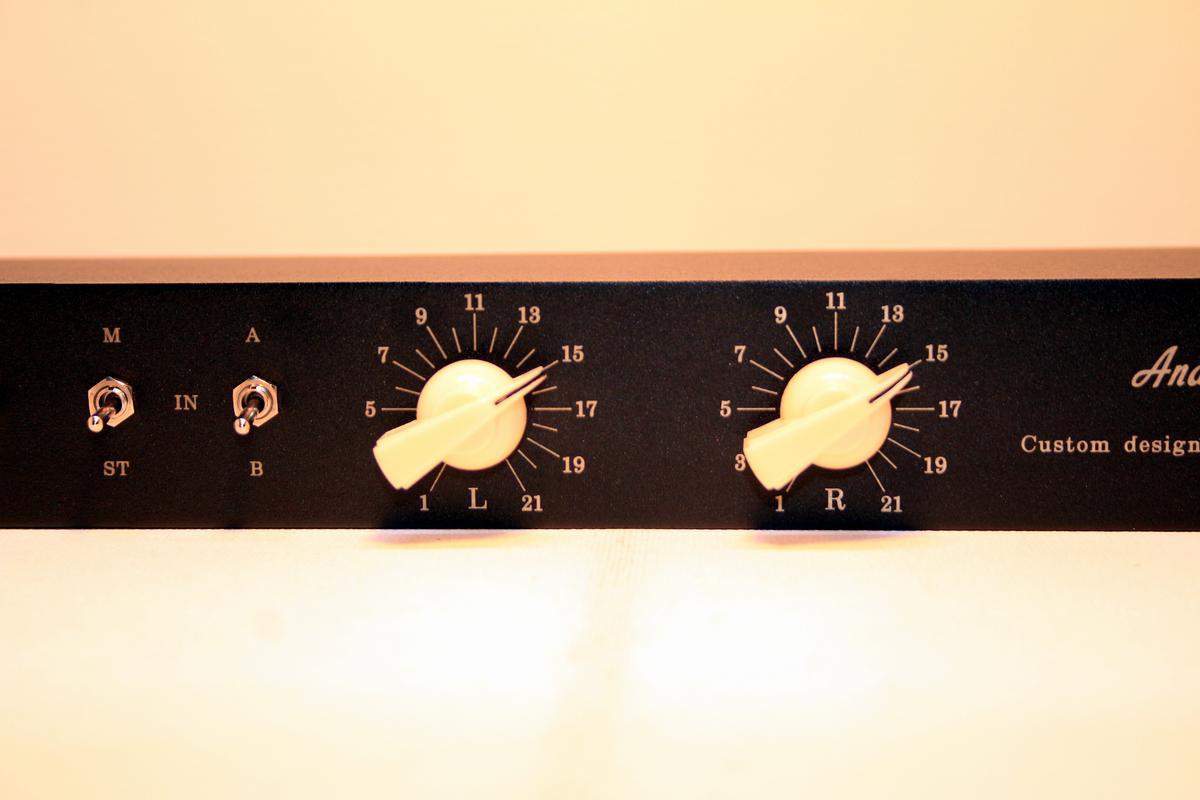
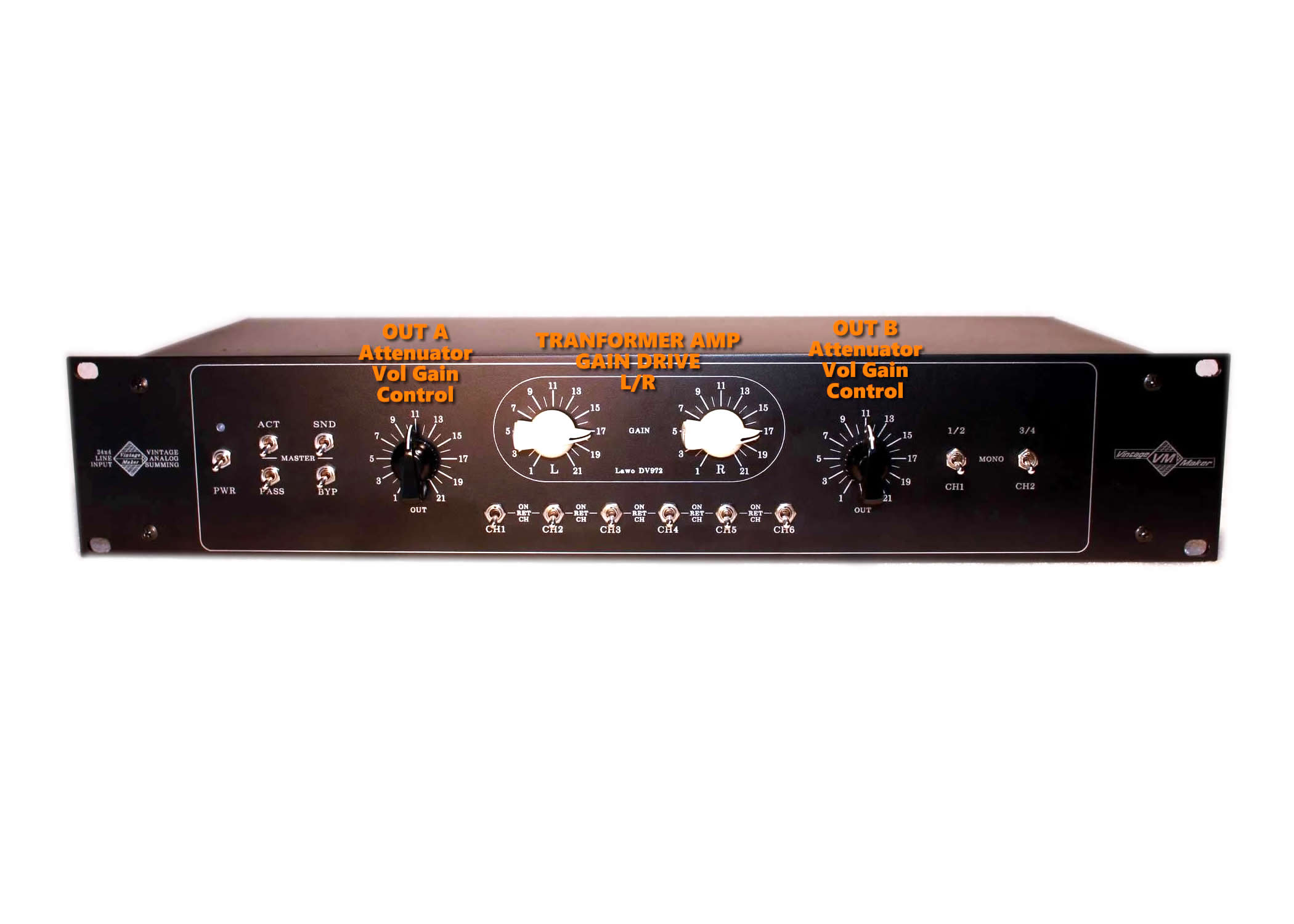
21-Step Precision gain control – Neumann
- 21-step gain adjustment for precise level control.
- Gold-plated signal path and extremely short signal path for minimal signal degradation.
- Channel matching: ±0.1 dB for accurate stereo balance.
- Polished ‘S’-shaped wiper and contact pins for smooth, reliable operation.


FAQ: Why are there 2 (L/R) pots on Neumann?
- Neumann uses dual stereo amplifiers (2x stereo amps) in the 2C/2B.
- Each side requires two 21-step precision potentiometers to control gain.
- This allows easy and precise Left/Right channel gain matching, thanks to the 21-step precision potentiometers.

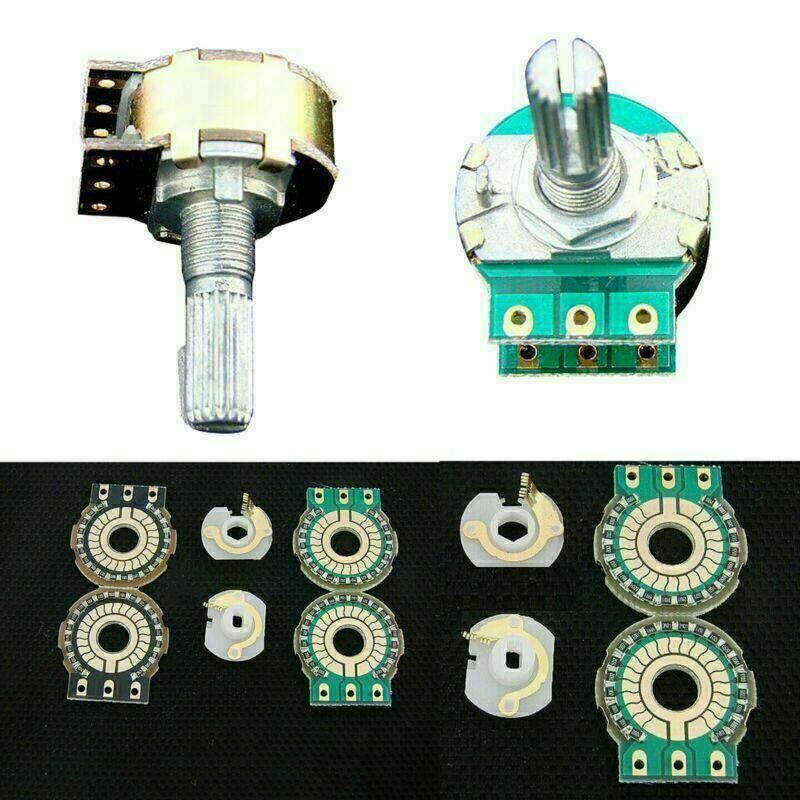
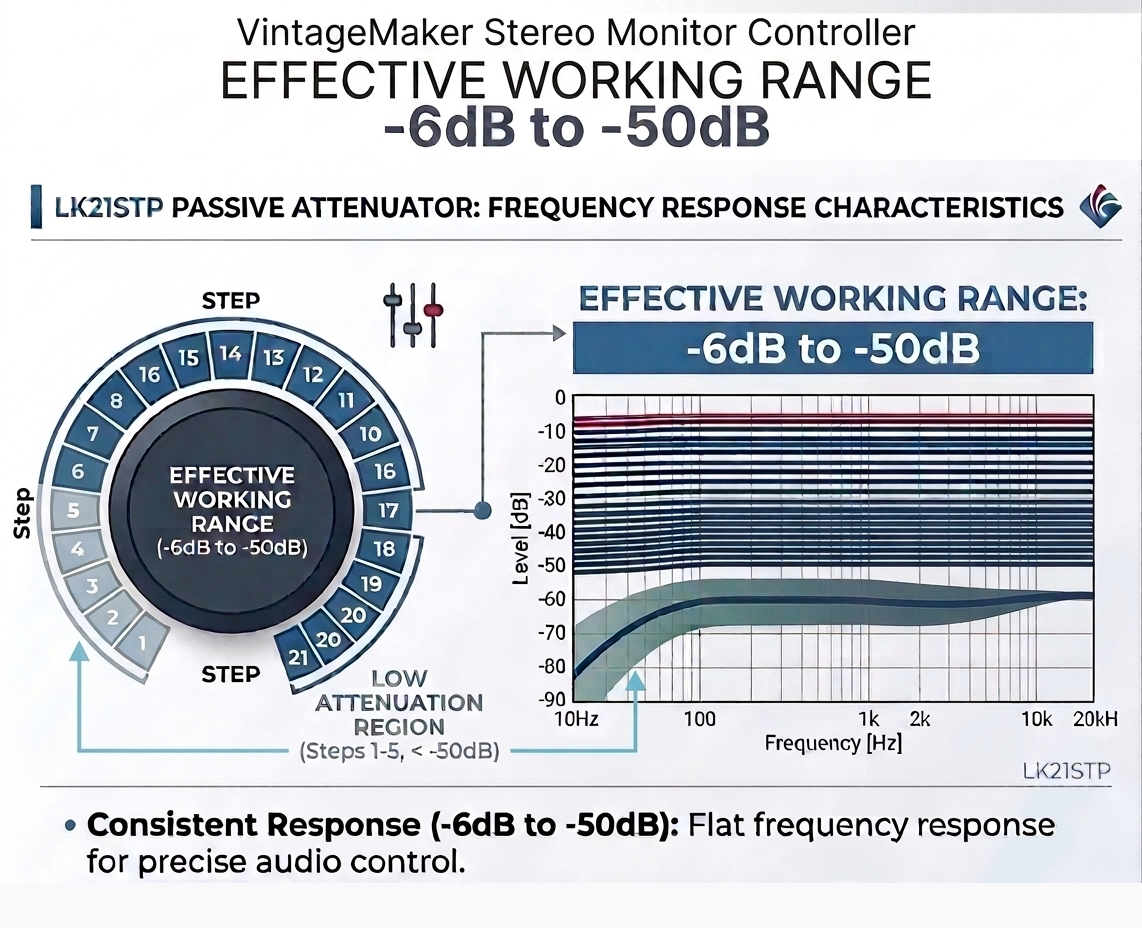
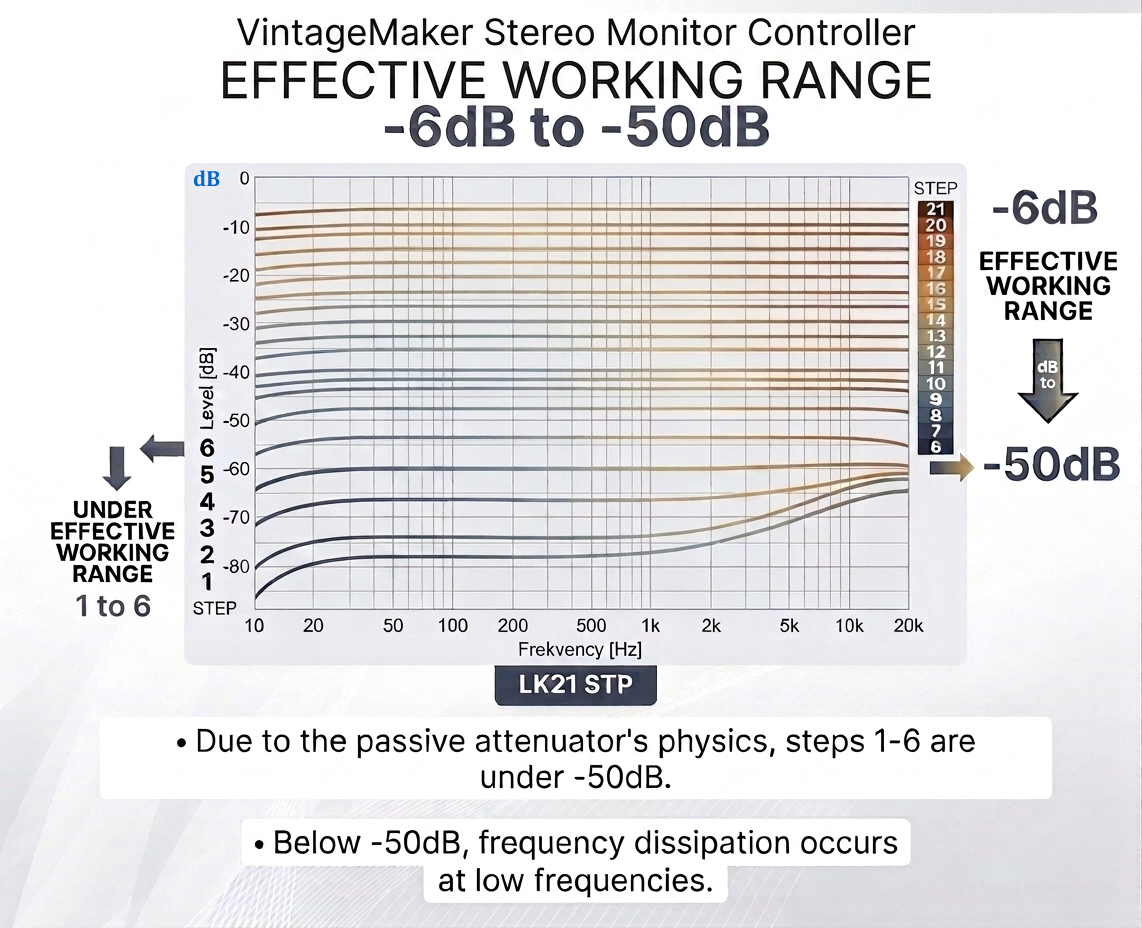
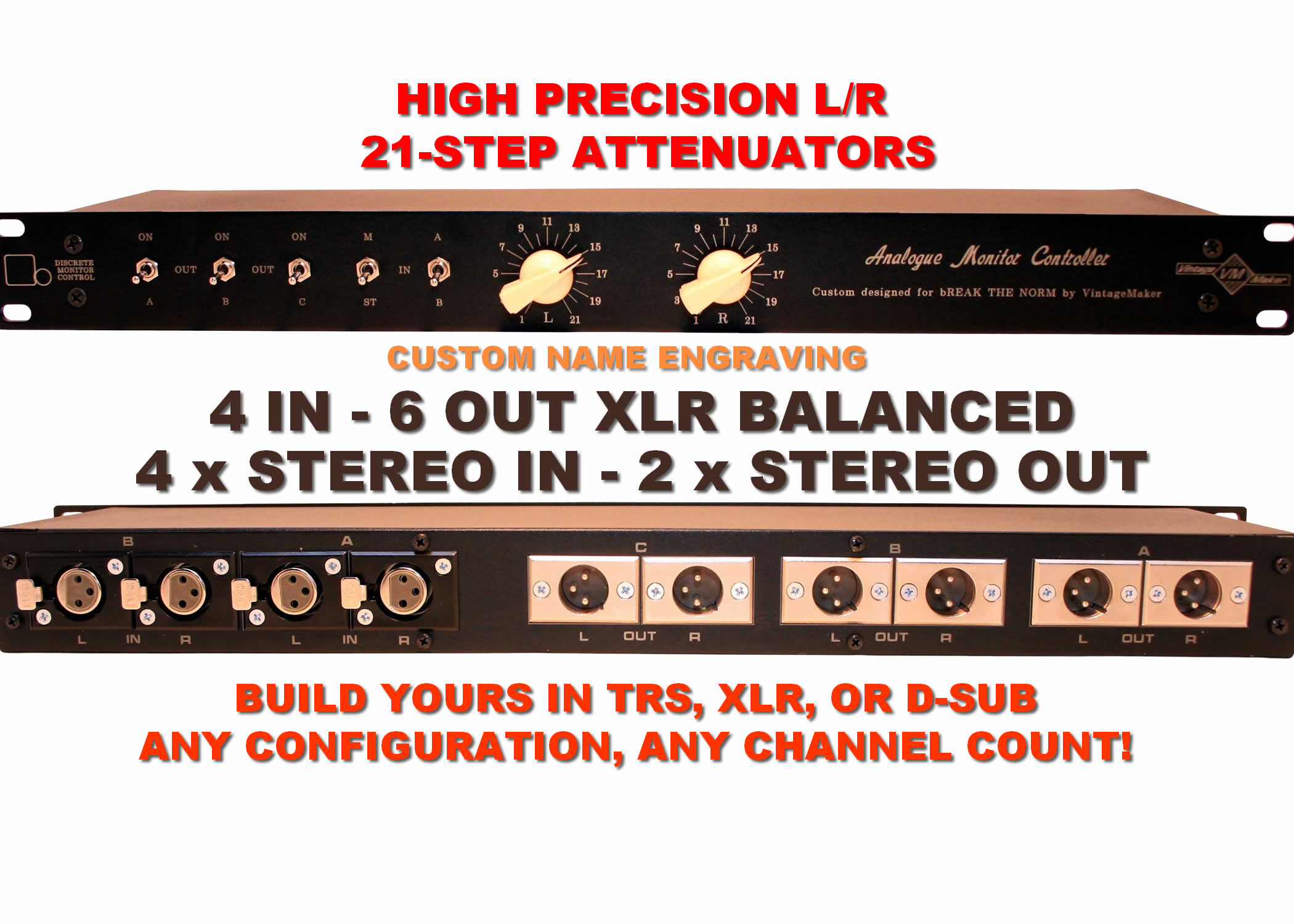
21-Step Precision Vol control – Monitor Controller
- Precision attenuator with an effective range of -6 dB to -50 dB.
- Due to the physics of the passive attenuator, the first five steps provide slightly less attenuation.

21-Step Precision Vol control – ONE STEREO POT Passive Summing Out
- 21-step precision attenuation from 0 to -20 dB.
- Example: With a summing bus reduction of -10 dB, the attenuator provides a total attenuation range of -10 to -30 dB.
- Precisely fine-tune the output level within this attenuation range.

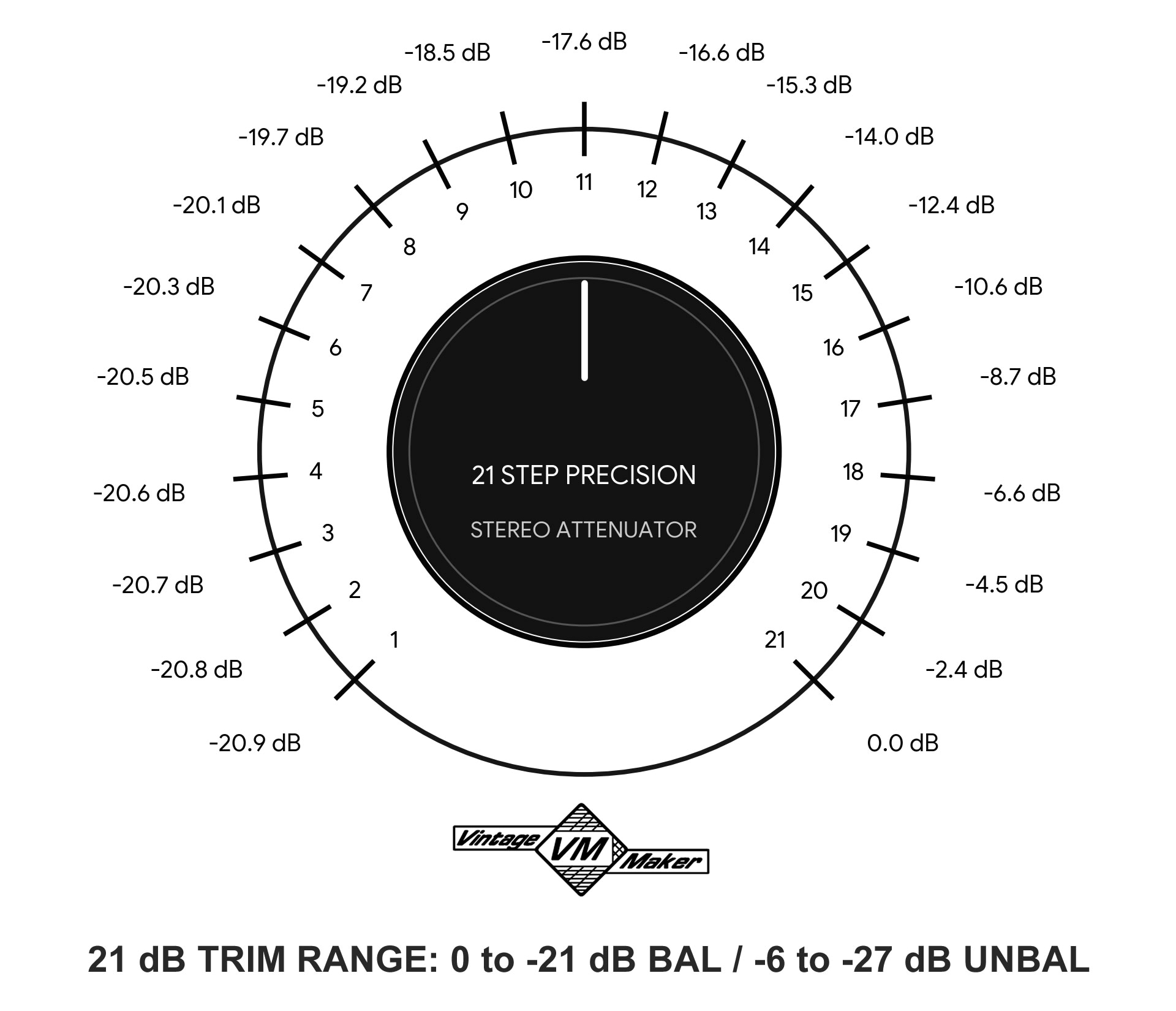
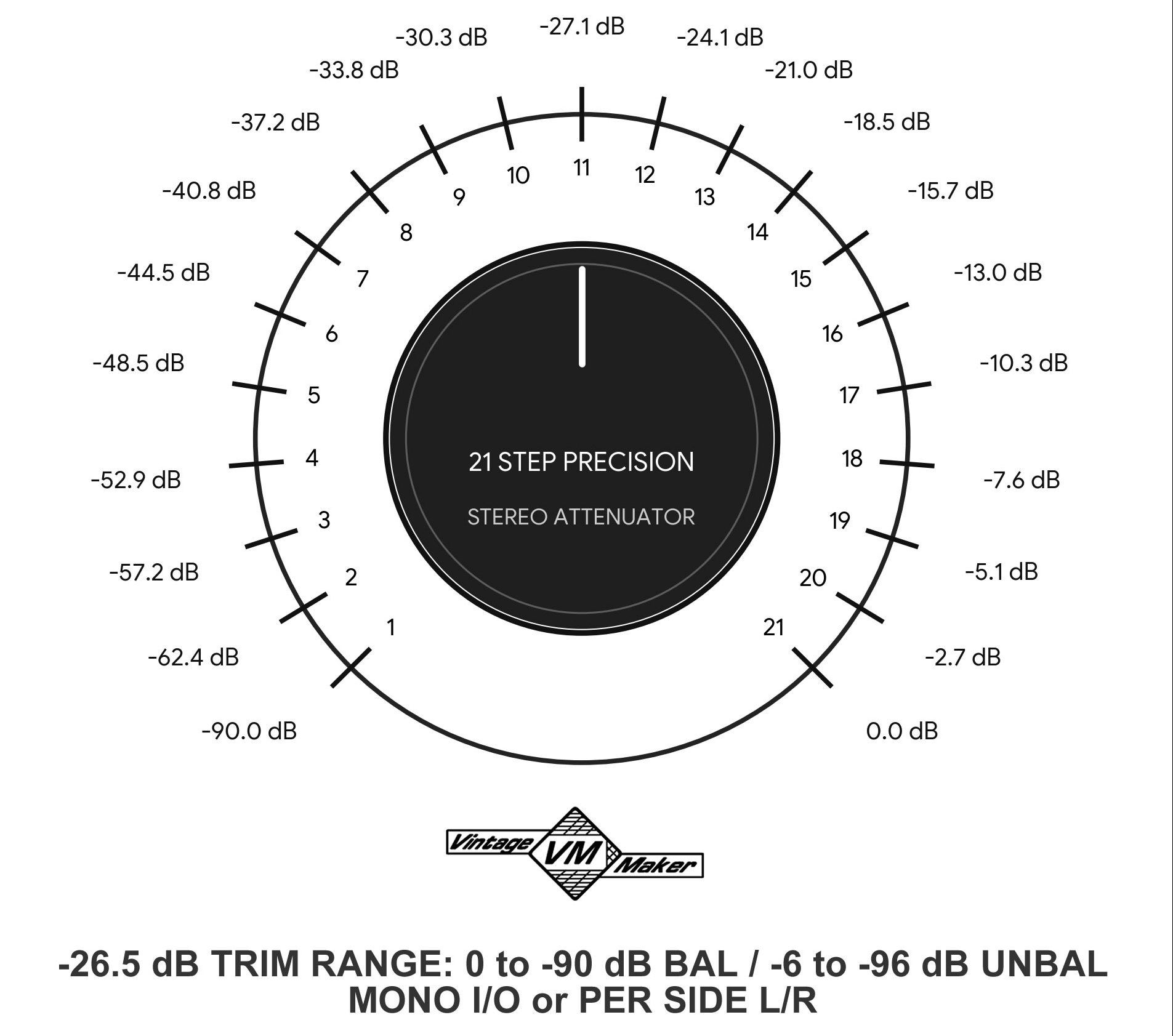
21-Step Precision Volume Control – Mono I/O or Per-Side L/R
- 21-step passive differential attenuator with floating shunt reference, 0 dB to -70 (effective) -90 dB (total) for line-level balanced signals.
- Symmetrical attenuation: Hot and Cold signals are attenuated equally via a stepped resistor network with dual wipers.
- Floating reference: Third pins maintain signal symmetry and ground independence.
- Differential operation: Impedance varies with attenuation level but remains fully controlled and differential.
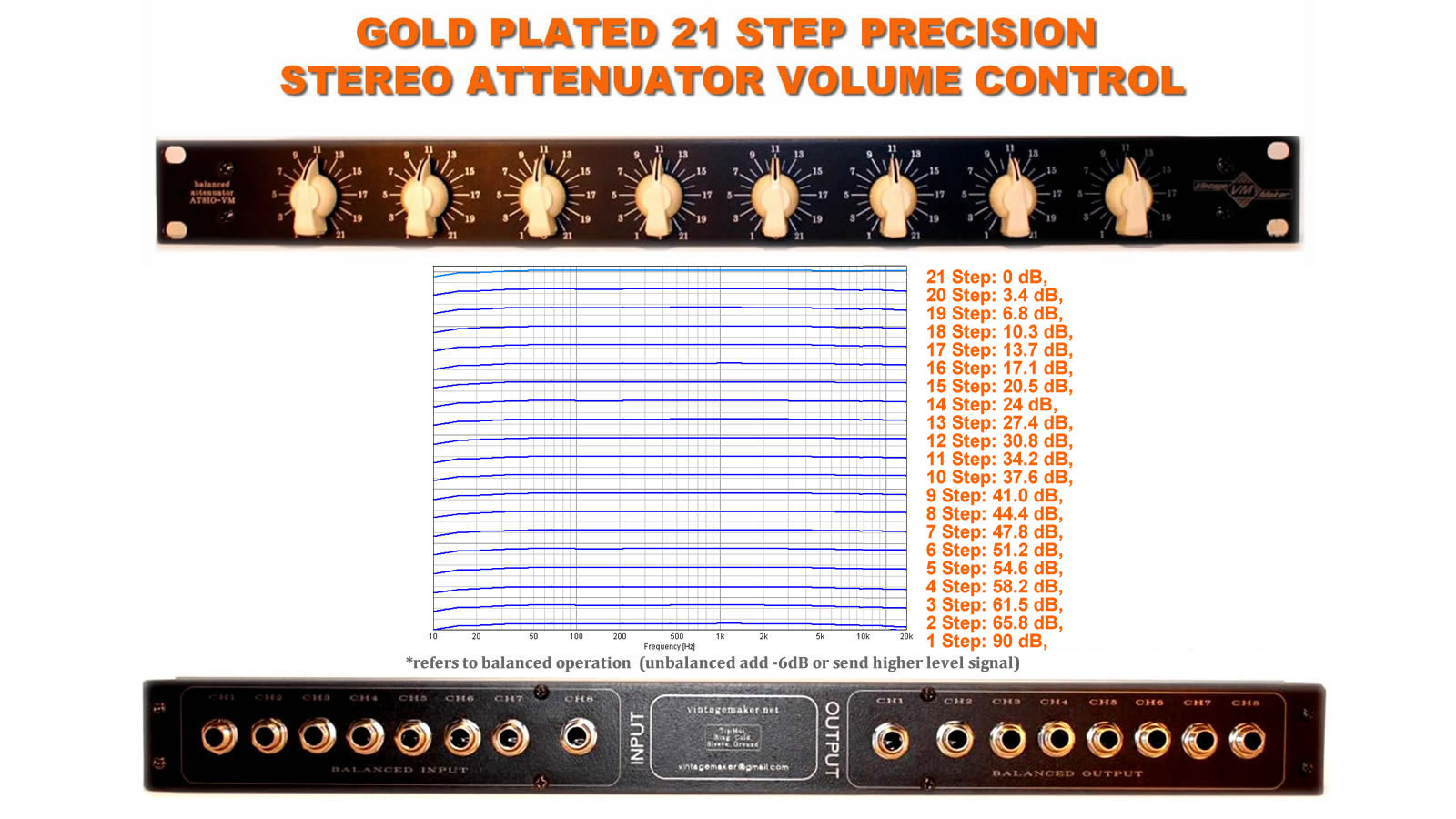
When to Use Independent Left/Right (L/R) Control
- Flexible Signal Routing: Use as a line attenuator before any input, or as a passive monitor controller at your mixer’s output.
- Perfect Balance: Fine-tune Left/Right levels independently for a centered stereo image, even in imperfect monitoring environments.
- Room Correction: Compensate for acoustic imbalances in your studio or listening space.
- Stereo Image Control: Adjust the stereo field in real-time during mixing or mastering.
- Dual Mono or Stereo: Control two separate mono signals or a stereo pair without crosstalk.
- Personal Hearing Adjustment: Compensate for ear sensitivity differences for comfortable, accurate long-term listening.
21-Step Precision Vol control – Mono Input -or- Output Trim Pot Attenuator / Per Side

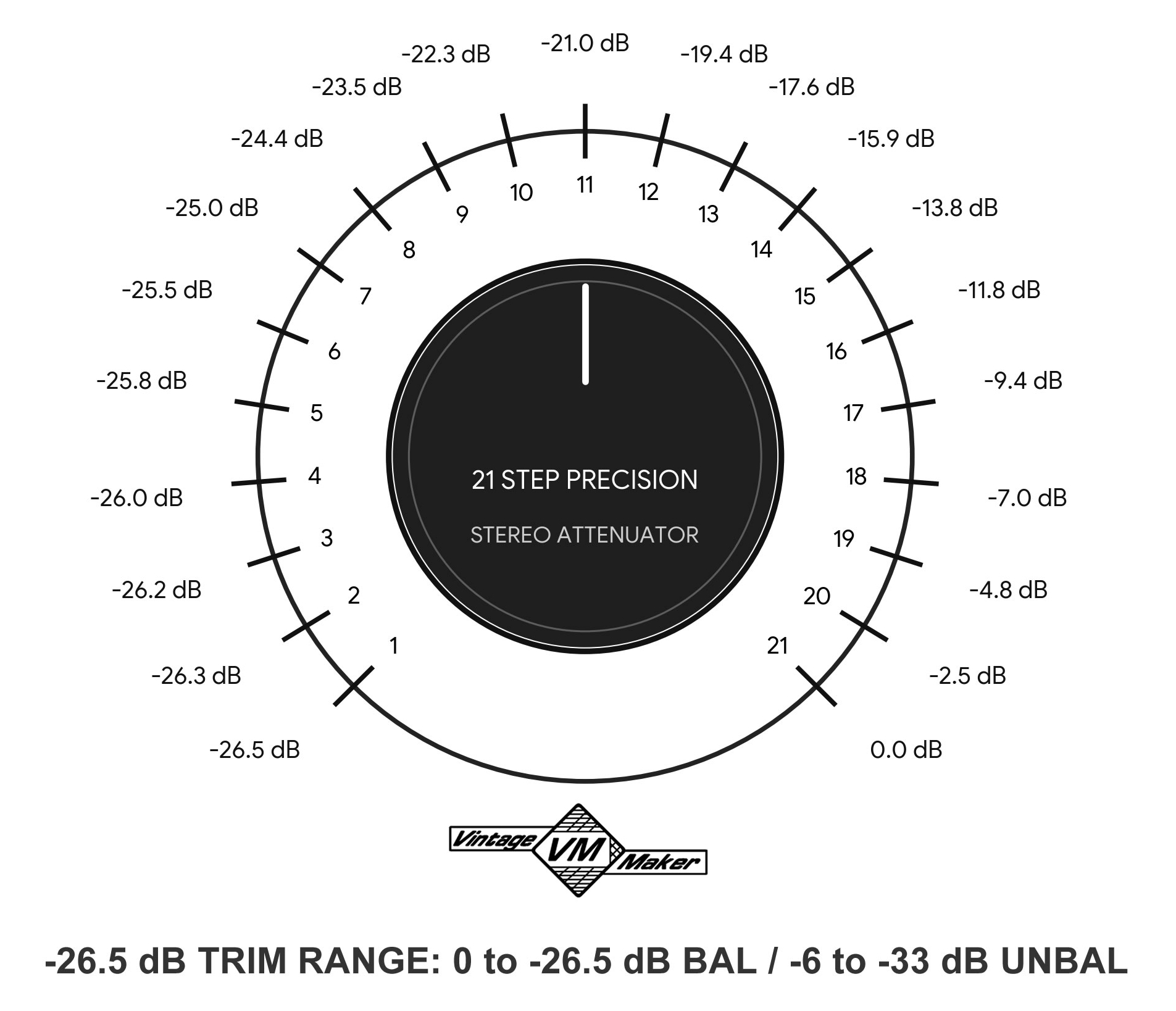
Passive Sub Output on Monitor Controller with Attenuator
- Passive sub output: Uses a resistor-based voltage divider to sum the L/R HOT signals into a transparent, unbalanced mono output.
- Resistor isolation: Prevents loading interactions and preserves stereo image and phase integrity of the main outputs.
- Passive attenuation: The sub output may drop by ~–7 dB; compensate easily using the subwoofer’s gain control.
Independent L/R Control Required:
- Dual-mono (L/R) stepped attenuators allow independent level adjustment instead of a single stereo attenuator.
- This prevents phase interactions and summing issues when feeding a mono sub signal.
- 21-step precision attenuators ensure accurate and repeatable level matching.
Passive Gain Loss
Passive Summing Mixer Reduction Options
The summing mixer can be set to different output reduction levels to maintain proper headroom and optimal gain staging. (let me know your DAW interfece type)
In simple terms: the amount of attenuation applied must be restored by the same amount of gain.
| Reduction | Recommended Device / Interface | Min. Gain Make-up |
| –3 dB | Instrument-level inputs | +3 dB |
| –6.5 dB | Low-level inputs or DAW mic-pres | +6.5 dB |
| –10 dB | Entry-level preamps or DAW mic-pres | +10 dB |
| –15 dB | Mid-range preamps or DAW mic-pres | +15 dB |
| –20 dB | Professional preamps or DAW mic-pres | +20 dB |
| –25 dB | High-headroom preamps (Neve, API, Avalon) | +25 dB |
Knob Style & Color
- Vintage-style “chicken head” knobs: White, Black, Silver, Bronze
- Round solid aluminum knob: Black
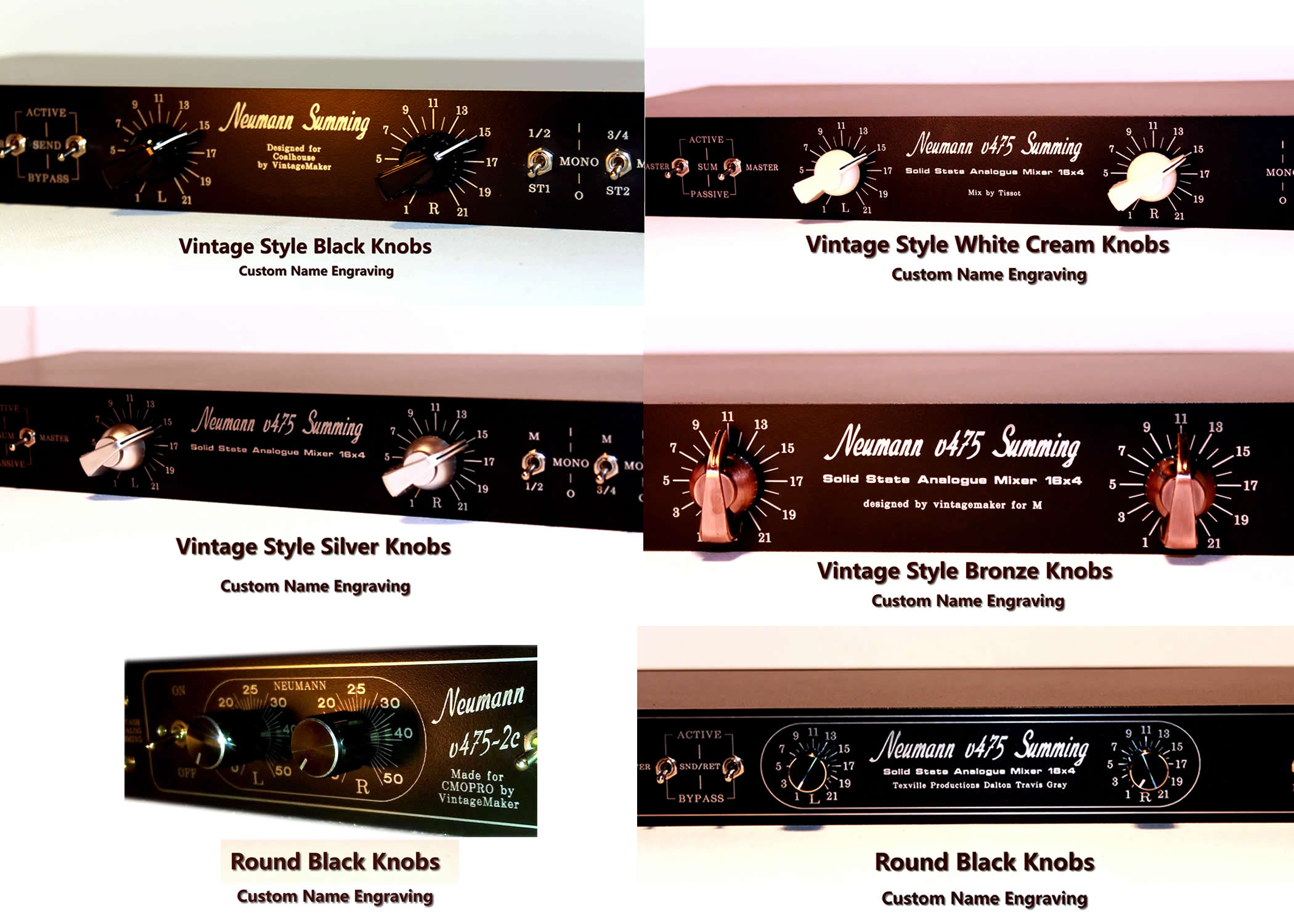
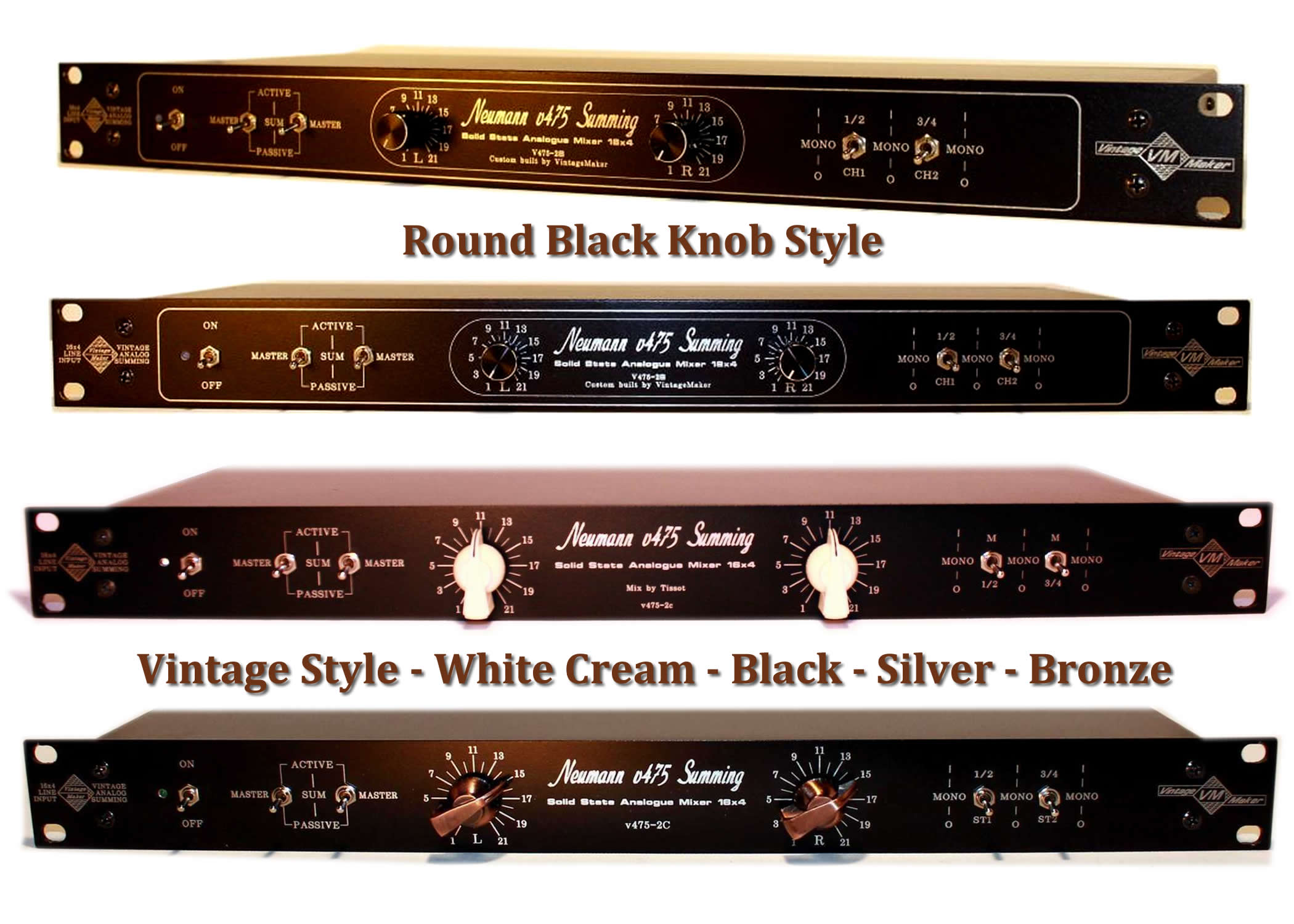


Built-In Integrated Monitor Control Inside the Summing Mixer


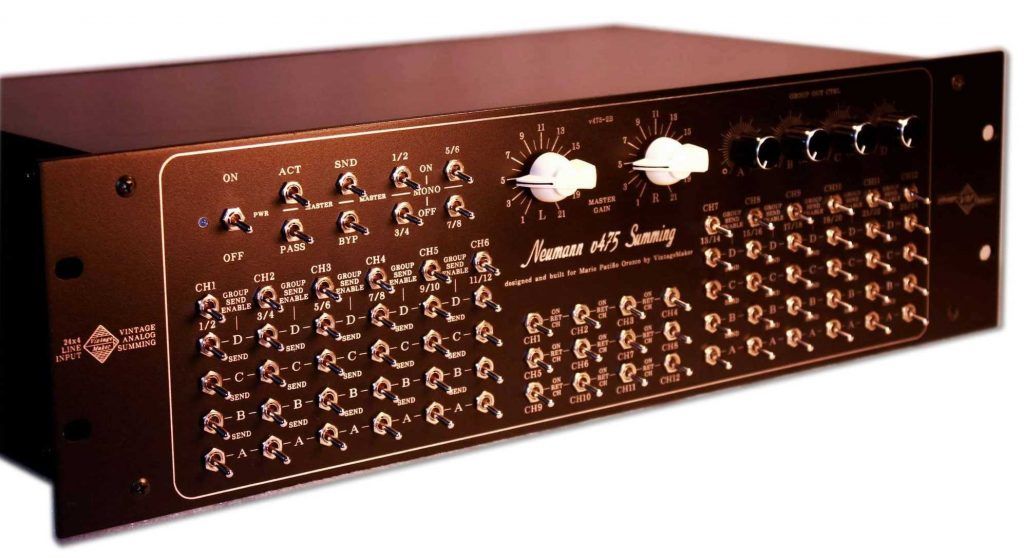
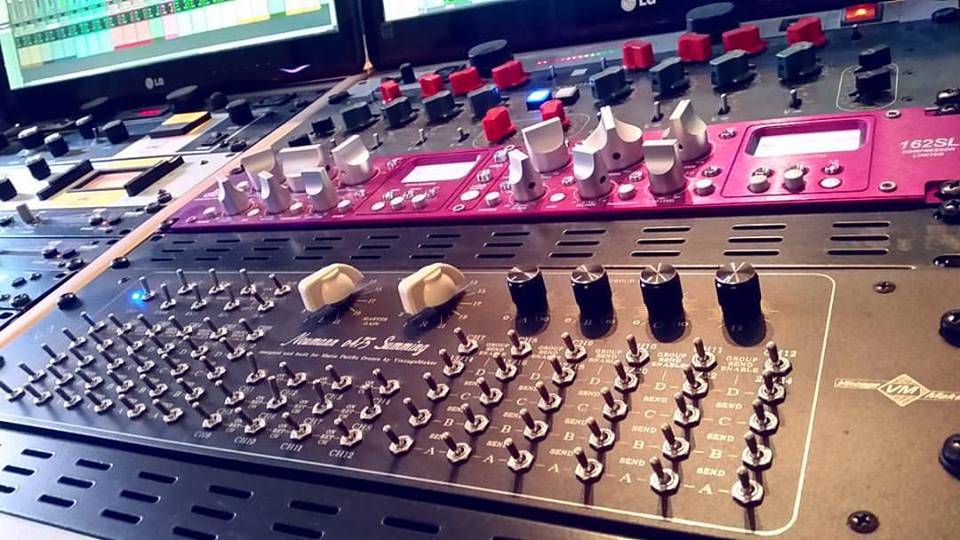
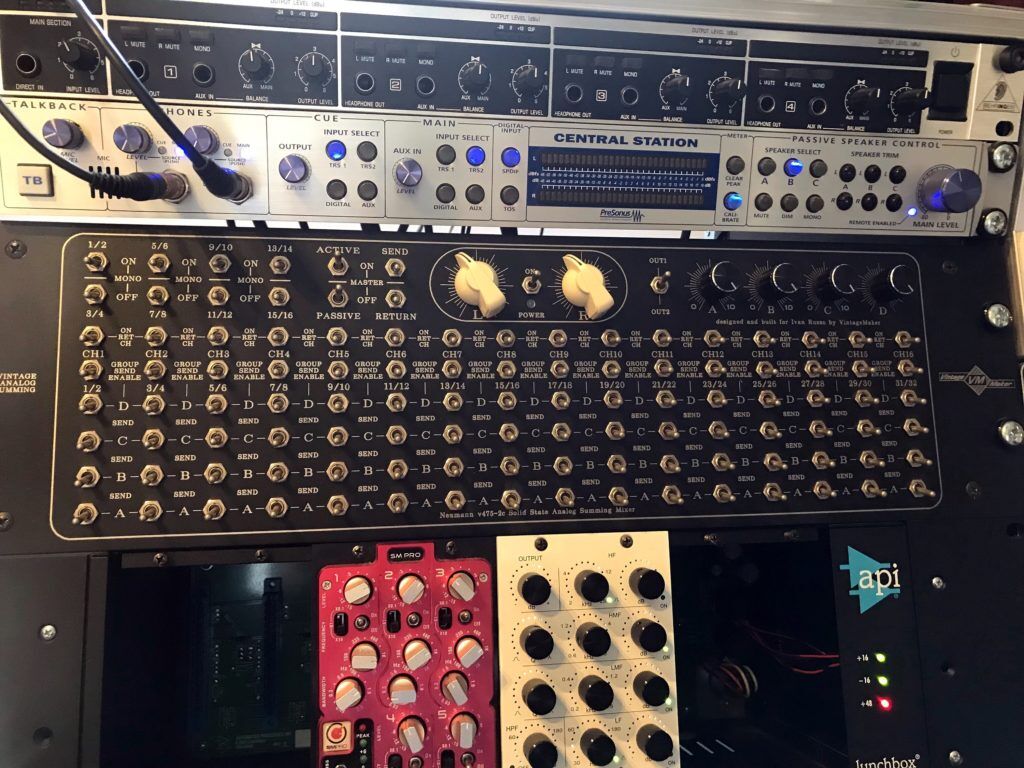
Multi-bus – Matrix – Summing Mixer
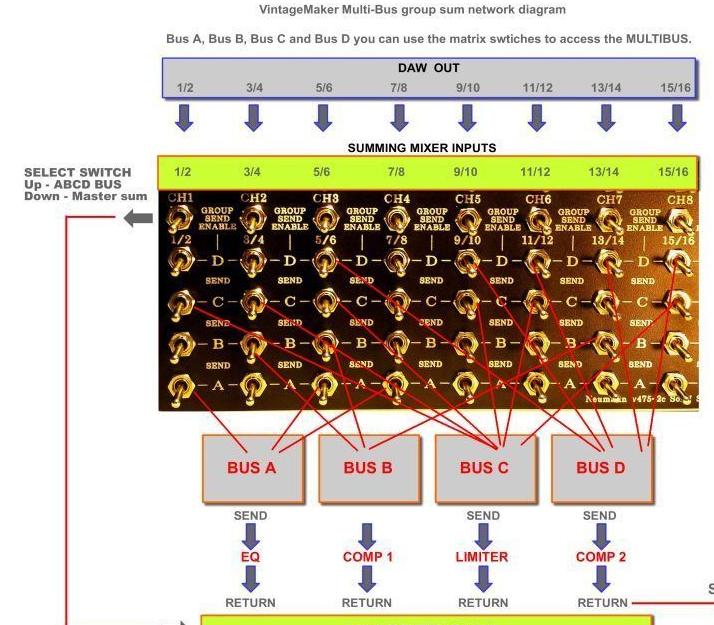
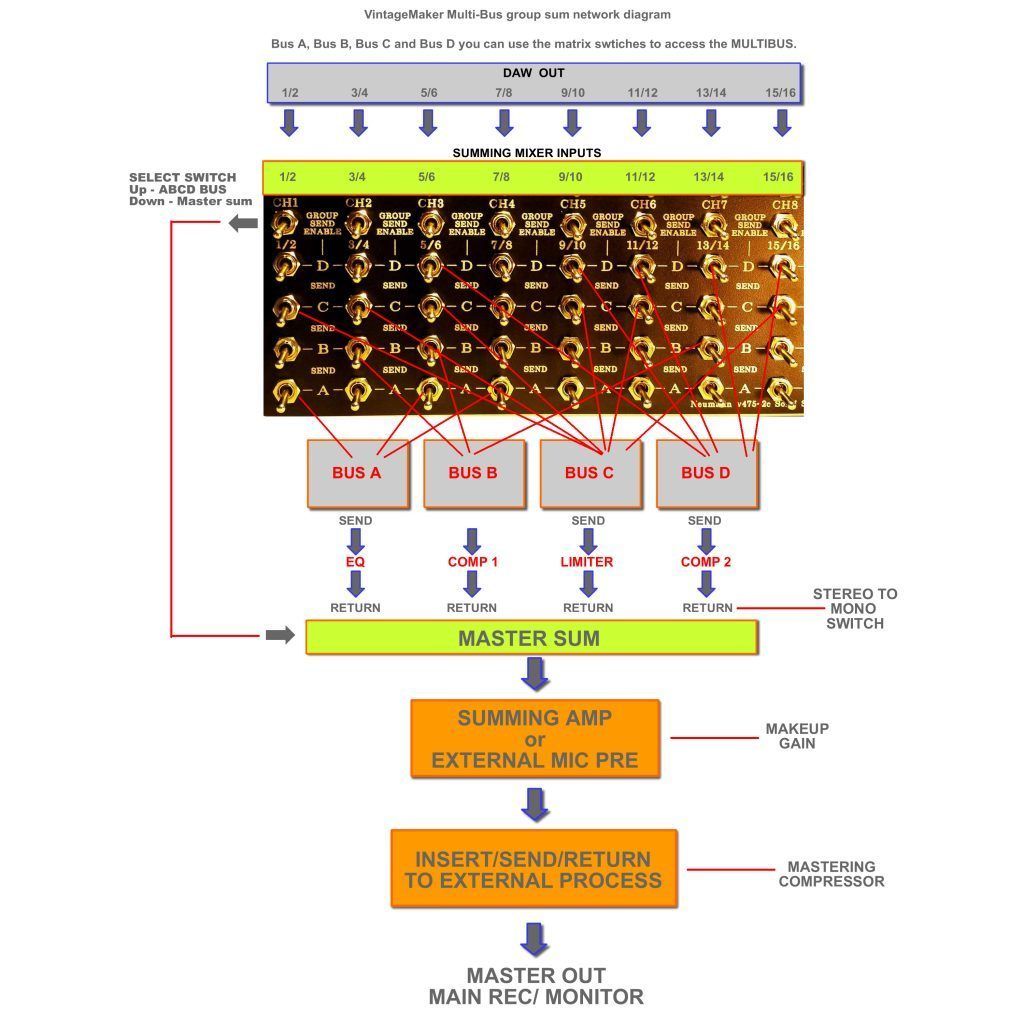
The matrix allows sending a single channel to multiple outputs (A, B, C, D) in any combination (e.g., A+B, A+C, A+B+D), enabling flexible routing to external processors or compressors.
- ABCD Bus Matrix: Multi-bus compression and external routing (limited availability).
- Stereo-to-Mono Conversion: Available after RETURN / before entering the master summing network. Mono conversion is available only on fixed group multi-bus channels.
Channel Grouping / Suggested Usage: (Inspired by Michael Brauer Productions)
- A – Upper midrange instruments: Vocals, keyboards, synths, percussion. Adjustments affect only instruments assigned to A.
- B – Anchor instruments: Drums, bass, cello, congas. Adjustments affect only instruments assigned to B.
- C – Transient midrange power: Guitars, percussive rides.
- D – Warmth / glue factor: Instruments that benefit from tube warmth and sustain. Used in combination with other groups.



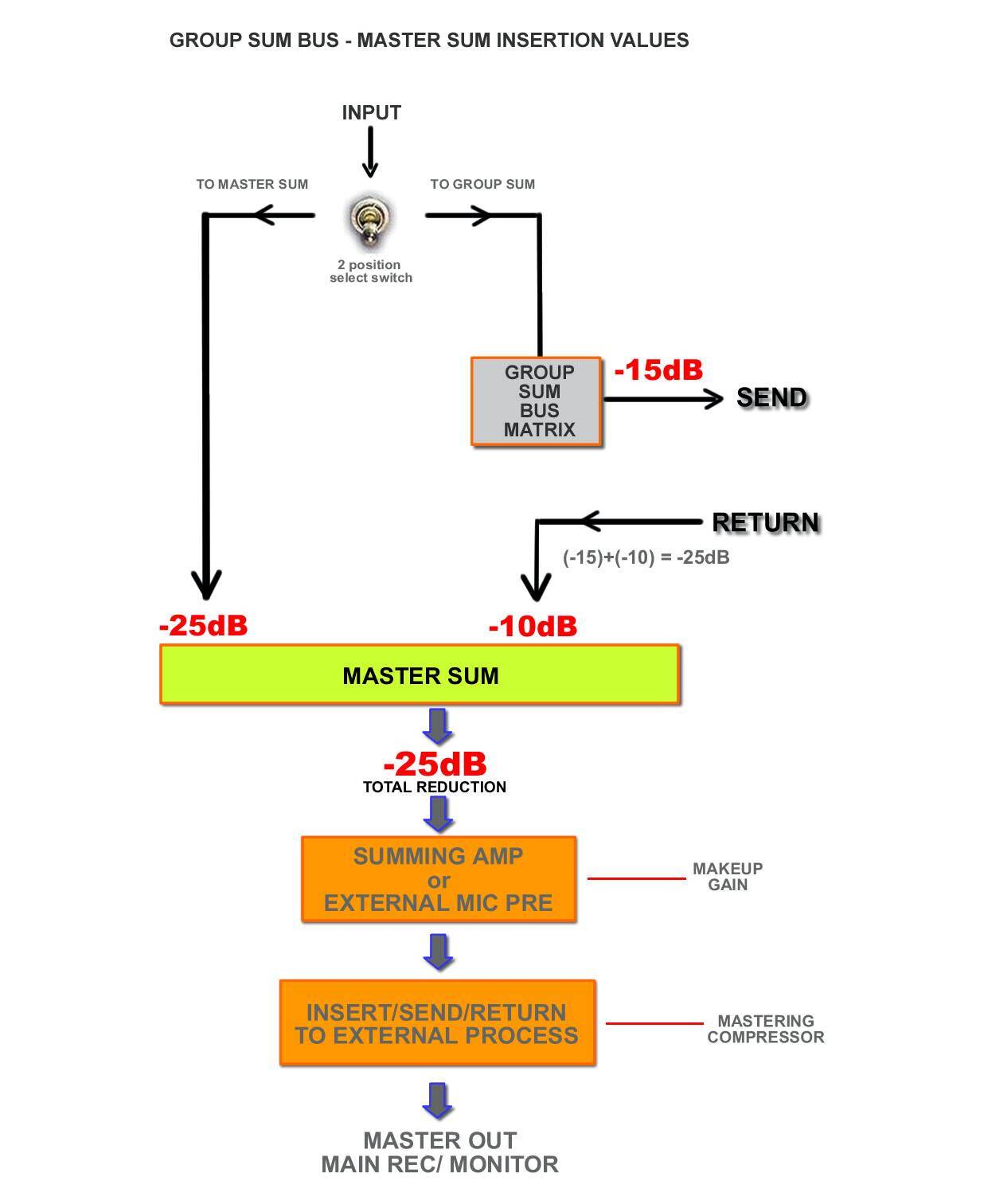
Block Diagram


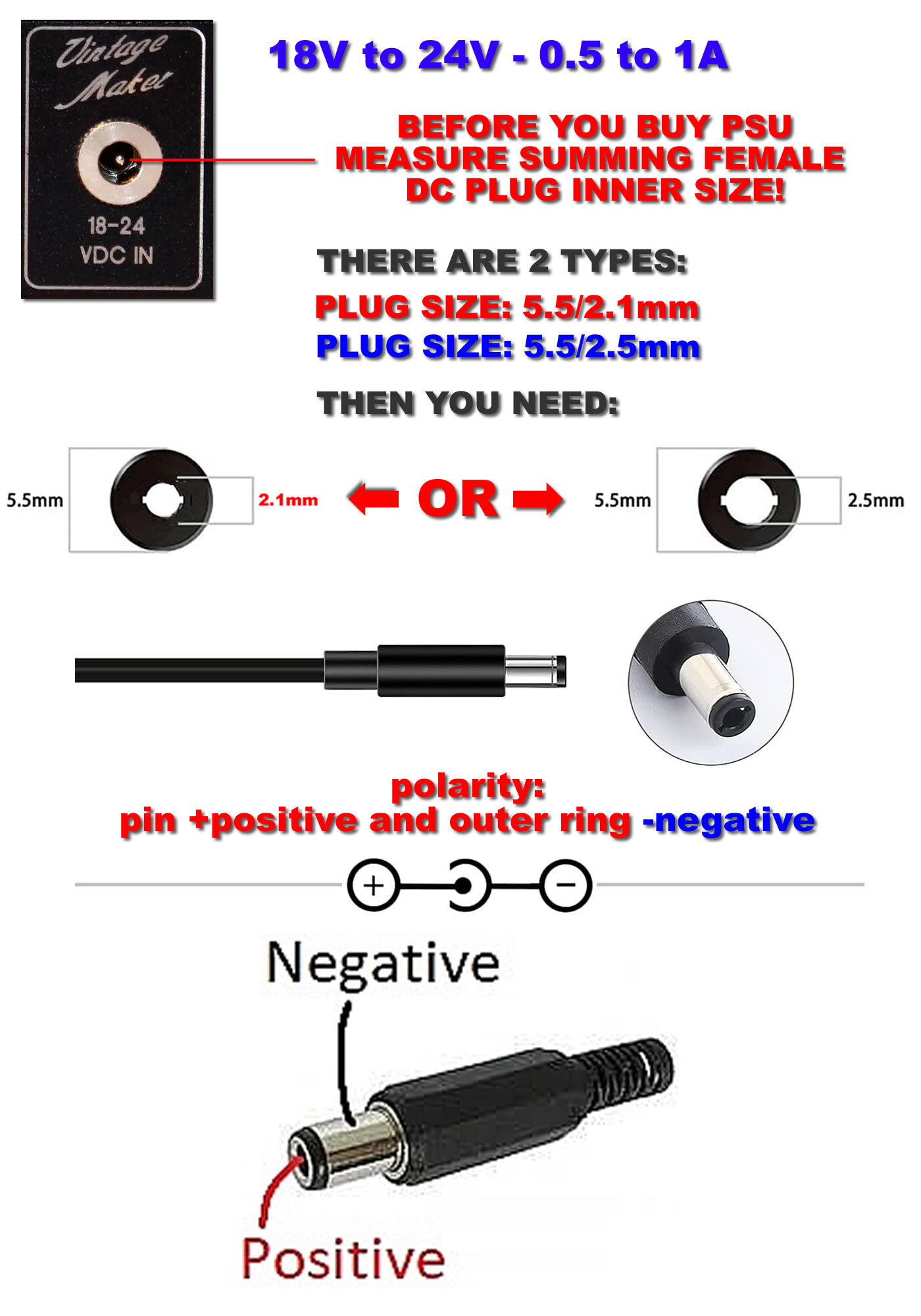
PSU – Worldwide, 110V to 240V, External Power Supply
Neumann, Lawo, and Filtek transformer summing amps include an internal voltage regulator, filter, and stabilizer. The supplied compact external switching PSU provides stable 18–24 VDC, eliminating the need for an additional power supply. Do not use any foreign PSU.
Power Supply Details:
- Input: 110–240 VAC
- Output: 18–24 VDC, 0.6–1.5 A (worldwide)
- Plug Type: EU (use a local EU→US/UK/AU adapter if needed)


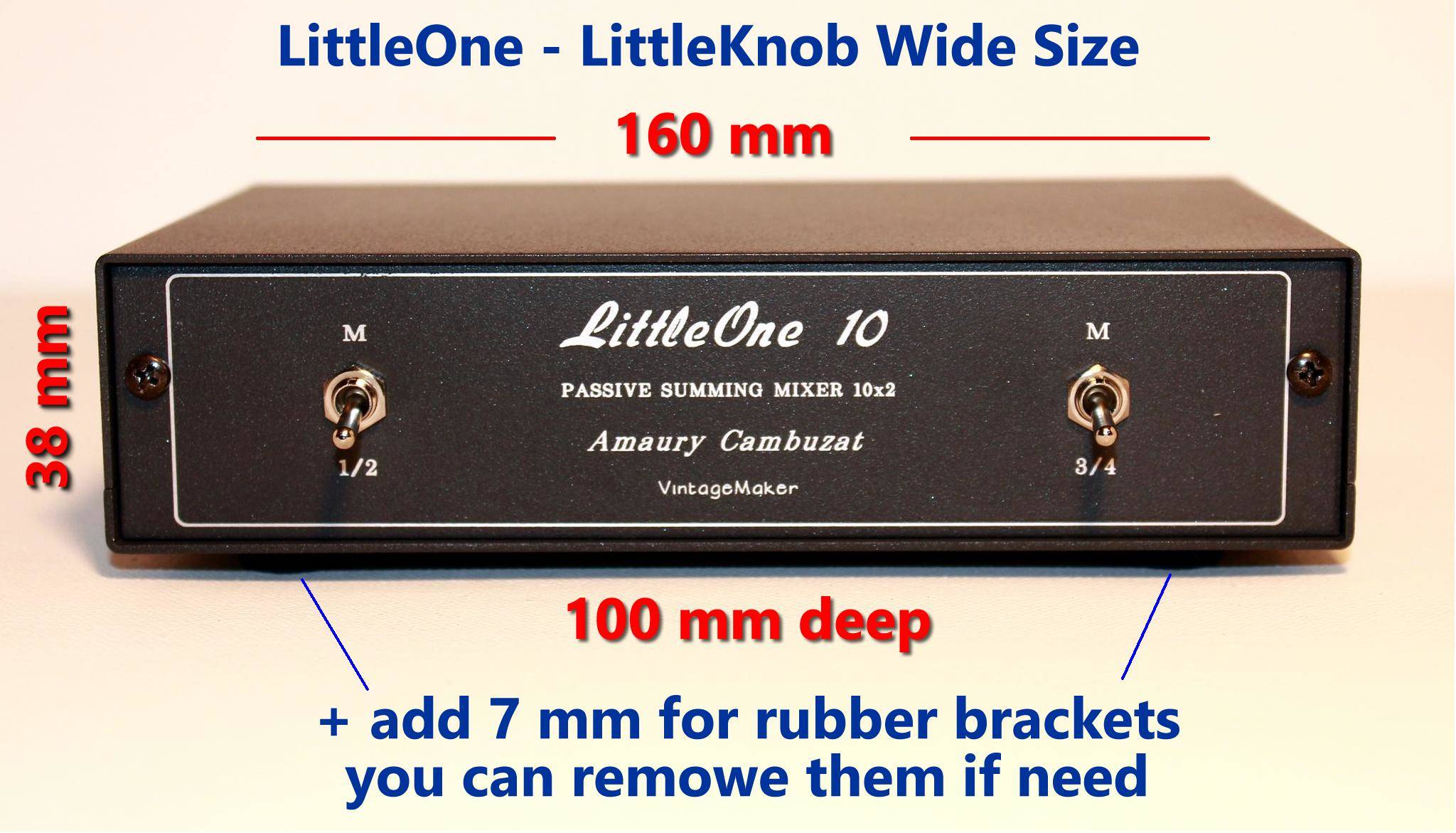
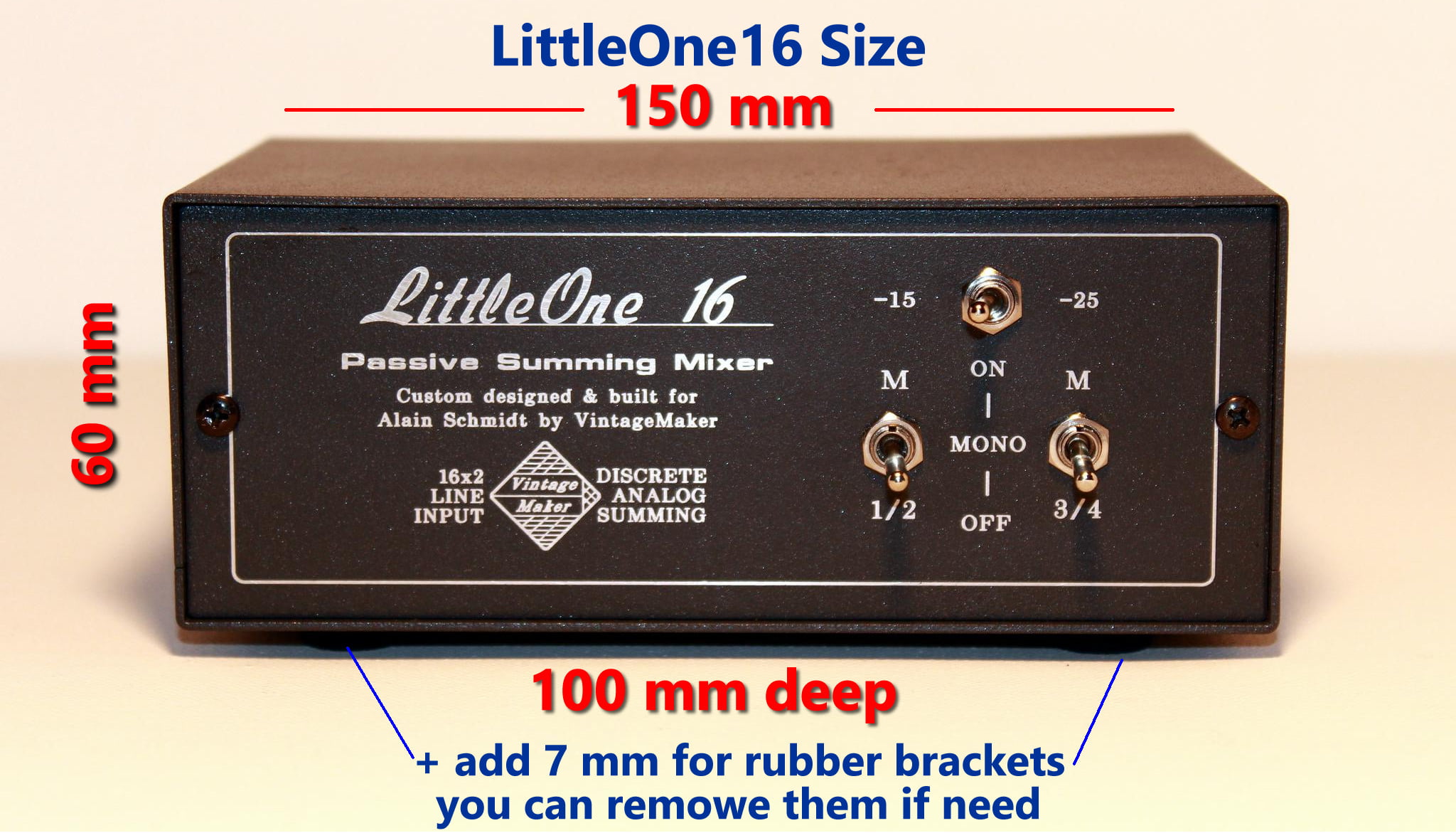
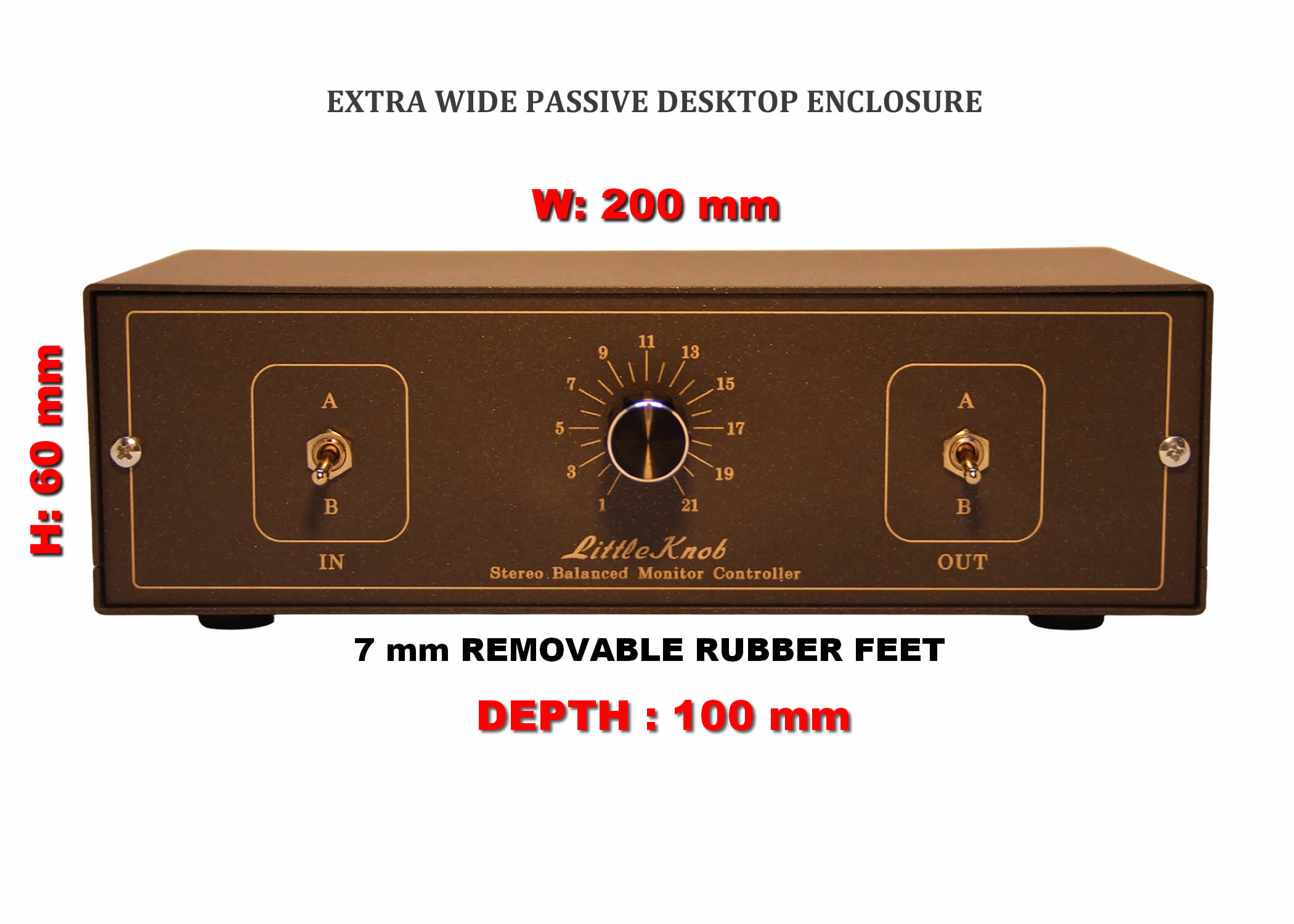
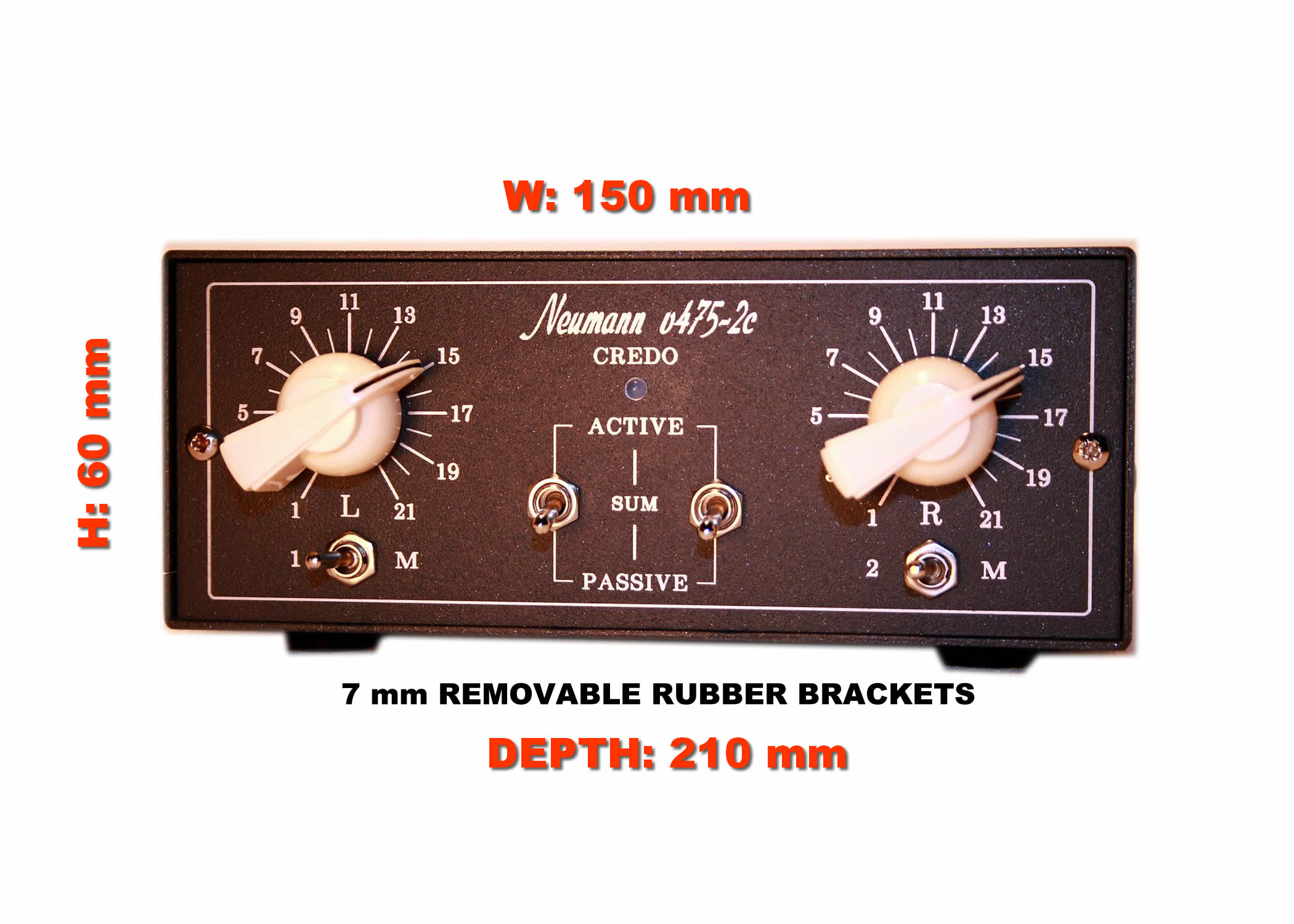
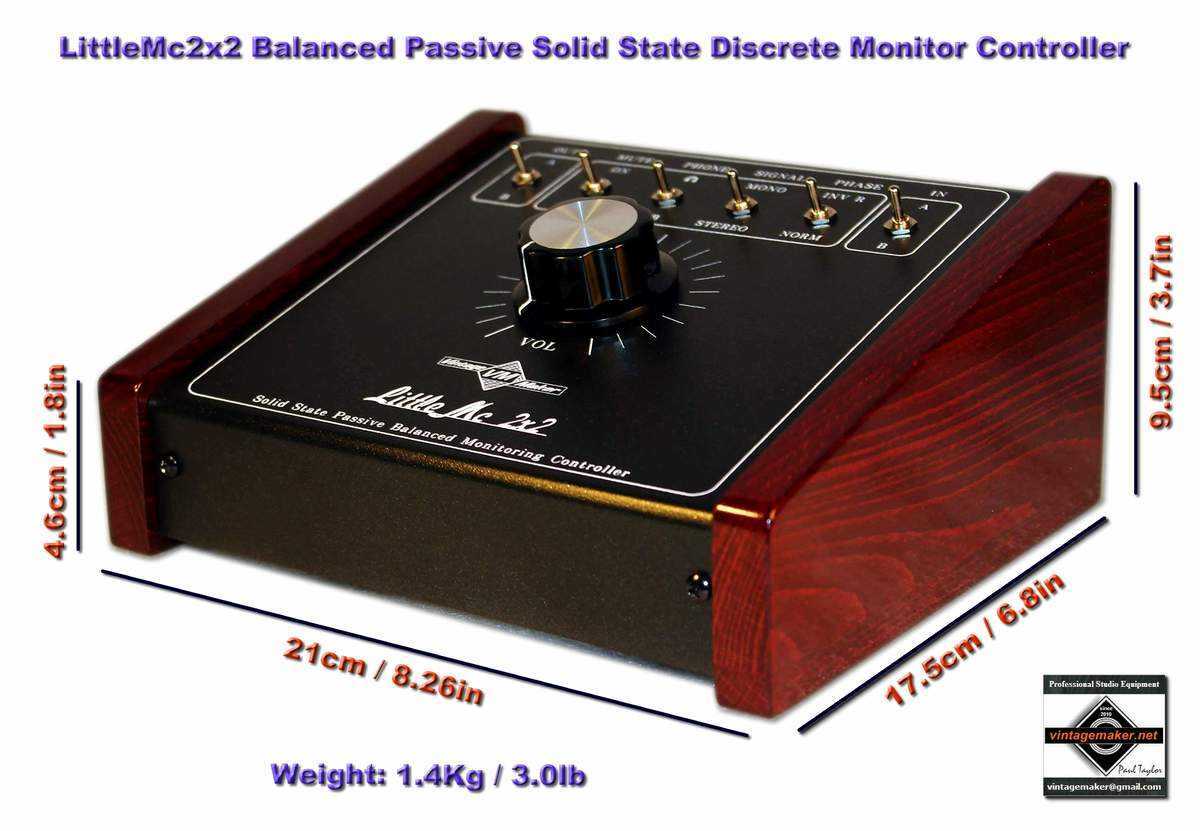
Box Size – Chassis / Enclosure Dimensions
| Enclosure Type | Width | Height | Depth |
| LittleOne Mini 4-8 – LittleKnob / Switch | 100 mm (3.94″) | 38 mm (1.50″) | 100 mm (3.94″) |
| LittleOne Wide – Knob – Switch | 160 mm (6.30″) | 38 mm (1.50″) | 100 mm (3.94″) |
| LittleOne 16 – Knob – Switch | 150 mm (5.91″) | 60 mm (2.36″) | 100 mm (3.94″) |
| Extra-Wide Desktop Enclosure | 200 mm (7.87″) | 60 mm (2.36″) | 100 mm (3.94″) |
| Desktop Neumann / Lawo / Filtek | 150 mm (5.91″) | 60 mm (2.36″) | 210 mm (8.27″) |
| RACKMOUNT | Type | Depth |
|---|---|---|
| 1U 19″ | Passive | 110 mm (4.33″) |
| 1U 19″ | Active/Passive | 180 mm (7.09″) |
| 2U 19″ | Active/Passive | 180 mm (7.09″) |


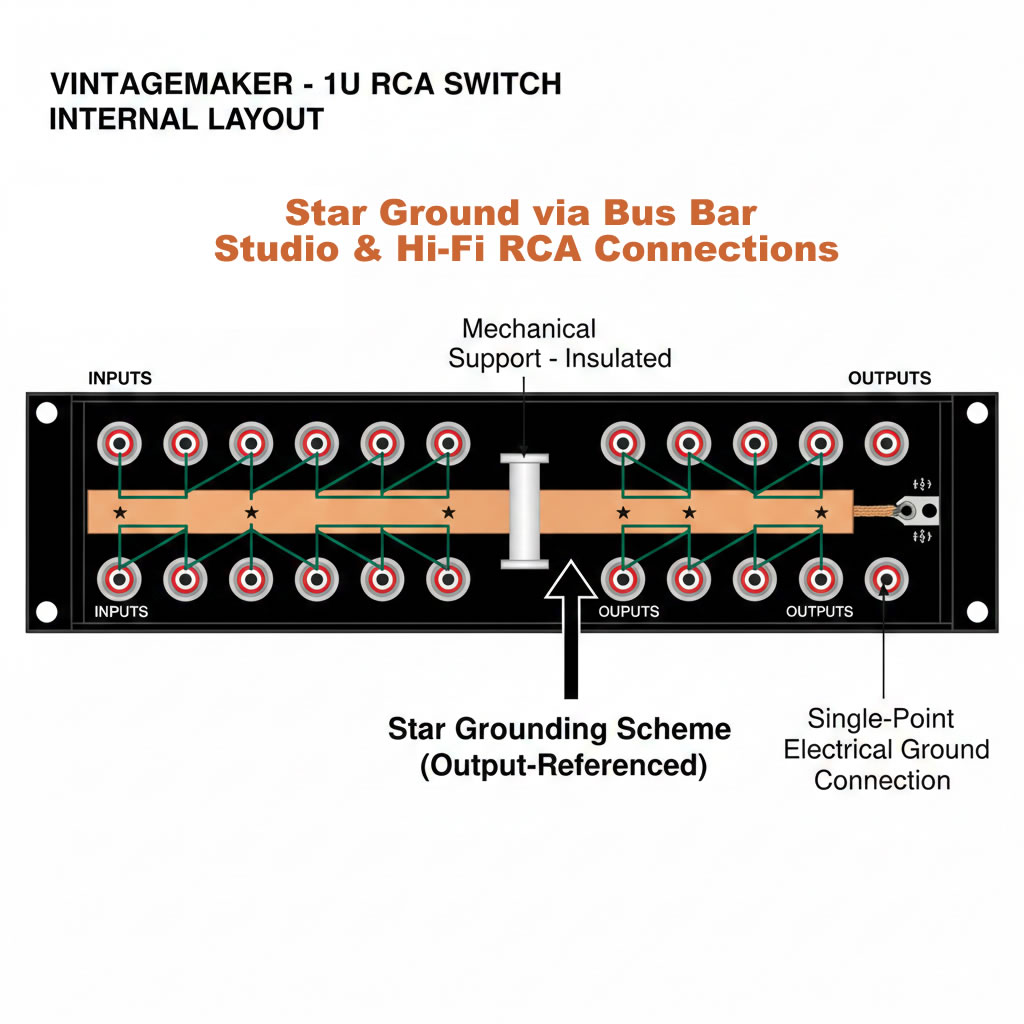
Star Ground – Bus Bar – Studio & Hi-Fi RCA Connections
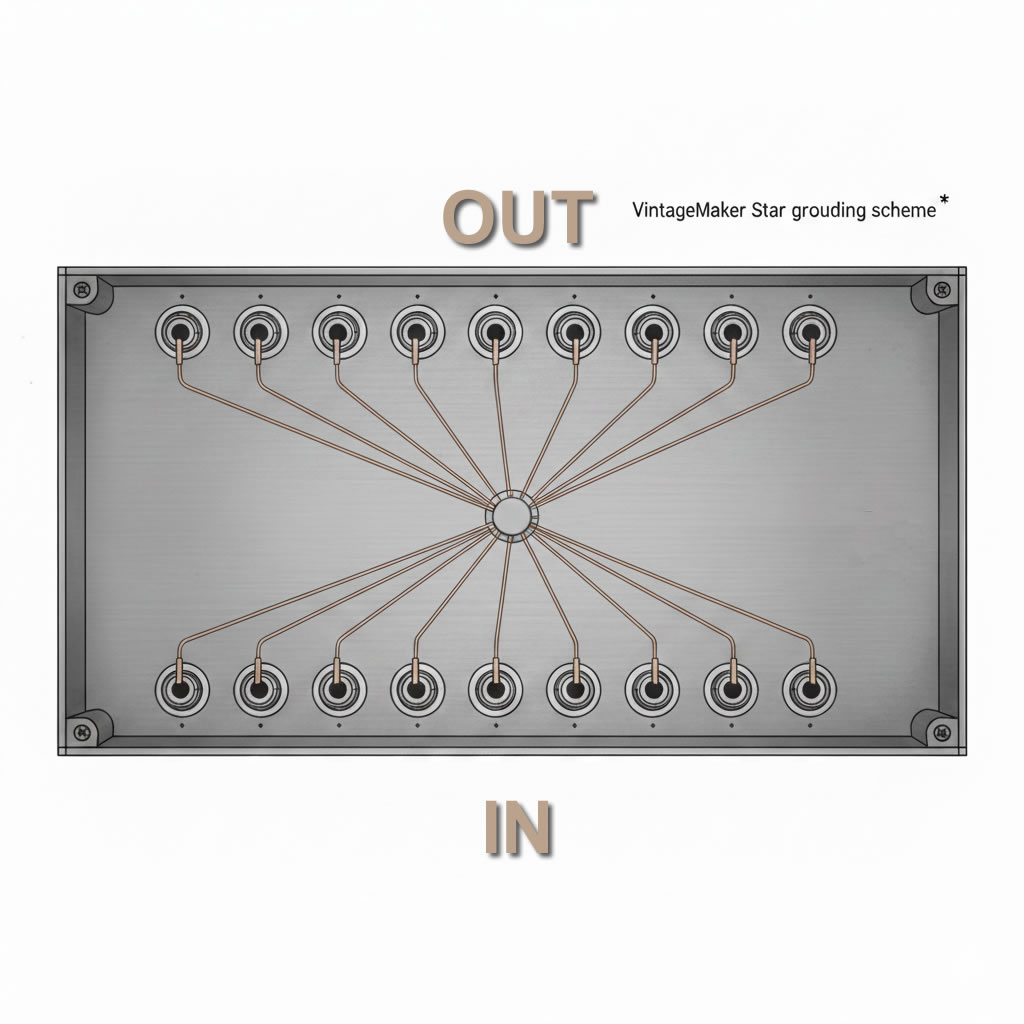
STAR GROUND
In a desktop enclosure, connectors are close together, so all ground wires can run directly to a central point. This ensures the lowest noise floor.
Star Ground via Bus Bar – output referenced
A bus bar in a 1U rack collects all connector grounds equally to a bus rail and conducts them to a single point near the outputs, keeping wires short, minimizing noise, and preventing ground loops.
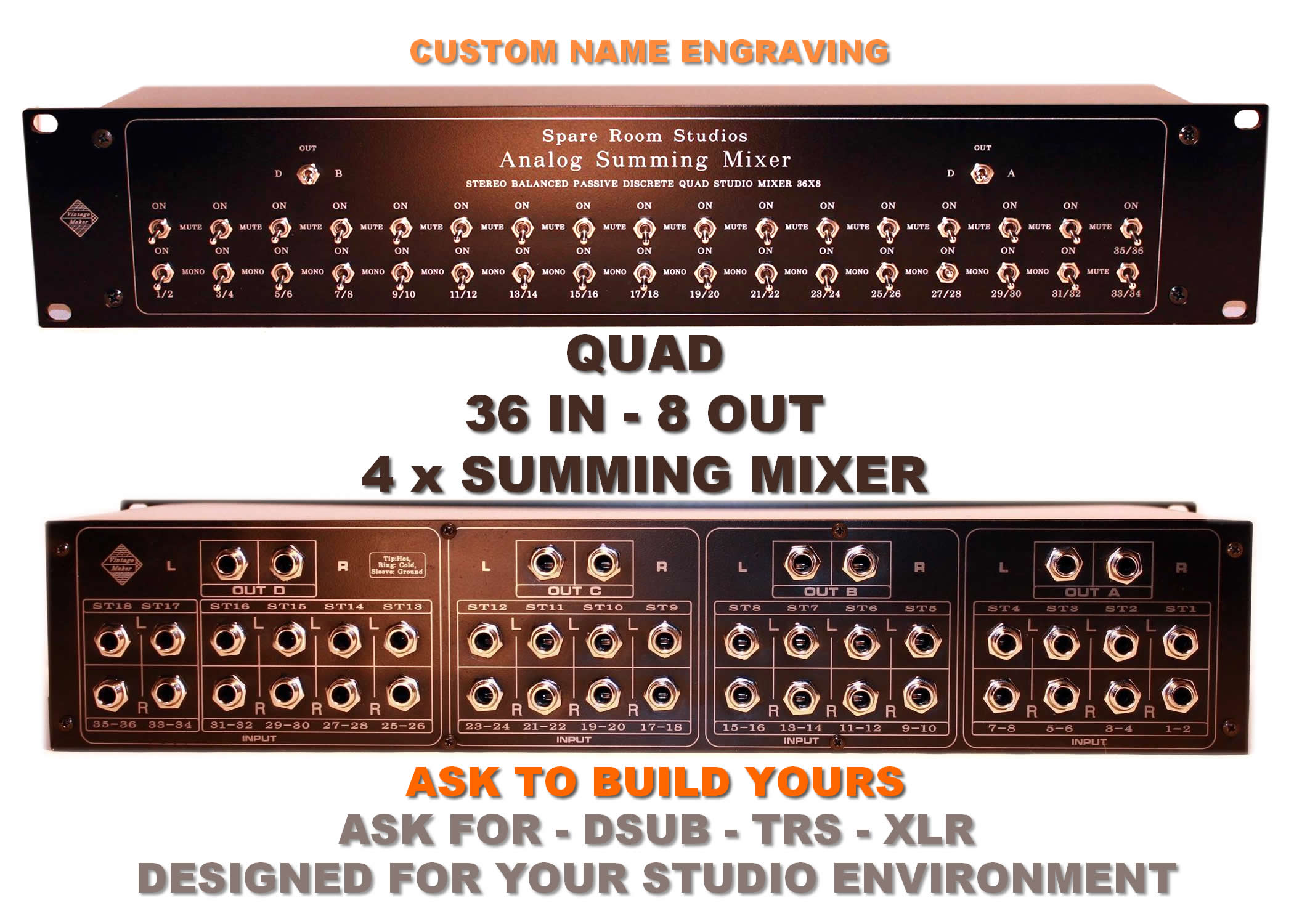
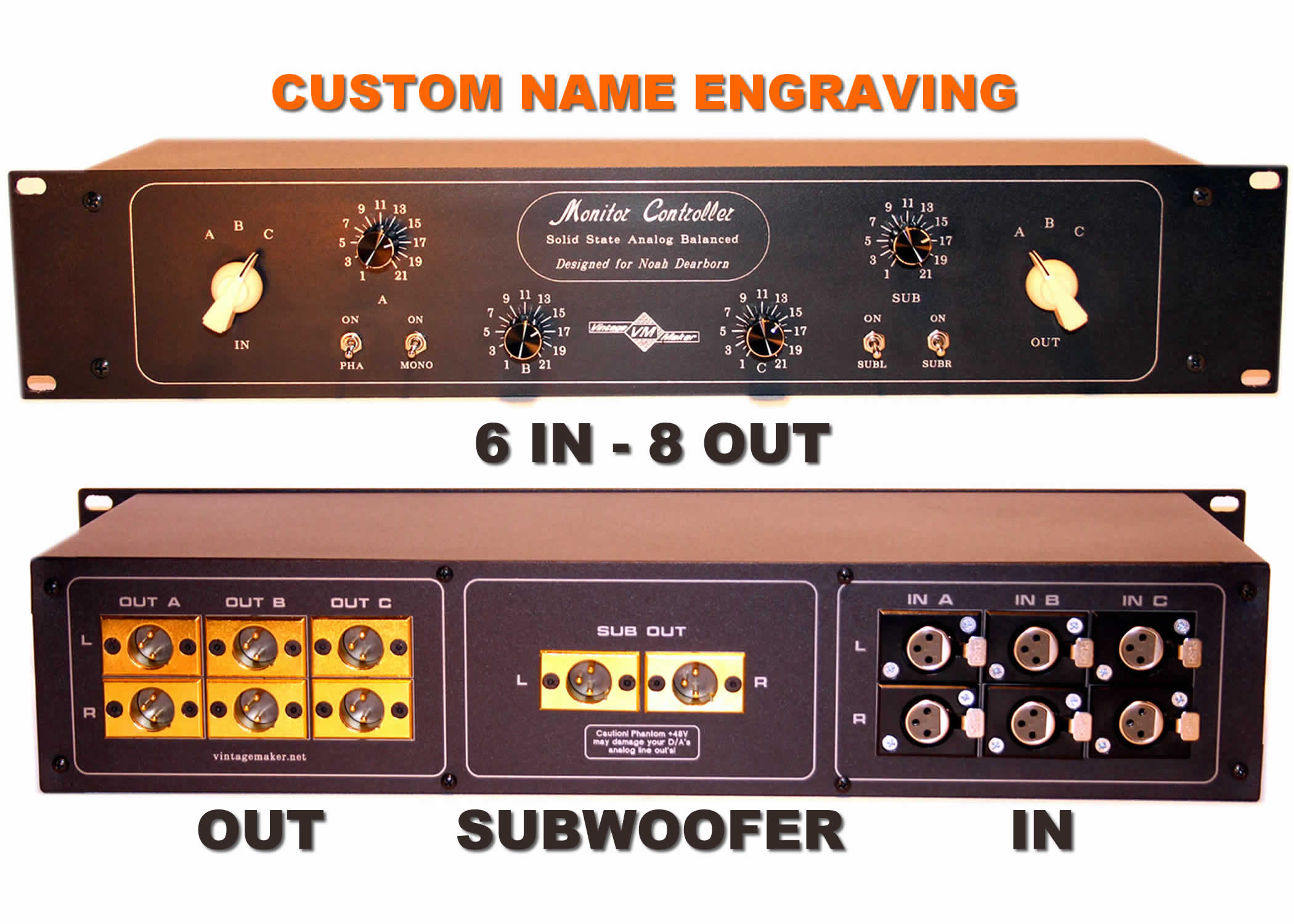
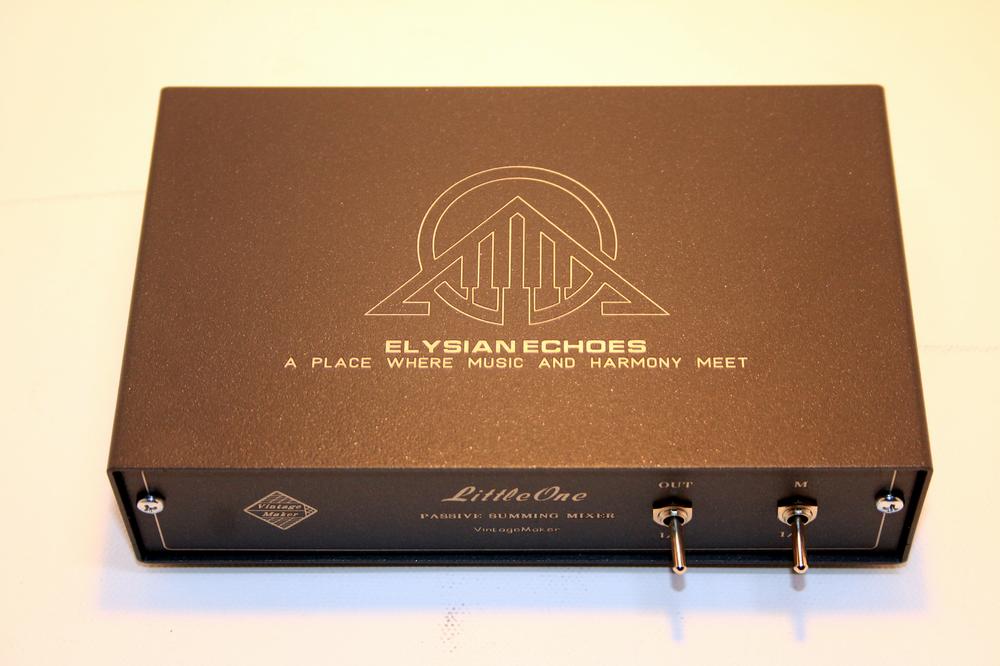
Custom Front Panel Engraving
Every Vintage Maker unit is individually engraved to order.
Outline (line-art) logos can be engraved directly onto the front panel at no additional charge. (see image)

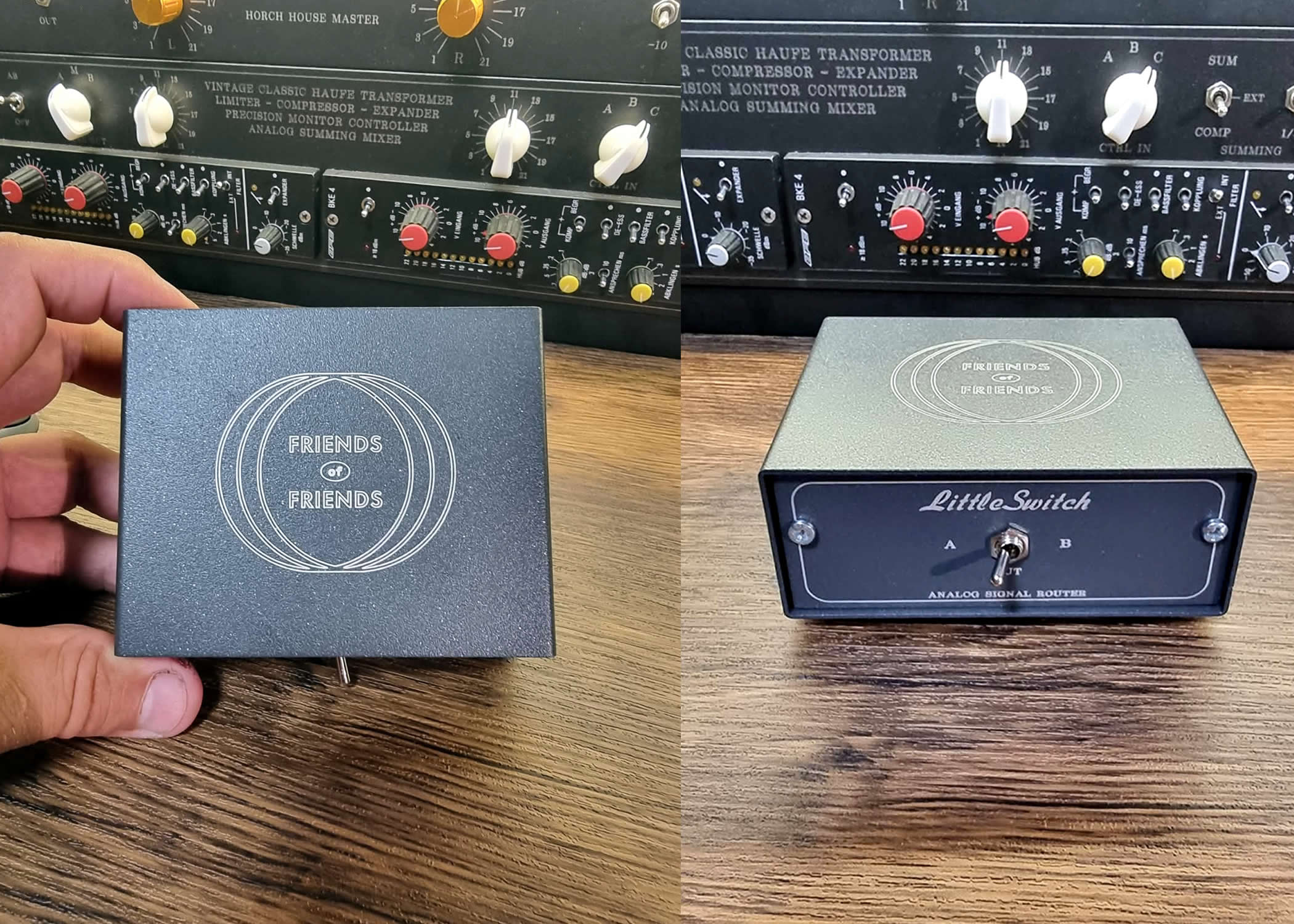
If you require a fully filled (solid) logo, the front panel must be produced by a specialized engraving company. In this case, the entire front panel is professionally engraved using their industrial process rather than our in-house equipment.
Because this requires external manufacturing, please allow additional production time. The typical surcharge is €30–50, depending on the complexity and size of the logo.
For the best results, please provide your logo in PDF, PNG, or JPG format. High-resolution artwork is strongly recommended.
Specs
- Max Input Level > +26dBu
- THD+N < 0.005% • IMD < 0.005% Frequency Response: Flat within 0.1dB from 10Hz -30kHz Crosstalk rejection: > 98dBu @ 1KHz
- Signal-to-Noise Ratio (SNR): -110dB
- Noise at Unity Gain: 20Hz to 20KHz: < -89dBu
- Noise at Nominal Mix: 20Hz to 20KHz: < -92dBu
- Input Impedance: 600 Ohms – 25K Ohms Balanced
- Output Impedance: 40 Ohms -1K ohms Balanced
- Frequency Response: Flat within 0.1dB from 10Hz -30kHz
- Sum Bus Input Reduction: -6dB -10dB -15dB / -20dB / -25dB (customizable)
- Variable Switch Reduction: -6dB -10dB -15dB / -20dB / -25dB (customizable)
Analog studio mixer with detailed documentation, schematic, and wiring diagram layout. Features a multibus compression matrix, summing mixer channels, master insert, group send/return, mono sum bus, phase control, AUX expansion, stereo stepped level controls, and attenuators. Supports TRS, XLR, and DB25 (D-Sub) connections
The Art of Custom Analog Summing & Studio Engineering
VintageMaker — founded by Paul, a former studio producer and electrical engineer — is one of the few labs still creating custom, handcrafted studio instruments.
In a world of mass production, we deliver high-end analog solutions tailored to your specific sonic signature. Since 2010, we have crafted over 1,000 unique units for the world’s most demanding studios.
Ready for a Custom Analog Solution?
Every VintageMaker unit is handcrafted in the EU with high-precision engineering.